To set up an ElasticEmail Send Integration the following are required:
- A paid account so webhooks are enabled
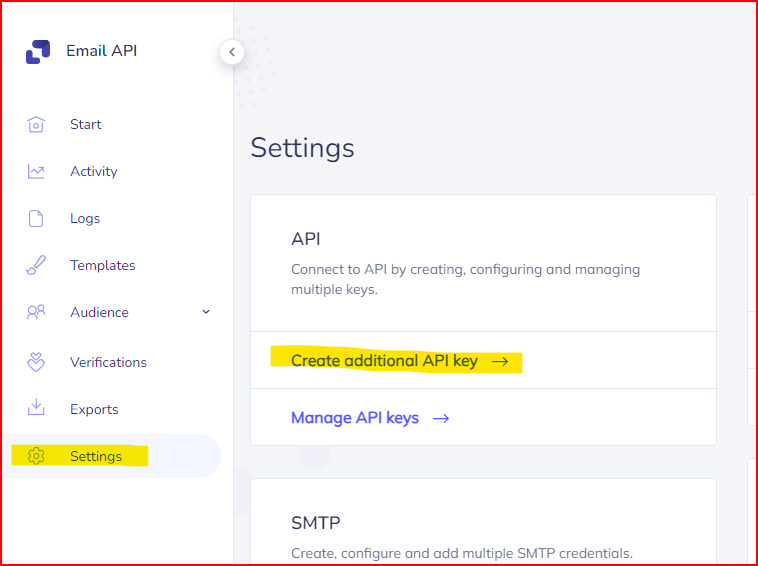
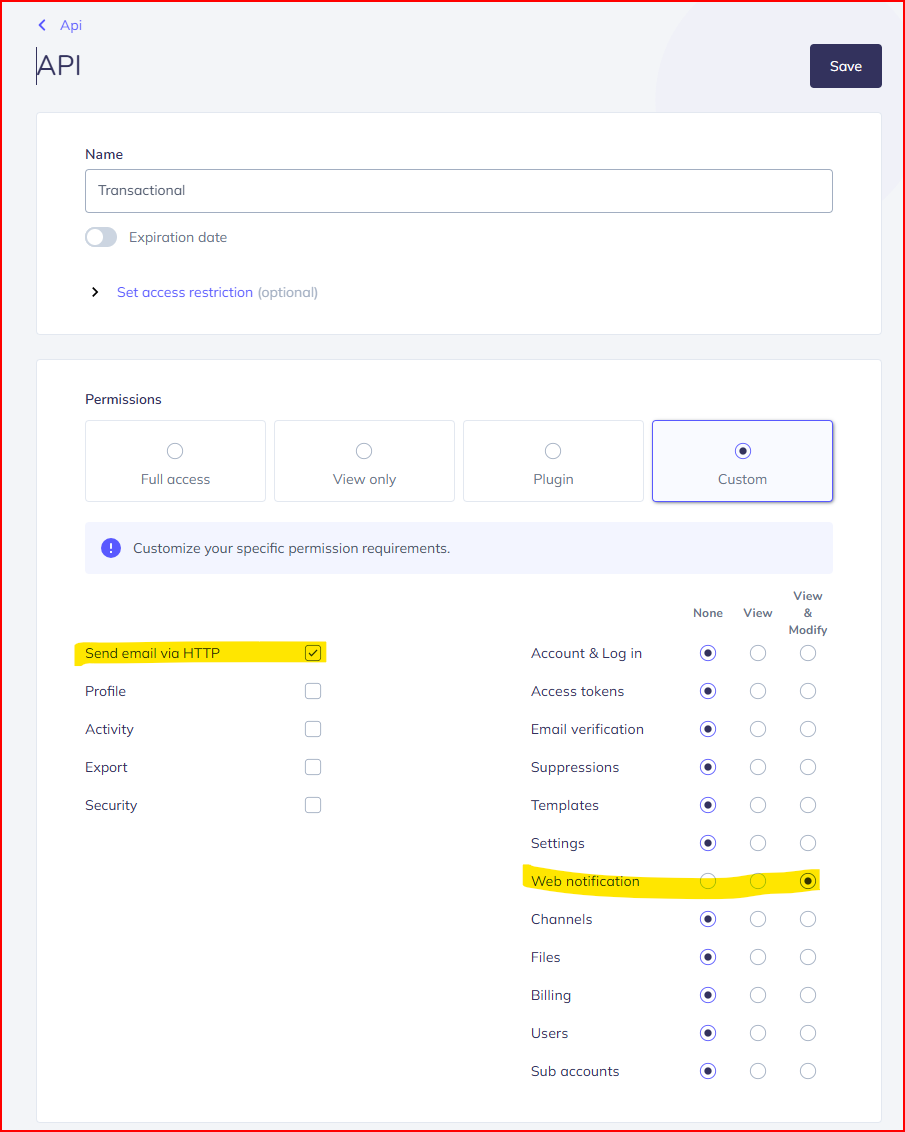
- An API key with correct permissions to set up webhook and headers. (See images below)
- Add Unsubscribe URL to Brand Footer (Optional)
¶ Create APIToken

Give API key Settings Permission
¶ Add Unsubscribe URL to Brand Footer
Elastic Mail will always add their own unsubscribe link that redirects to their service, so you'll have to add the unsubscribe URL to your Brand Footer if you want to prevent duplicate links. See their documentation for further information.
- In EmailElement, navigate to the Brand you want to use with your Elastic Mail send integration
- Under the Brand Templates section, select “Edit” for Brand Footer, and choose either Custom HTML or Drag and Drop for your template type
- Paste the following tag anywhere you'd like the link to be in your template:
{EEUnsubscribeUrl}
- Make sure to add all other required tags (unless you select the option to opt out of them) and save your Brand.