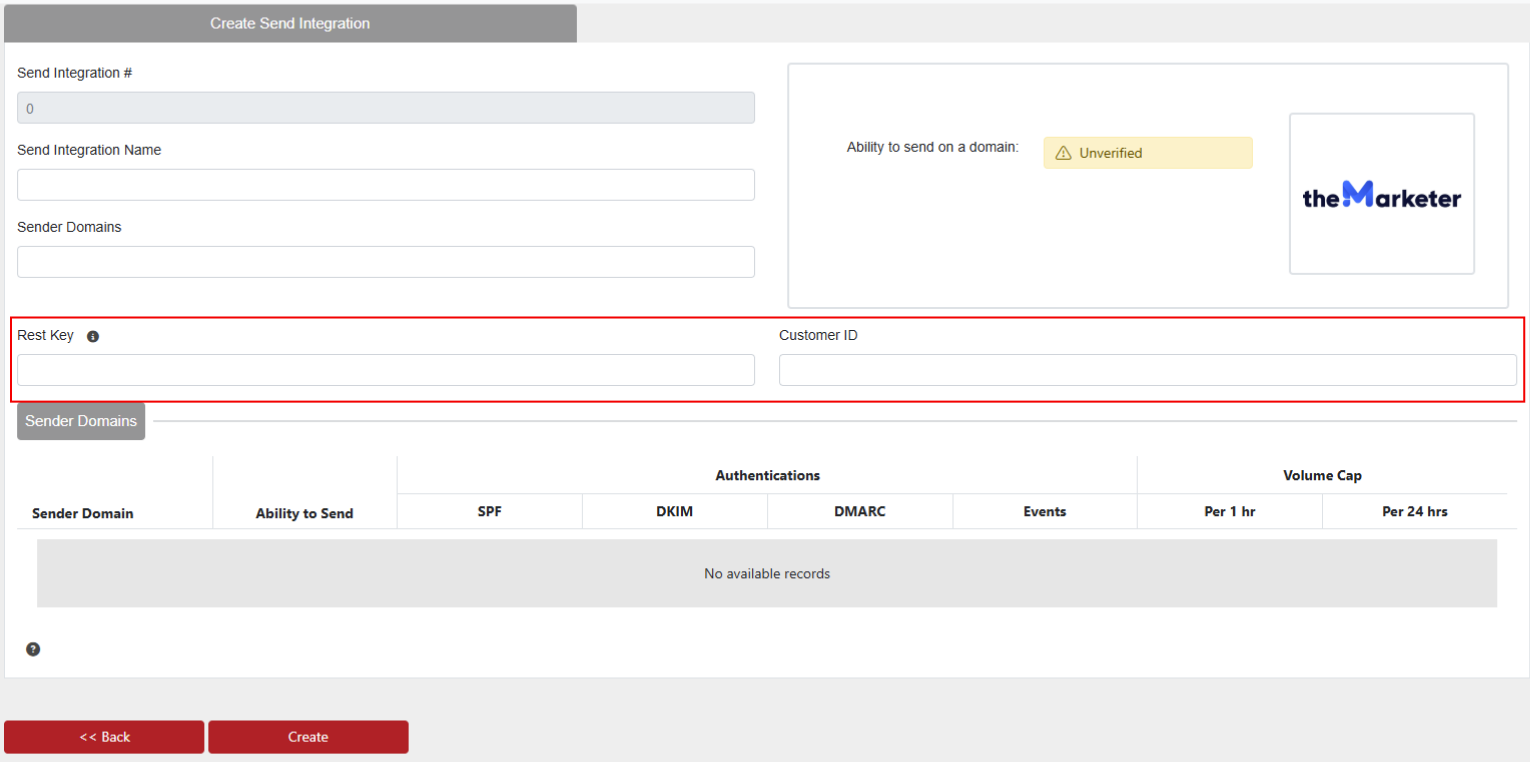
To setup theMarketer to be used as an Email Service Provider in EmailElement, you will need:
- At least 1 Email Domain configured and verified
- At least 1 valid Sender Address (this is created with your account, but you can optionally make another if need from the “Email setup” menu)
- Have credit for the Transactional Email feature in theMarketer
- A webhook setup and enabled
- Your Rest Key and Customer ID for theMarketer
Create and Enable Webhook
- From the left pane, select Transactional>Emails, then select the Settings button. This will open a new set of options on the left; select Webhooks.
- Click “Add Webhook”
- Edit the Webhook with the settings seen here:
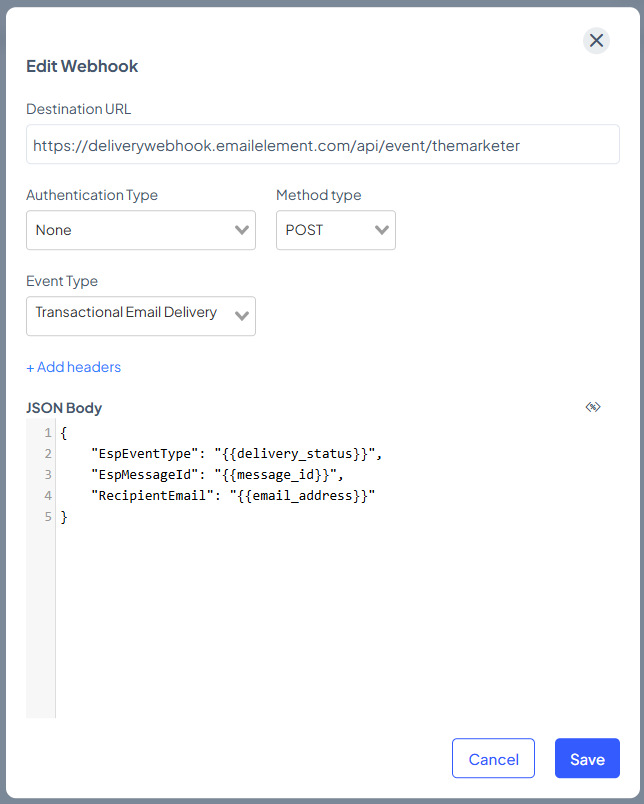
[Use this for easier copy/paste]
Destination URL:
https://deliverywebhook.emailelement.com/api/event/themarketer

JSON Body:
{
	"EspEventType": "{{delivery_status}}",
	"EspMessageid": "{{message_id}}",
	"RecipientEmail": "{{email_address}}"
}
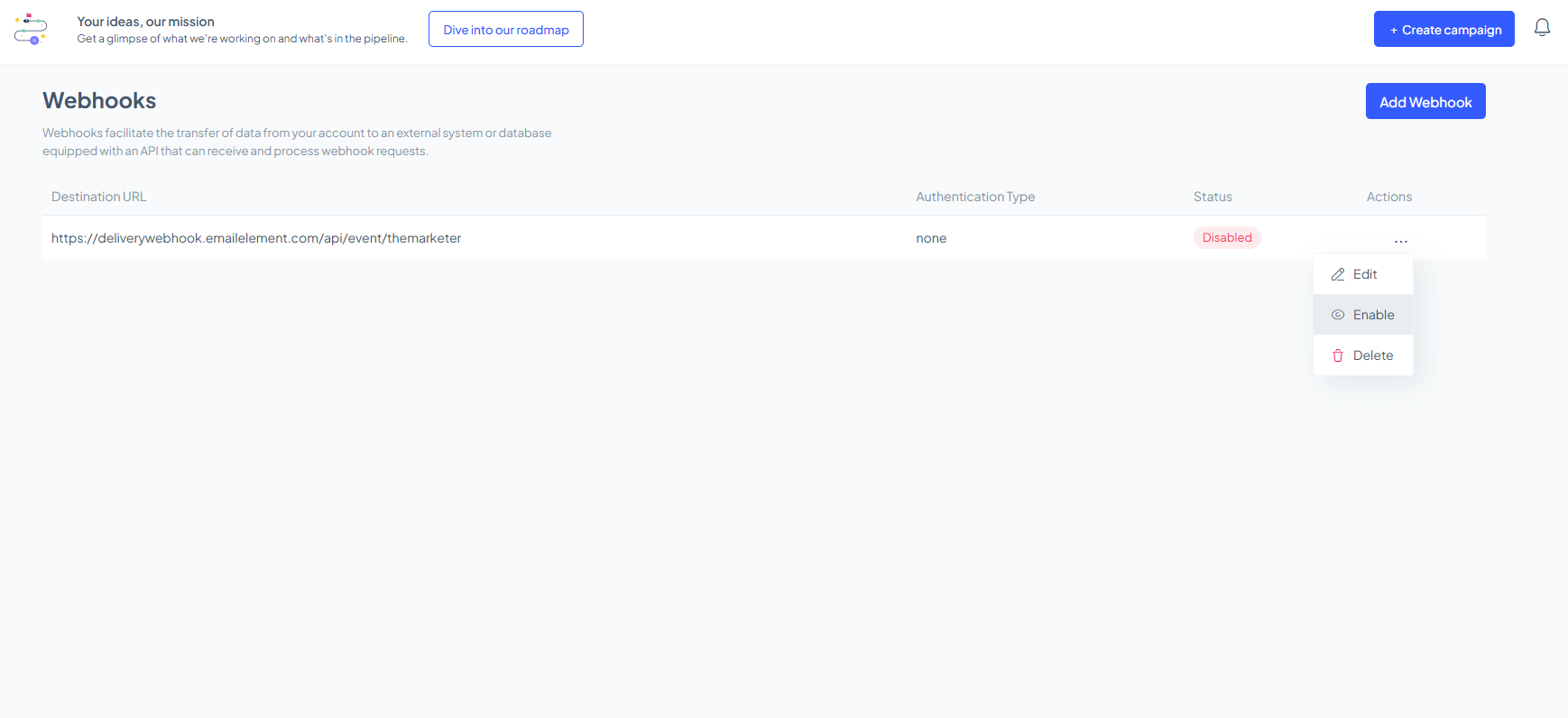
- After saving the Webhook, it'll be defaulted to a “Disabled” state, so you'll have to open the 3 dot menu for the Webhook and select “Enabled”.
Get Rest Key and Customer ID
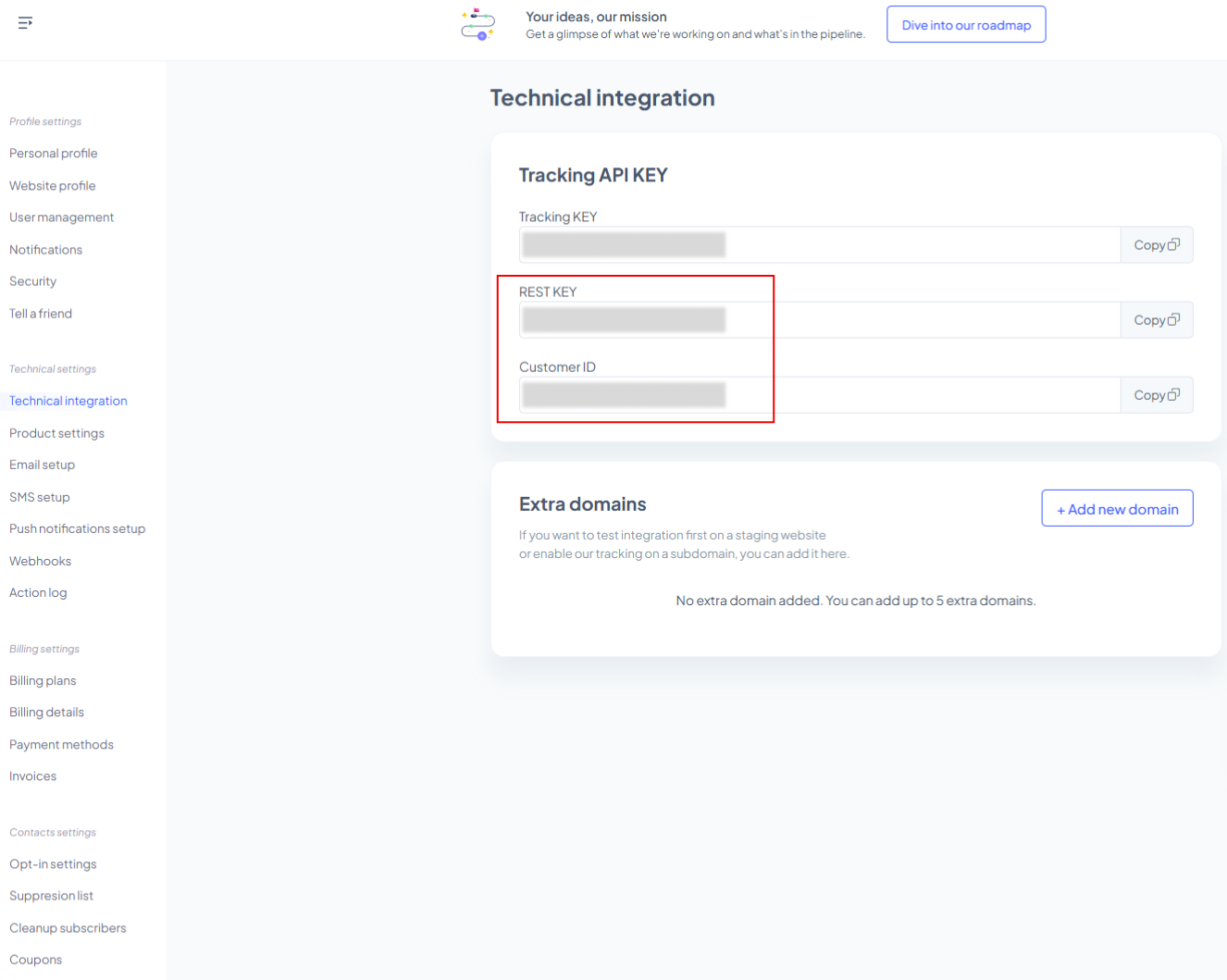
- From the same pane you found the Webhook settings, click on “Technical Integration”
- Copy the “REST KEY” and “Customer ID”
- Back in EmailElement, when setting up your integration, enter these items into their appropriate fields