

AWS SES
To set up an AWS SES SendIntegration the following are required:
- An API key and Secret with correct permissions to set up SNS and SES elements. (See images below)
Create IAM User
Create an IAM Policy and create a user with that policy attached.
First navigate to Policies and create a new policy with the correct permissions.
Policy Permissions
ses:CreateConfigurationSetses:GetConfigurationSetses:CreateConfigurationSetEventDestinationses:GetConfigurationSetEventDestinationsses:SendRawEmailsns:CreateTopicsns:ListSubscriptionsByTopicsns:Subscribesns:ConfirmSubscription
Json version of policy
{ "Version": "2012-10-17", "Statement": [ { "Sid": "SesConfigSetSetup", "Effect": "Allow", "Action": [ "ses:CreateConfigurationSet", "ses:GetConfigurationSet", "ses:CreateConfigurationSetEventDestination", "ses:GetConfigurationSetEventDestinations" ], "Resource": "*" }, { "Sid": "SesSend", "Effect": "Allow", "Action": "ses:SendRawEmail", "Resource": "*" }, { "Sid": "SnsWebhookSetup", "Effect": "Allow", "Action": [ "sns:CreateTopic", "sns:ListSubscriptionsByTopic", "sns:Subscribe", "sns:ConfirmSubscription" ], "Resource": "*" } ] }
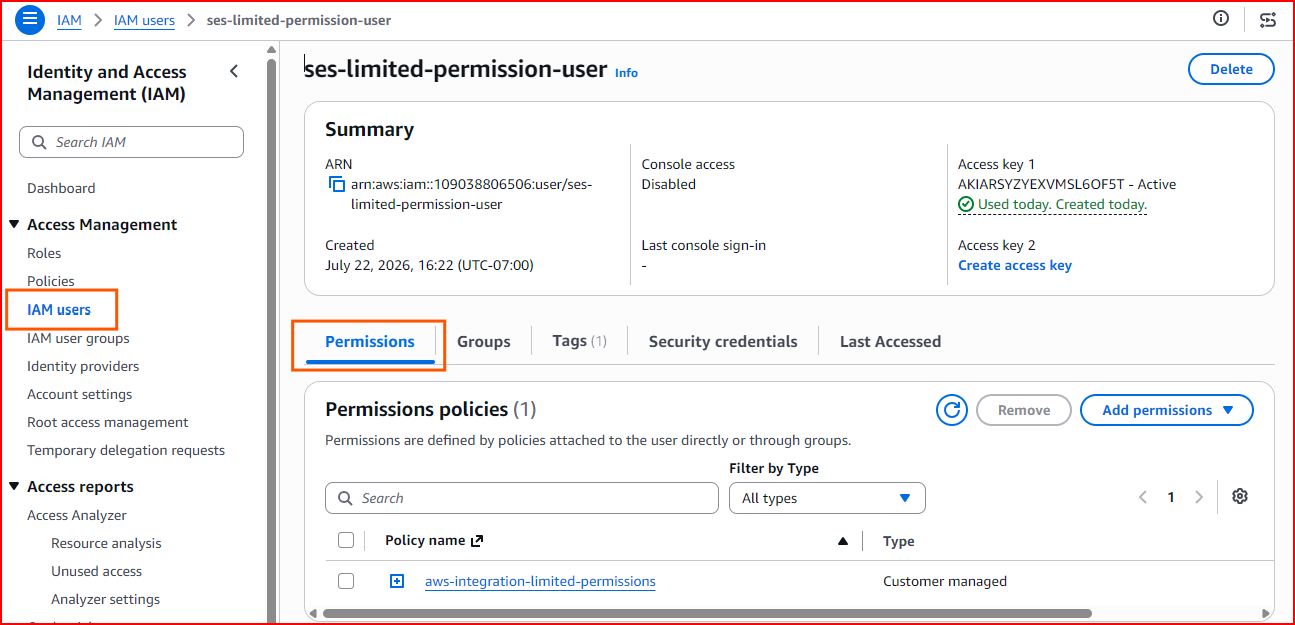
Navigate to IAM Users to create your user and attach the policy under Permissions.
Create Api Token
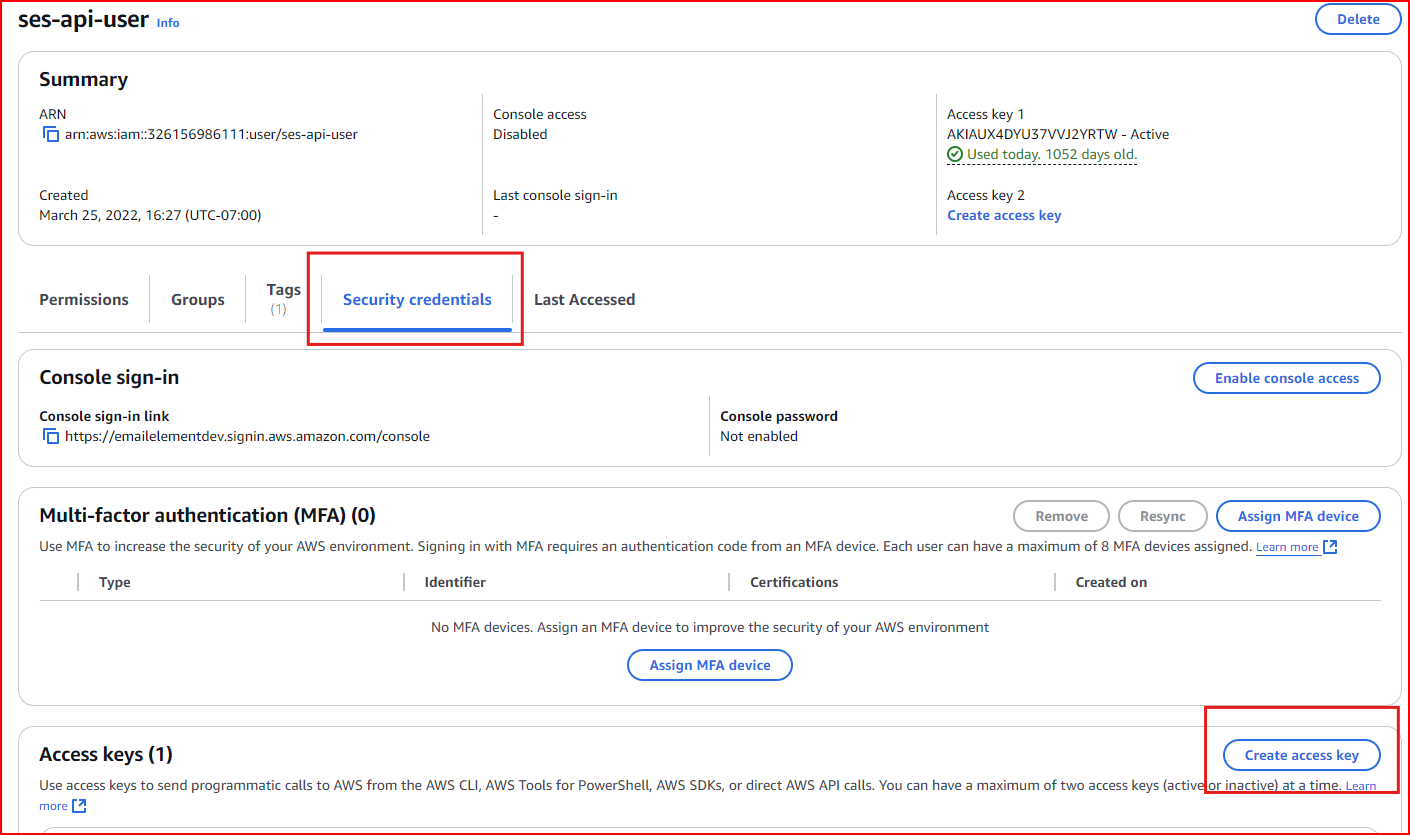
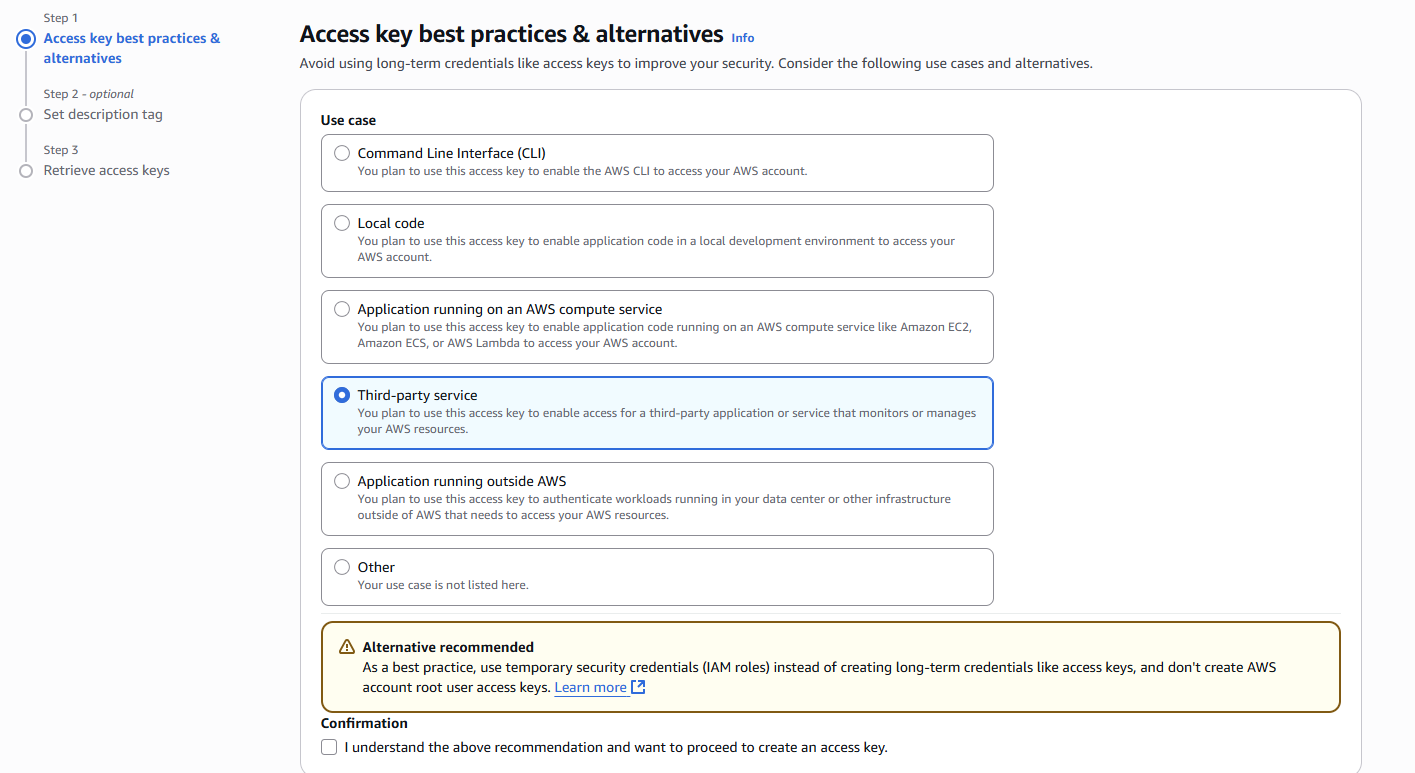
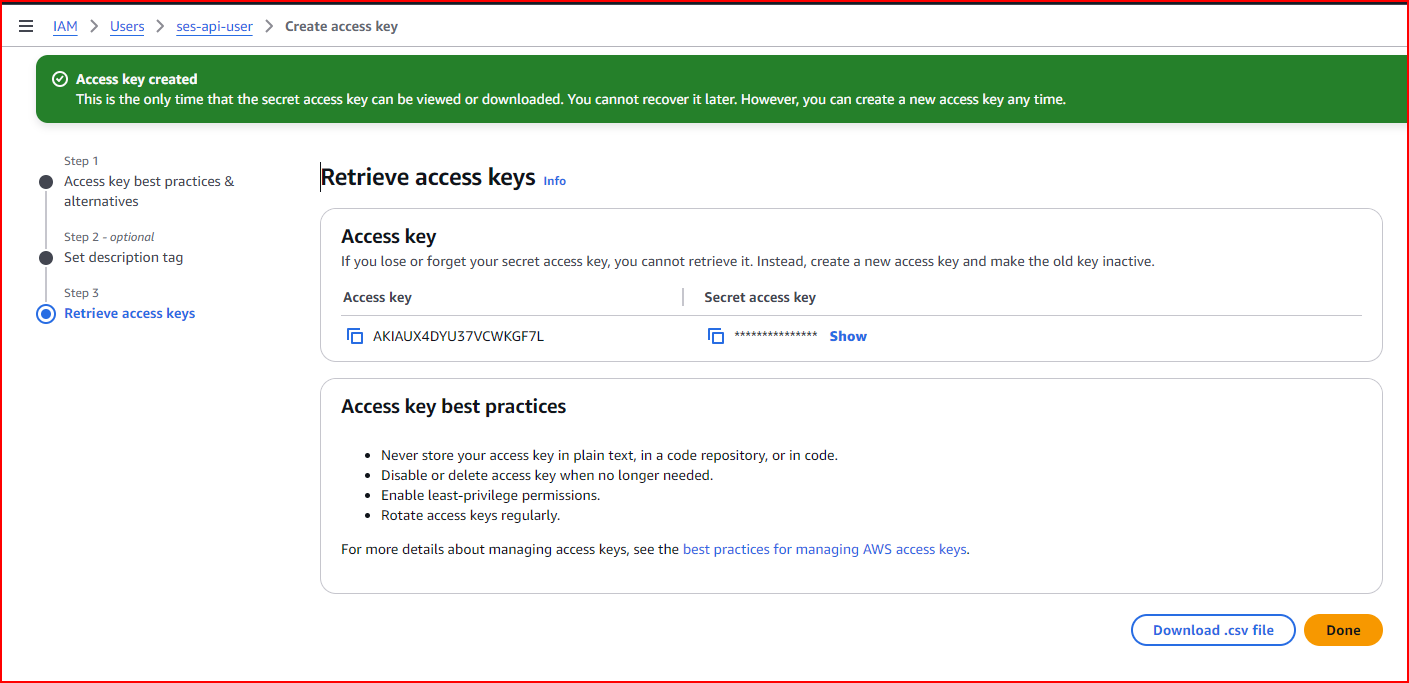
Create an Access Key for your User
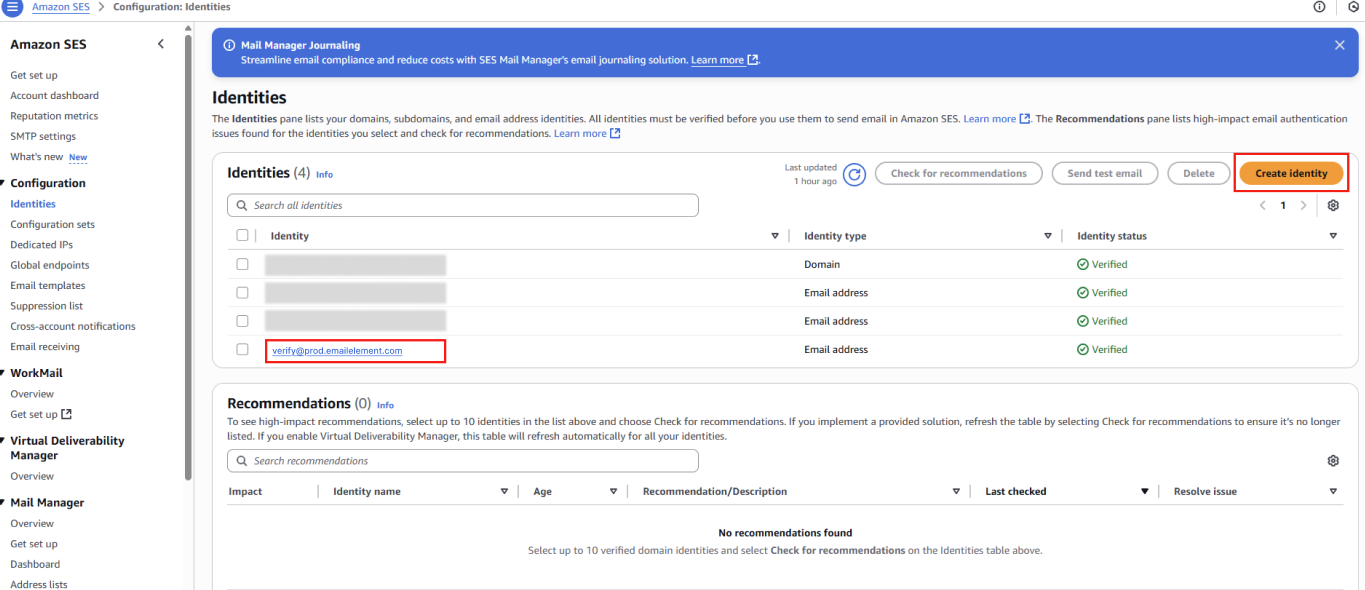
Create Identity (if in Sandbox environment)
If working in a sandbox environment, after creating your Send Integration in EmailElement you'll need to add a “verify@prod.emailelement.com” identity AWS account (EmailElement will automatically click to verify the email, so you don't need access to the inbox), which will allow you to verify the Send Integration. Select “Create Identity” in the Identities section on the AWS SES page and follow the prompts:
Set Up AWS SES in EmailElement
- Integration Type: API
- ESP: AWS
- API Key: your AWS Access Key ID
- API Secret: your AWS Secret Access Key
- Region: the region your SES domain is set up in
Notes
- SES starts in sandbox mode. Request production access before you send to unverified addresses.
- Verify your domain in both AWS SES and EmailElement.
- The region picked in EmailElement must match the region the SES domain is configured in.