
Billing
Billing lives across four tabs under Account: Plans, Billing, Usage Report and Transactions. Administrators see them; other roles do not.
Instructions
Plans
Account > Plans shows what you are on and what else is available.
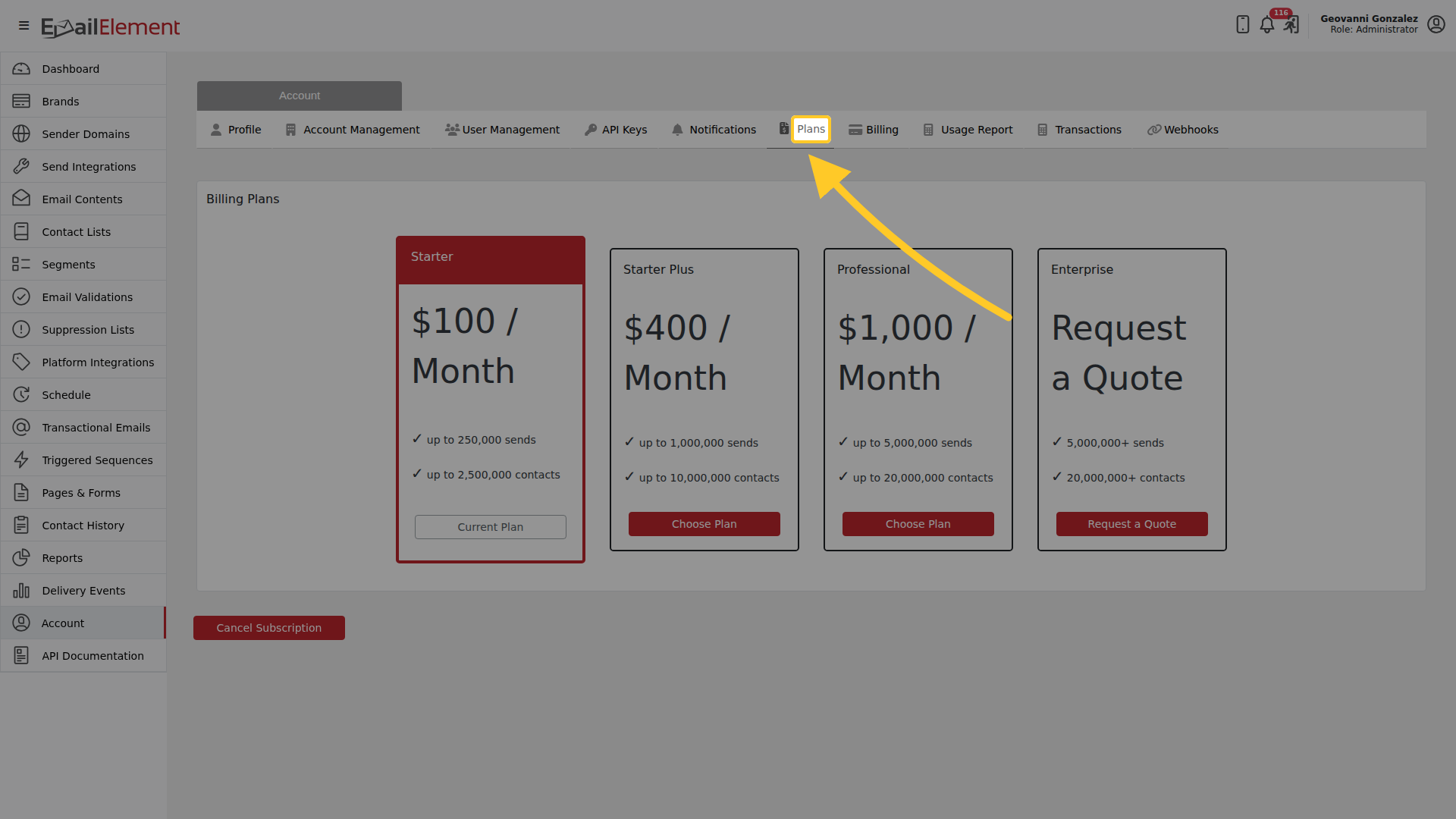
| Plan | Price | Includes |
|---|---|---|
| Starter | $100 / month | up to 250,000 sends, up to 2,500,000 contacts |
| Starter Plus | $400 / month | up to 1,000,000 sends, up to 10,000,000 contacts |
| Professional | $1,000 / month | up to 5,000,000 sends, up to 20,000,000 contacts |
| Enterprise | Request a Quote | 5,000,000+ sends, 20,000,000+ contacts |
Your current plan is the one marked Current Plan rather than Choose Plan. Choose Plan moves you to that plan from the next billing cycle. Request a Quote starts the Enterprise conversation, or write to support@emailelement.com. Cancel Subscription is below the cards.
Billing
Account > Billing holds the card you are charged on.
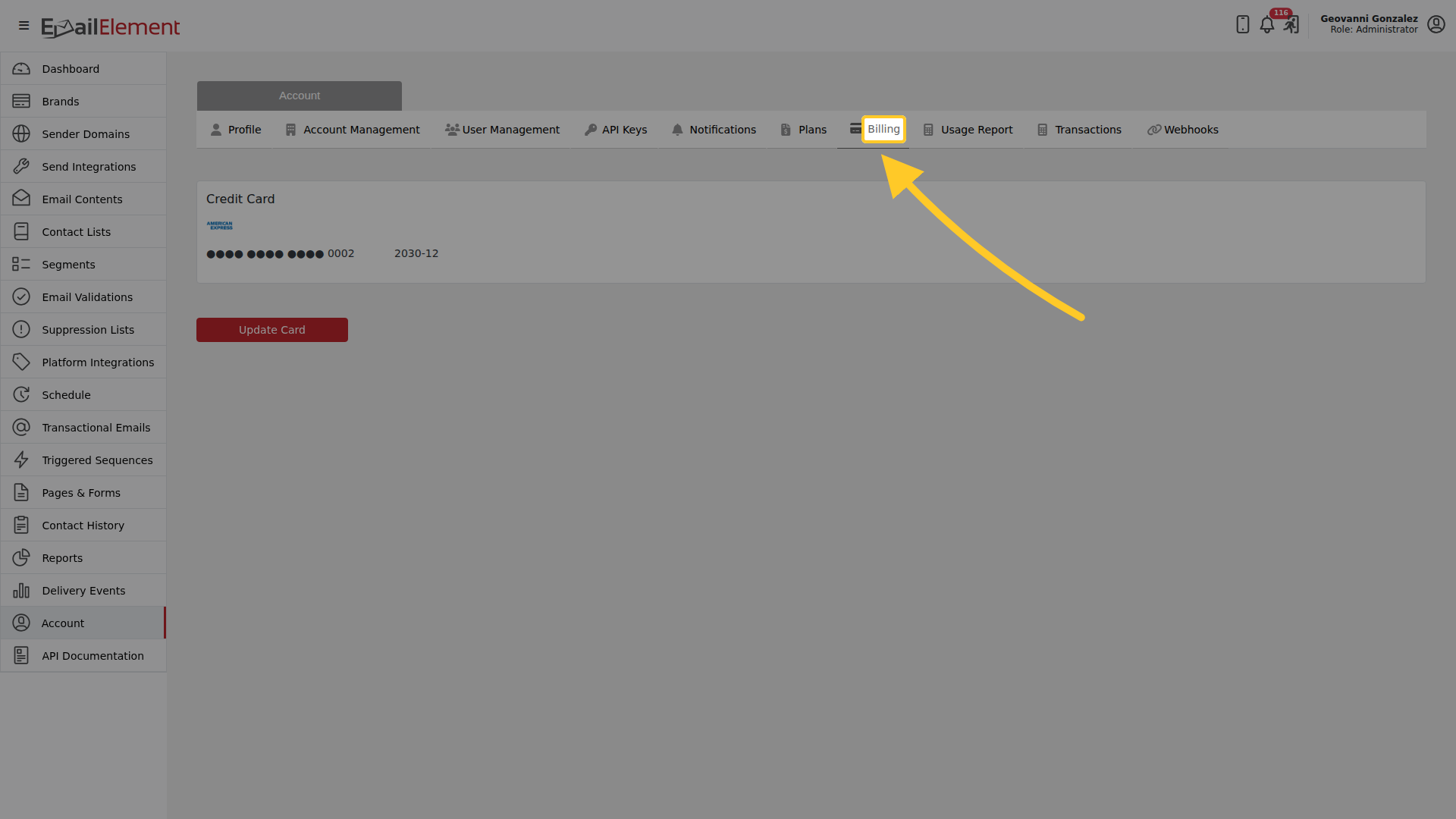
Update Card replaces it. There is one card per account.
Usage Report
Account > Usage Report is what you have used this billing period.
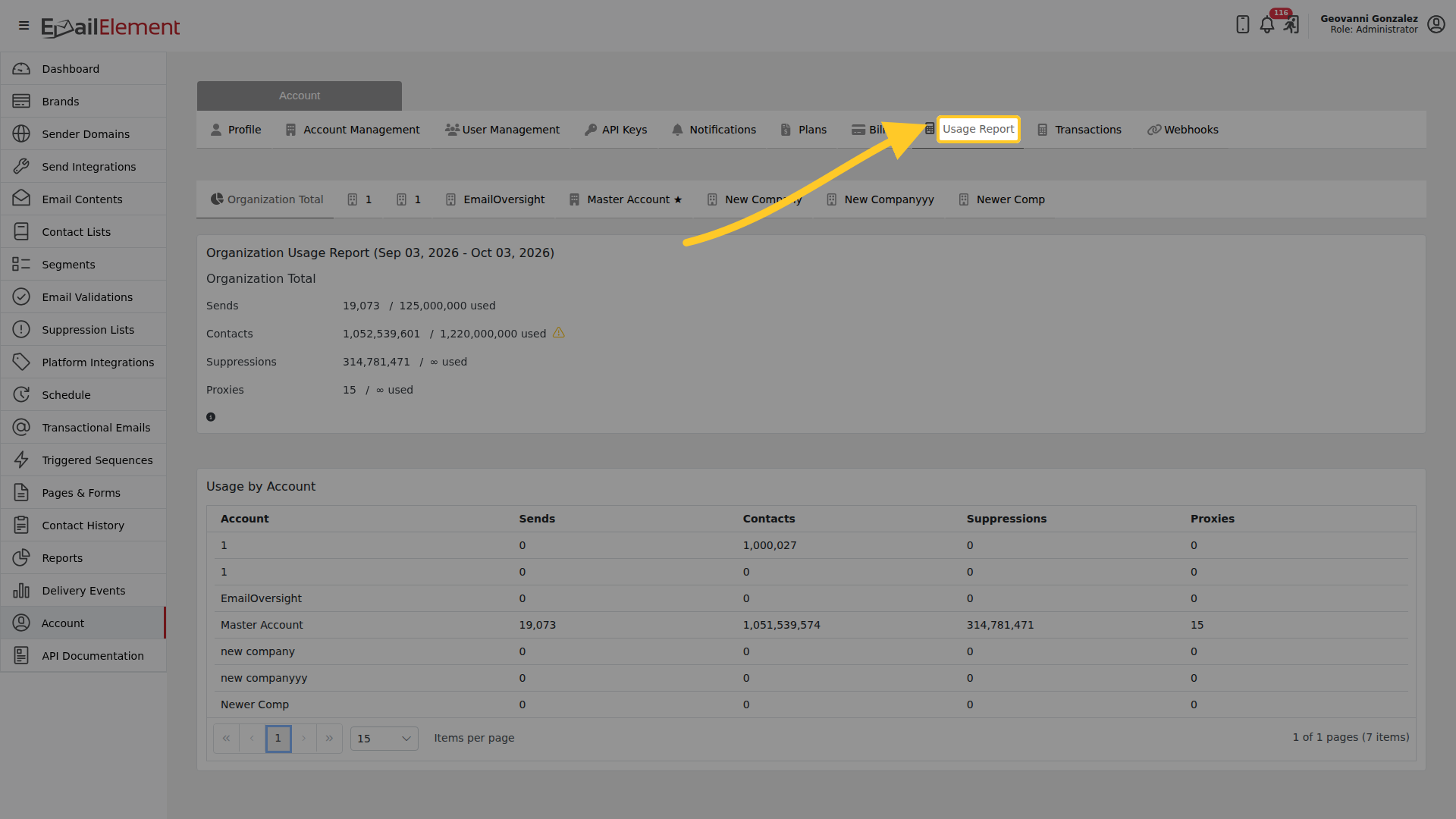
The columns are Account, Sends, Contacts, Suppressions and Proxies, with a row per account in the organization. Suppressions are not capped on any plan.
Transactions
Account > Transactions is your payment history.
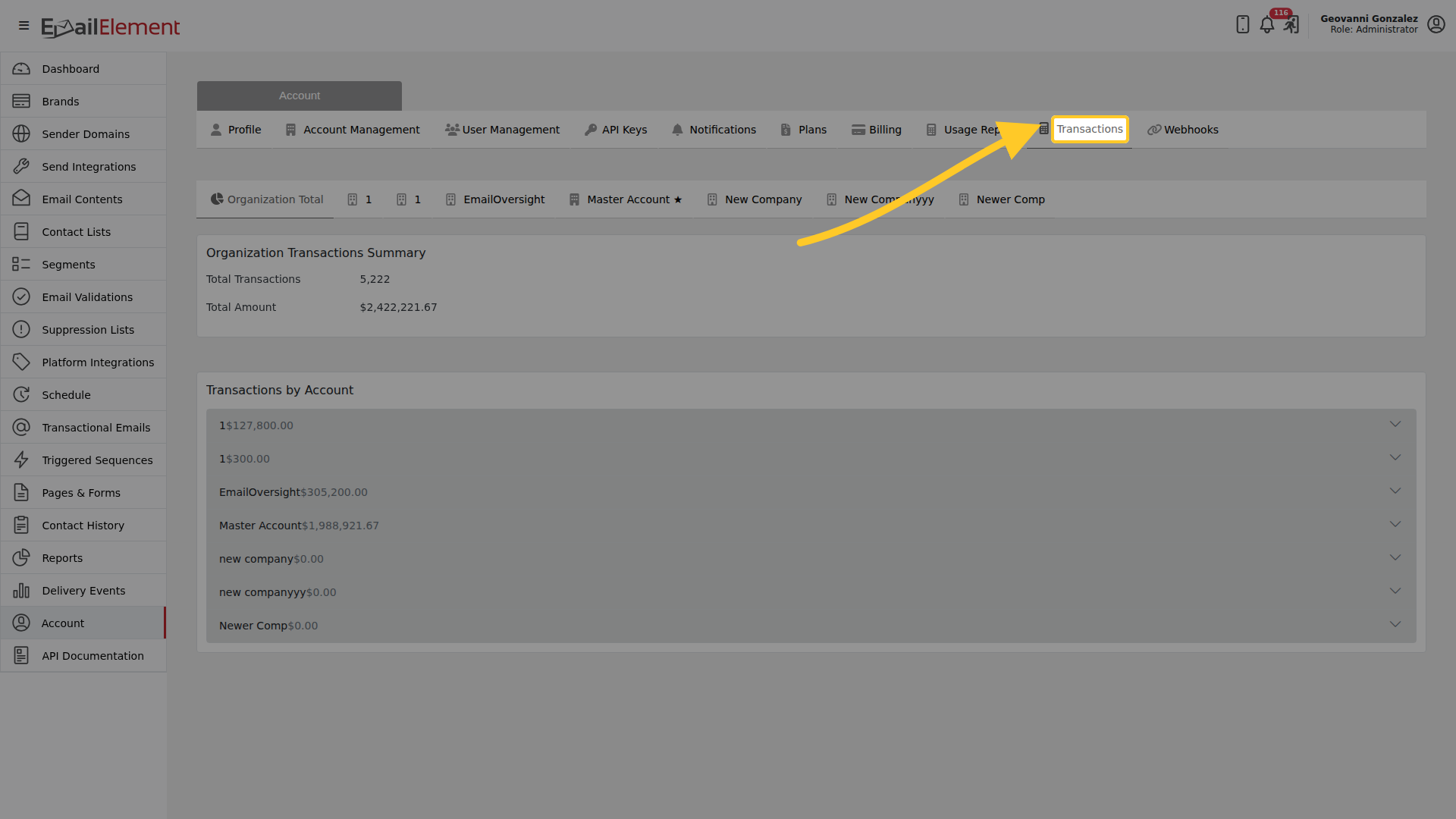
Each row is a payment, and invoices download as PDFs.
If you go over
Going past your plan's volume during a cycle moves the account to the next tier automatically, and the overage is charged at that next tier's rate on the following invoice. Nothing stops sending when you cross the line.
Related pages
- Plan Details — the limits in full
- Account — the rest of the account tabs
- Reports — what you actually sent