

ExpertSender
To setup ExpertSender to be used as an Email Service Provider in EmailElement, you will need:
- At least 1 Email Domain configured and verified
- Your webhooks setup and enabled
- Your API Key for ExpertSender
Select Domain
- In the top navigation, select the domain of interest

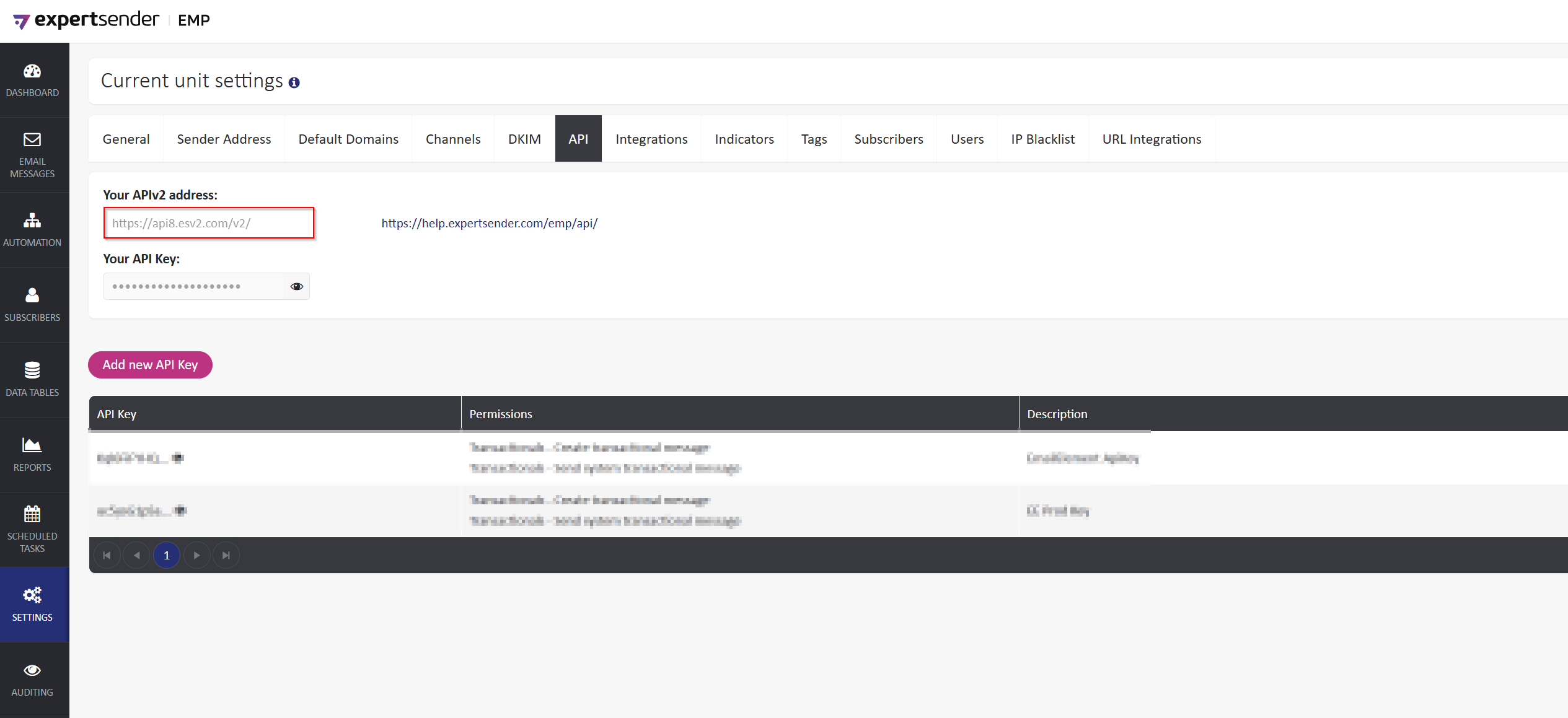
Identify Region
- ExpertSender has multiple regions.
- From the Left Pane select Settings > Business Unit
- The region can be determined by looking at the URL in the API section
Create and Enable Webhooks
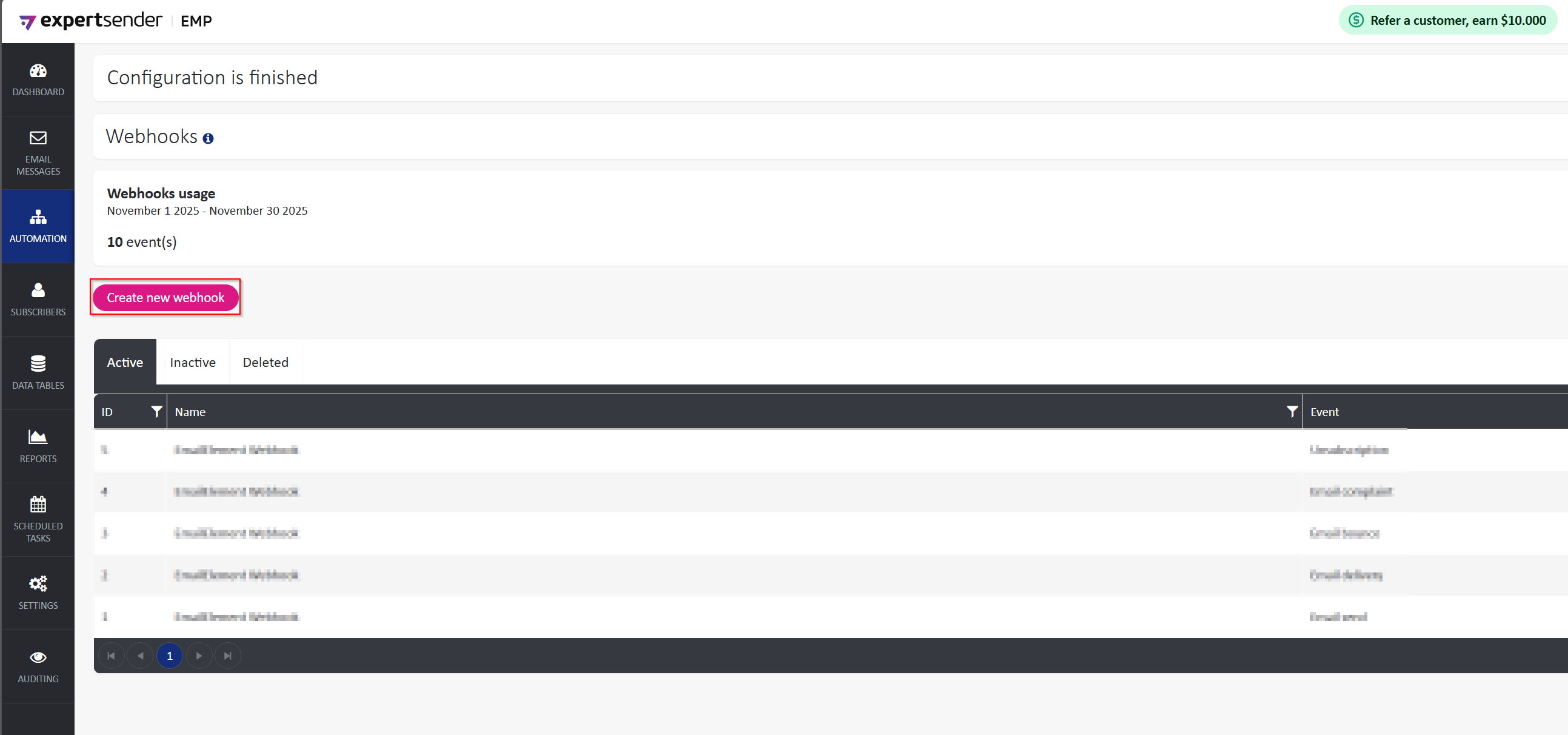
- From the left pane, select Automations > Webhooks
- Click “Create new webhook”
- Create the Webhook with the settings seen here:
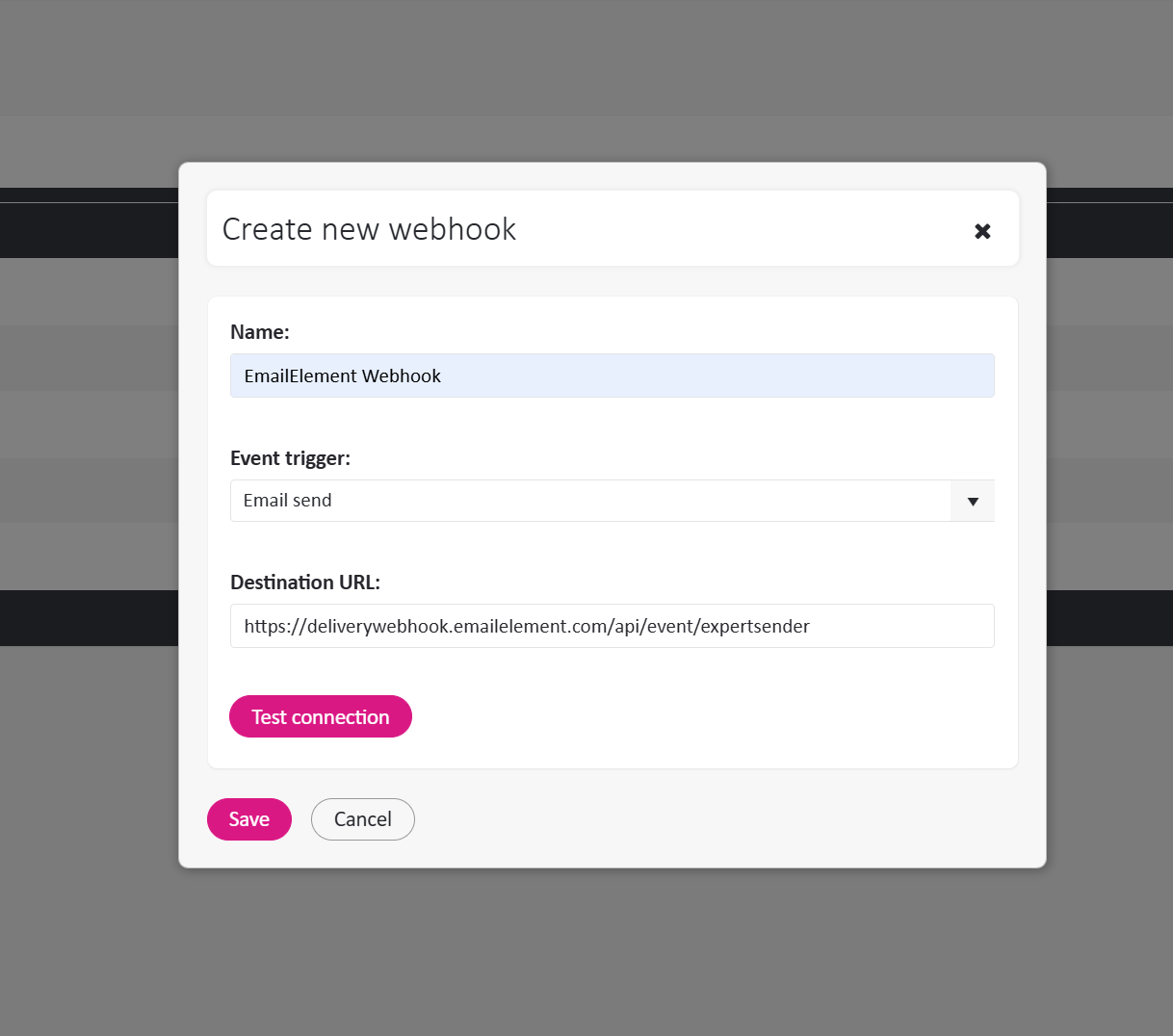
[Use this for easier copy/paste]
Webhook URL:
https://deliverywebhook.emailelement.com/api/event/expertsender
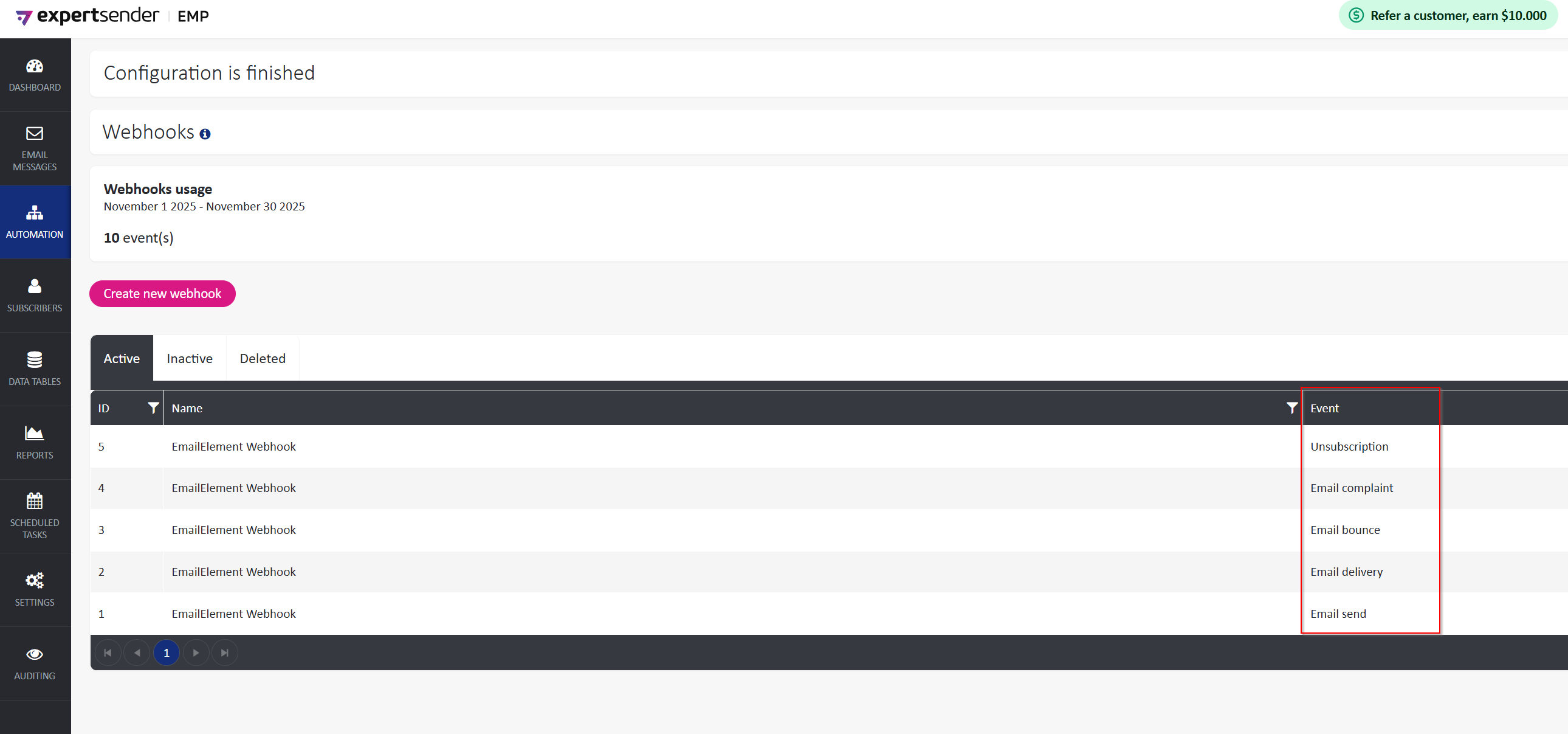
Repeat this process and create webhooks for the following events
- Email send
- Email delivery
- Email bounce
- Email complaint
- Unsubscription
Create API Key
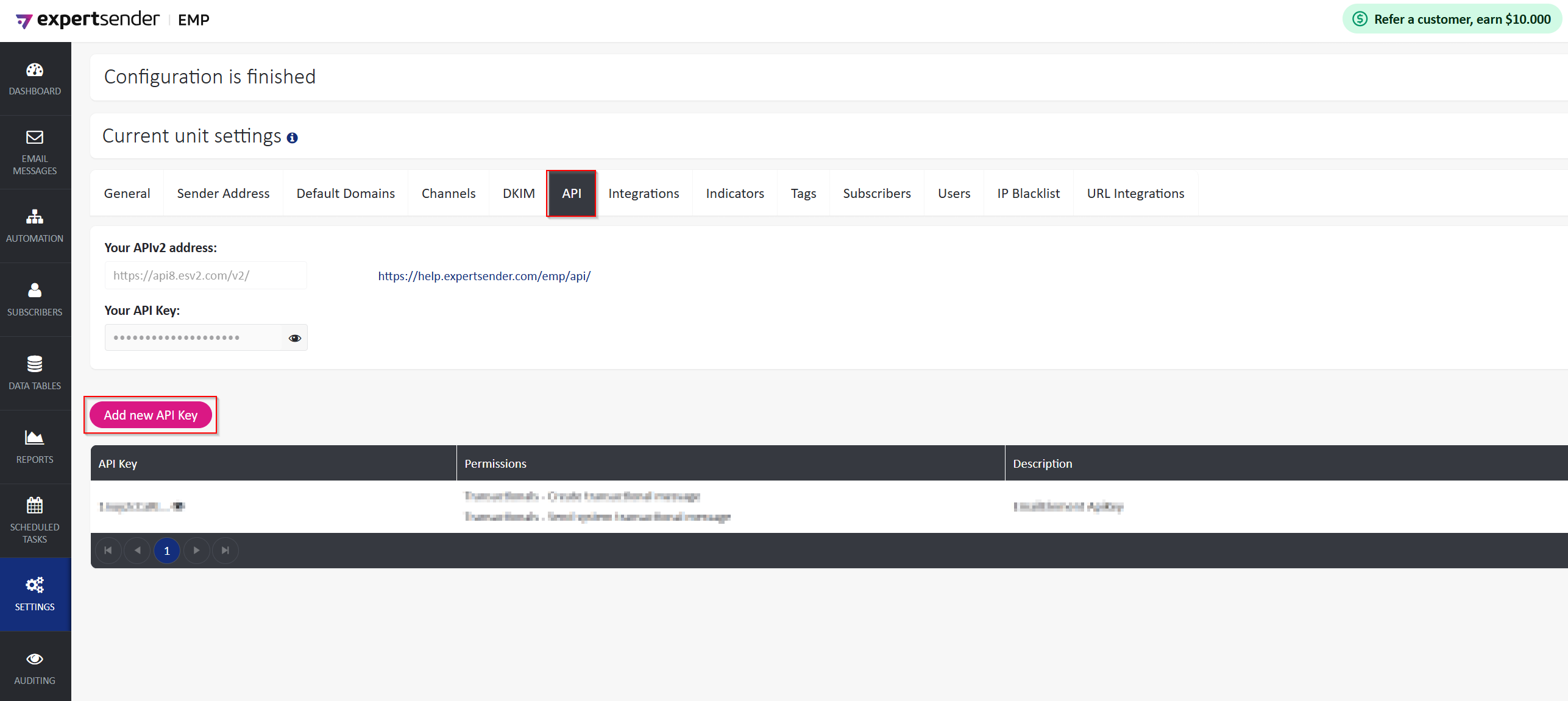
- From the Left Pane select Settings > Business Unit
- Select the ‘API’ tab and select ‘Add new API Key’
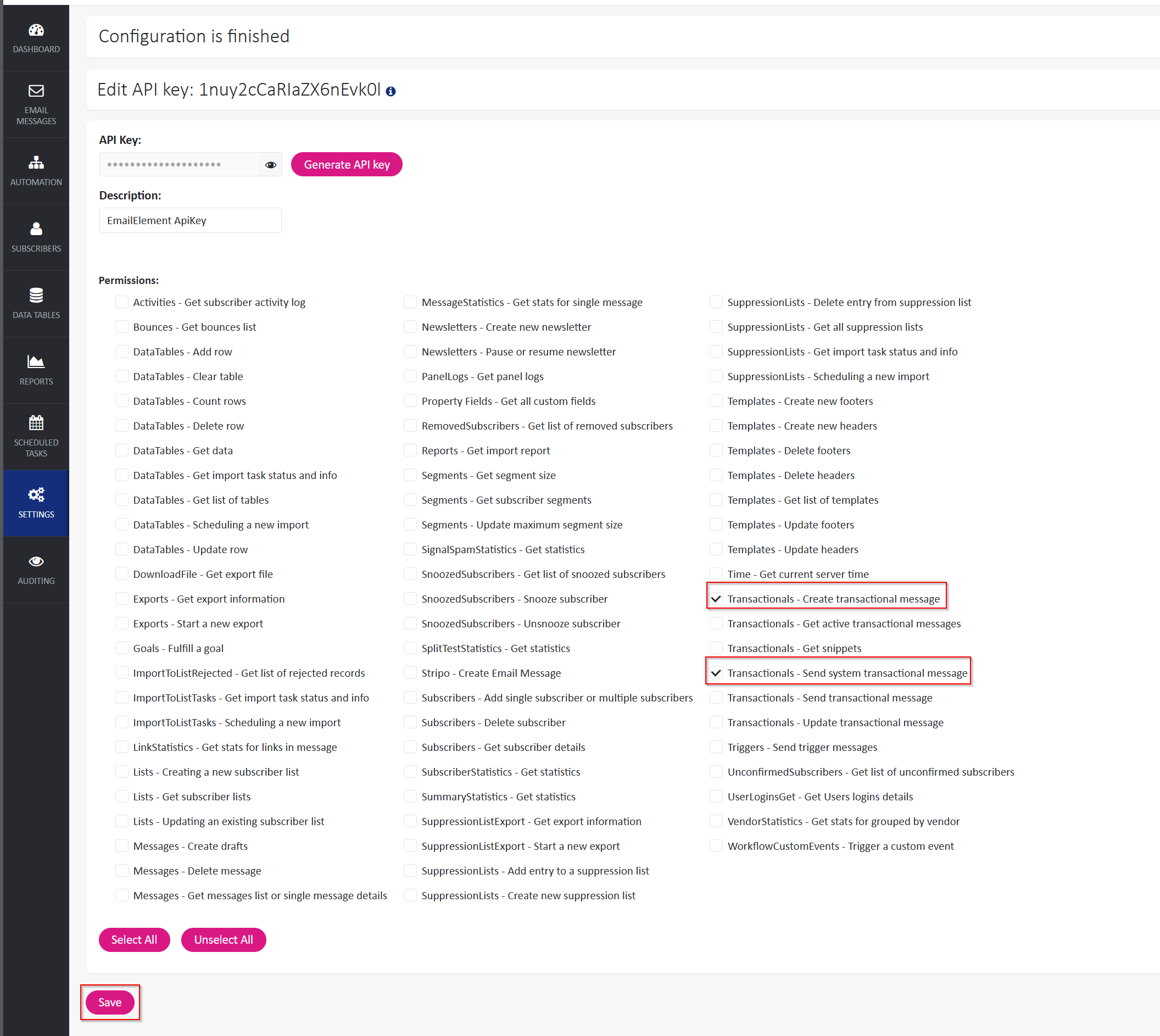
- Select ‘Save’ and follow the prompts, being sure to store your generated token to add in EmailElement later
Set Up ExpertSender in EmailElement
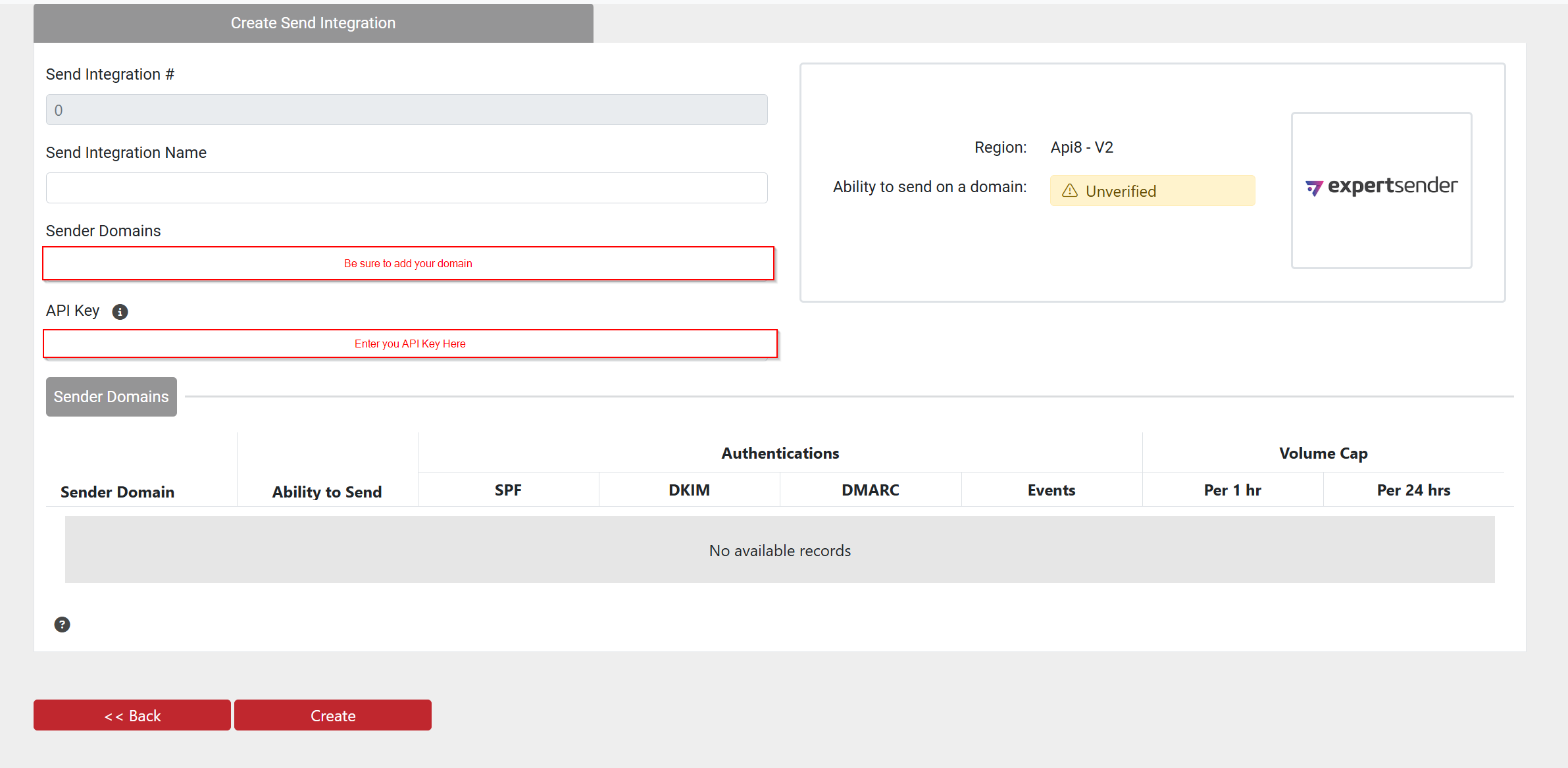
- Once you have your API Key, go to EmailElement and select Send Integrations>Create Send Integration
- Select ExpertSender from the list of ESPs
- Add your Sender Domain and API Key, then Save your integration
- Be sure to ‘Run Test’ after saving to ensure everything is setup properly and you'll be ready to start sending.
Custom ListUnsubscribe Headers
If you want your sender domain to be used in the ListUnsubscribe URL in your emails:
- First reach out to ExpertSender and ask them to enable custom ListUnsubscribe headers on your account.
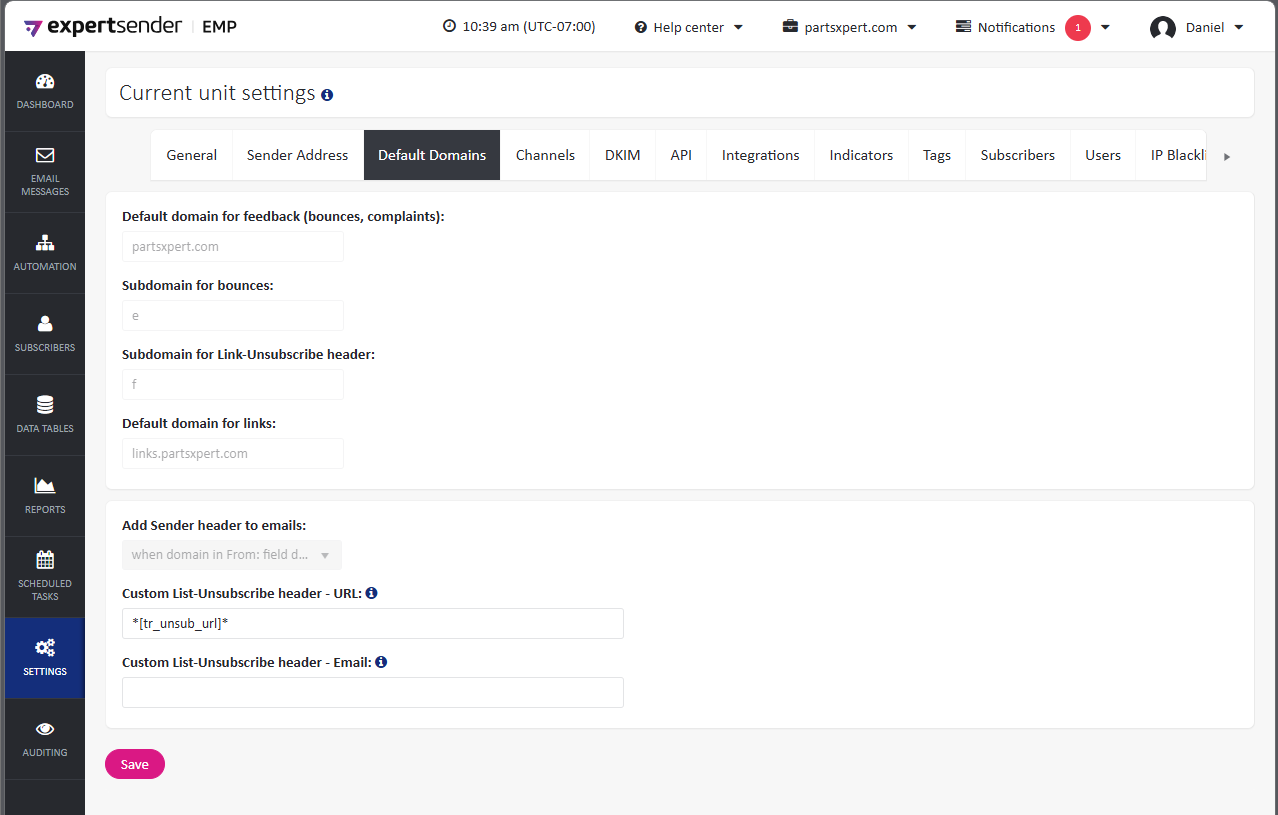
- Once it is available, you can go to Settings ? Business Unit ? Default Domain, where you will have the option to provide a custom URL and Email address.
EmailElement currently only supports ListUnsubscribe Url
- Set up your ExpertSender account Custom List-Unsubscribe header - URL like so:
- Then in your Email Element sender domain turn off:
Include List-Unsubscribe email in
List-Unsubscribeheader