

JangoMail
To complete the integration, you will need to create an API Token and set up Transactional Api Events. Please follow the instructions below to complete the integration.
Create Api Token
Authenticate
- Follow the link below: https://api-v2.jangomail.com/documentation#auth
- Authenticate with your username and password
- Fill in your username and password and click SET
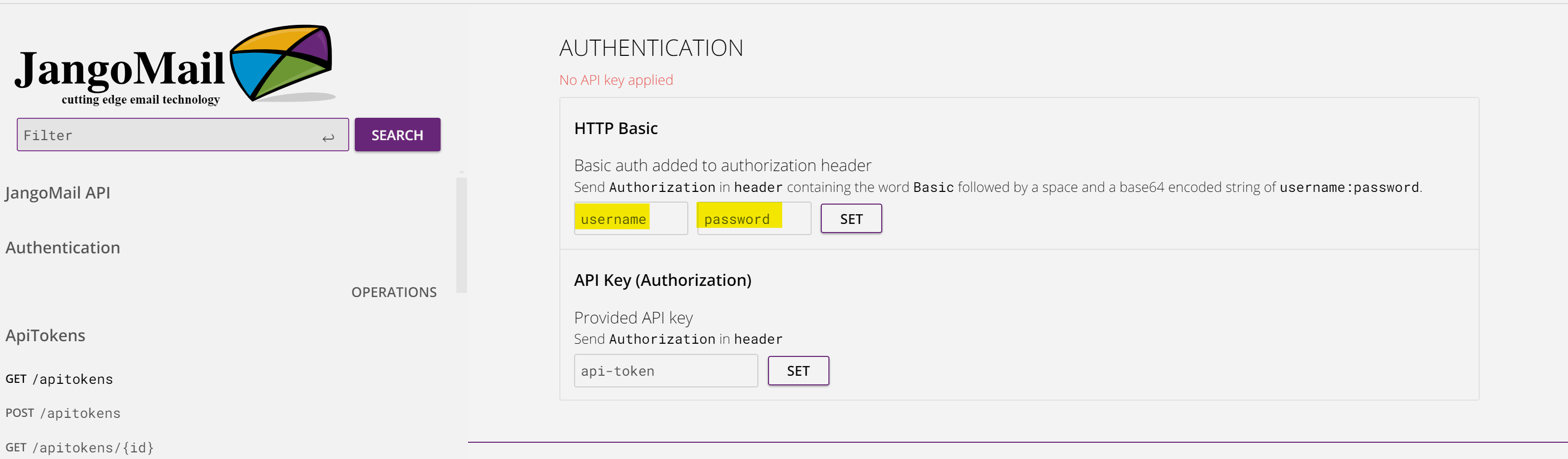
Create your Api token
- While authenticated, scroll to the following section of the documentation: https://api-v2.jangomail.com/documentation#post-/apitokens
- Click FILL EXAMPLE then click TRY. The token will appear in the RESPONSE as shown below
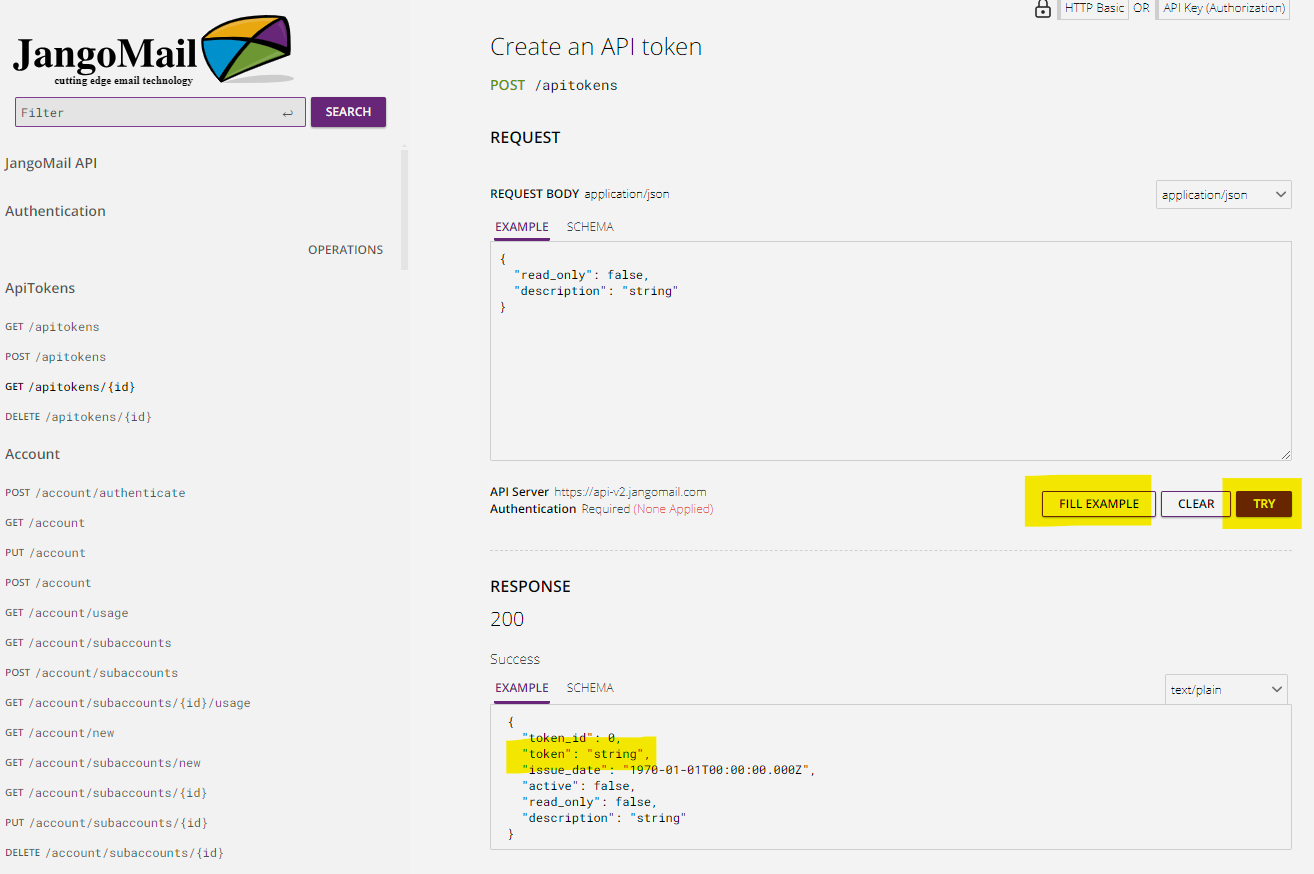
Use this token as the Api Key in your Send Integration
Set Up Transactional Api Events
- Navigate to the Transactional Events Api section under Settings ? Notifications ? Transactional Events Api: https://app.jangosmtp.com/settings/transactionalevents
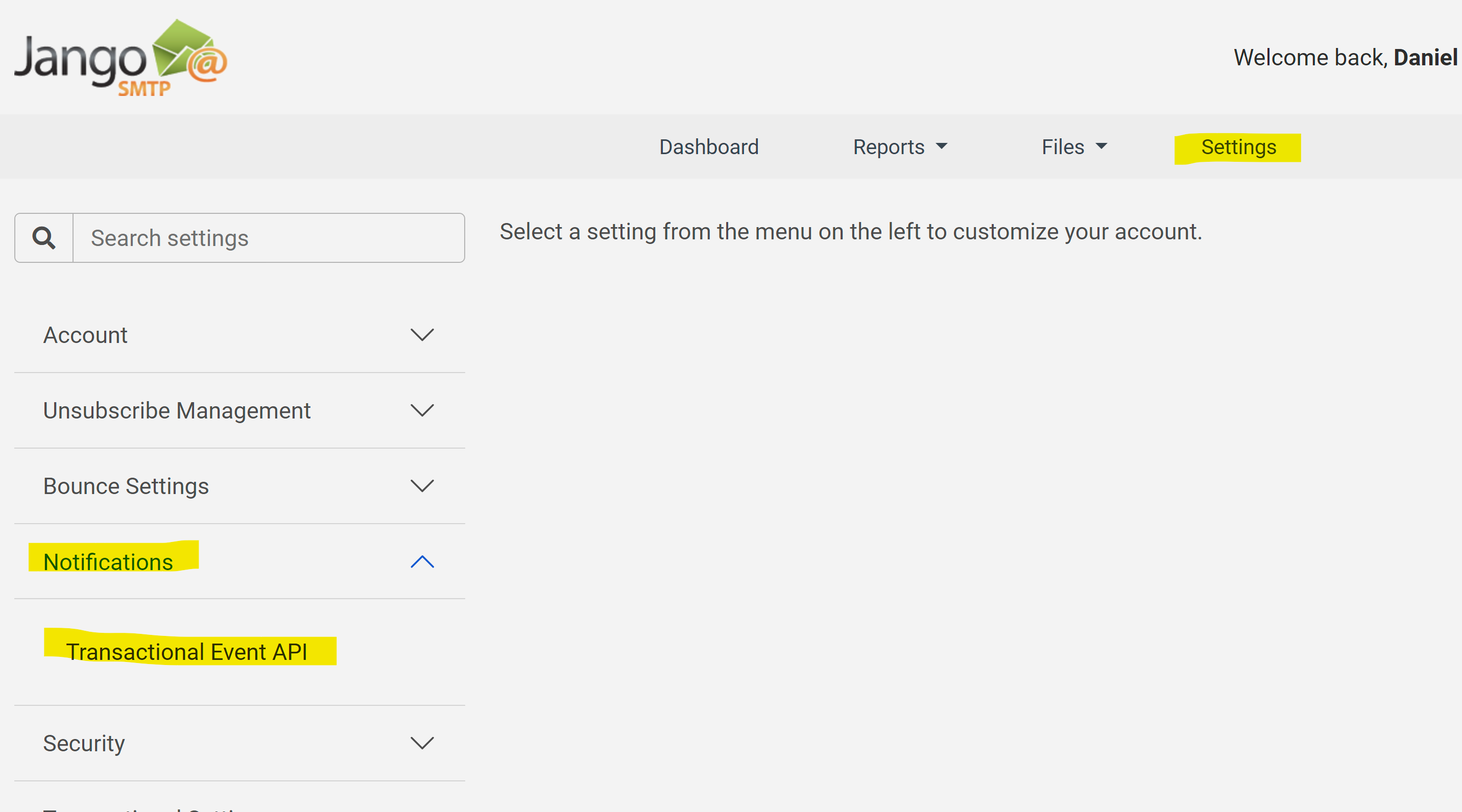
Set up the EmailElement webhook for these events: Email Sent, Unsubscribe, Bounce, Block, Complaint. Choose the Email Sent event tab and fill in the following:
| Field | Value |
|---|---|
| Enable events | turn on |
| Data format | JSON |
| URL | https://deliverywebhook.emailelement.com/api/event/jangomail |
| Custom Headers | eventtype:sent |
| Transactional Email ID | id |
| Email Address | |
| Sent Date/Time | date |
Choose the Unsubscribe event tab and fill in the following:
| Field | Value |
|---|---|
| Enable events | turn on |
| Data format | JSON |
| URL | https://deliverywebhook.emailelement.com/api/event/jangomail |
| Custom Headers | eventtype:unsubscribe |
| Transactional Email ID | id |
| Email Address | |
| Unsubscribe Date/Time | date |
Choose the Bounce event tab and fill in the following:
| Field | Value |
|---|---|
| Enable events | turn on |
| Data format | JSON |
| URL | https://deliverywebhook.emailelement.com/api/event/jangomail |
| Custom Headers | eventtype:bounce |
| Transactional Email ID | id |
| Email Address | |
| Bounce Date/Time | date |
| Diagnostic Code | diagnosticCode |
Choose the Block event tab and fill in the following:
| Field | Value |
|---|---|
| Enable events | turn on |
| Data format | JSON |
| URL | https://deliverywebhook.emailelement.com/api/event/jangomail |
| Custom Headers | eventtype:block |
| Transactional Email ID | id |
| Email Address | |
| Block Date/Time | date |
| Diagnostic Code | diagnosticCode |
Choose the Complaint event tab and fill in the following:
| Field | Value |
|---|---|
| Enable events | turn on |
| Data format | JSON |
| URL | https://deliverywebhook.emailelement.com/api/event/jangomail |
| Custom Headers | eventtype:complaint |
| Transactional Email ID | id |
| Email Address | |
| Complaint Date/Time | date |
Example of form filled out:
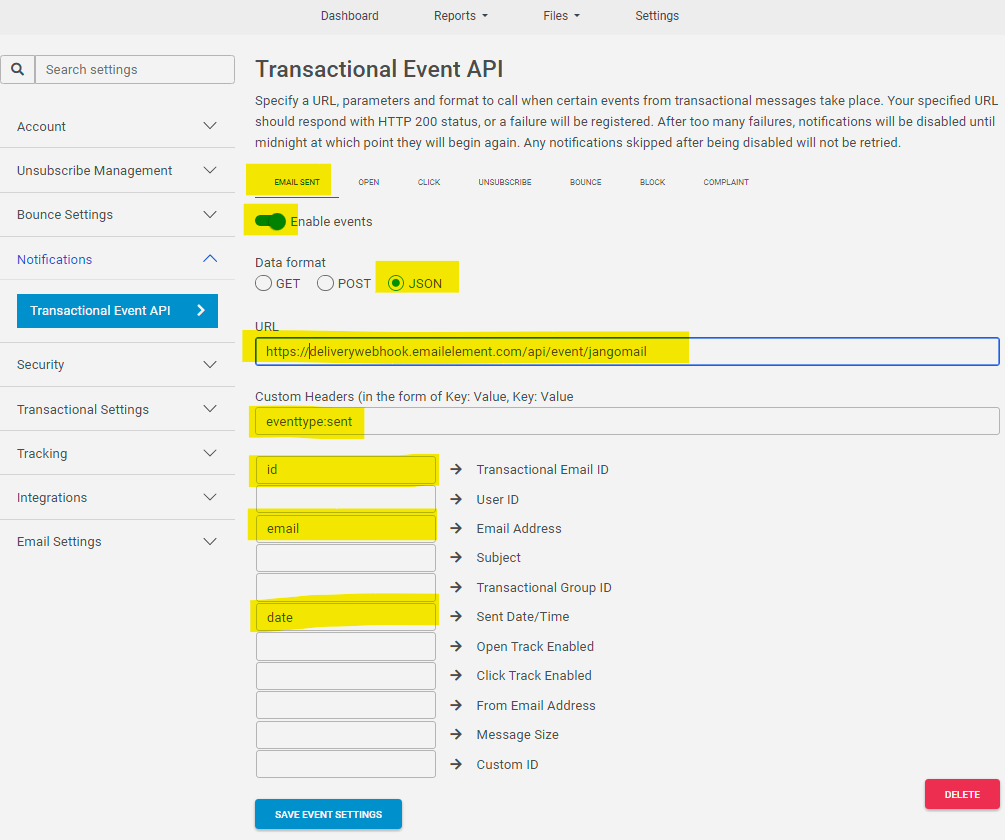
Remember to SAVE your settings.
That's it! You should be ready to send email using JangoMail.