
MxToolbox Blacklist Monitoring
EmailElement checks each of your sender domains against the blacklists that MxToolbox monitors, once a day, and shows any listing on the domain's Reputation Scoring tab. There is nothing to connect or pay for.
Where it is
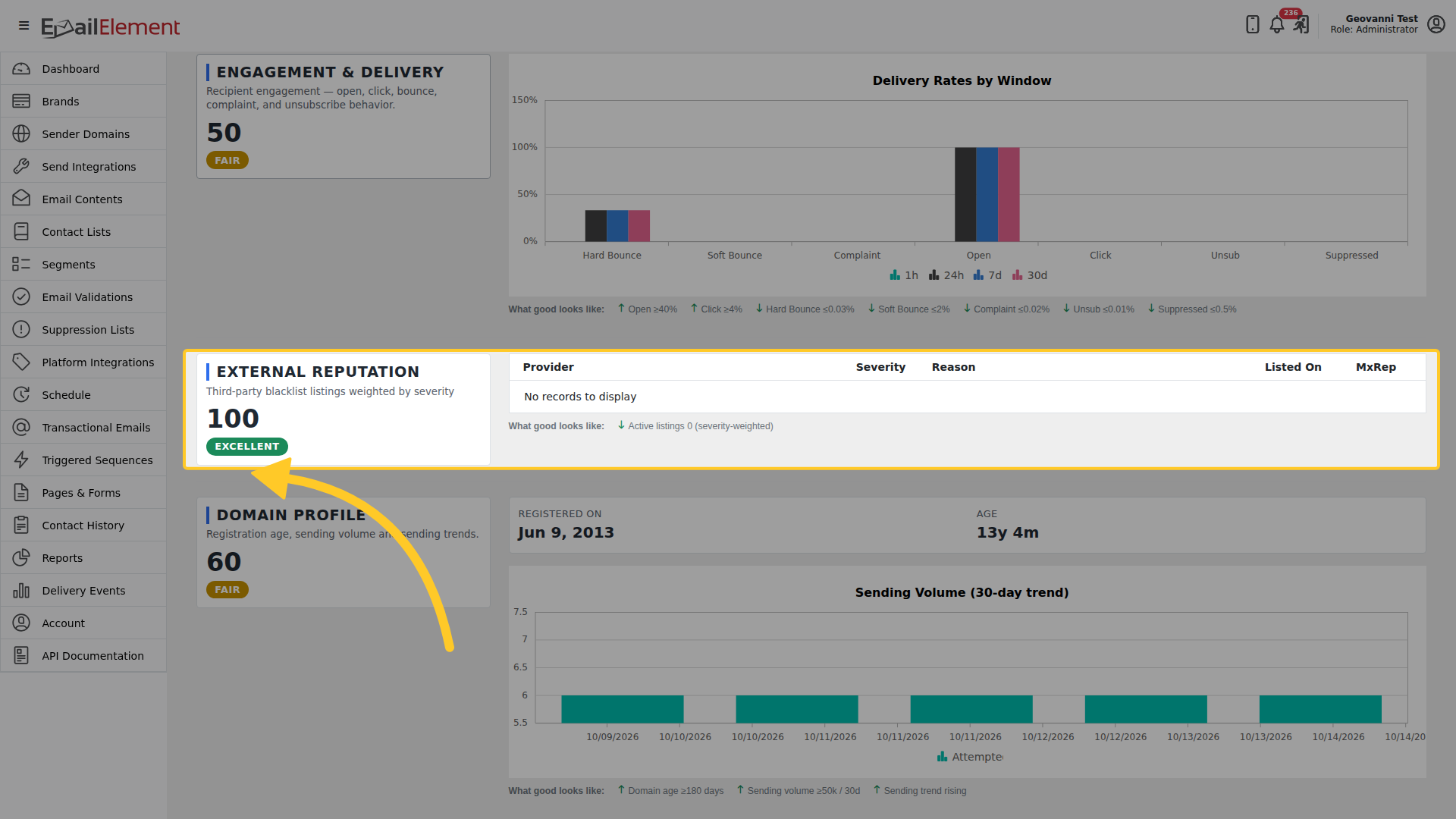
Open a sender domain from Sender Domains, then the Reputation Scoring tab, and find External Reputation.
What it shows
| Column | What it means |
|---|---|
| Provider | The blacklist that lists the domain. |
| Severity | How much the listing matters, from 1 (critical) to 5 (informational). |
| Reason | Why the blacklist says the domain is listed. |
| Listed On | The day the listing was found. |
| MxRep | MxToolbox's own reputation figure for the domain. |
An empty list, No records to display, means the domain is on no blacklist that day.
How it counts toward the score
The listings make up the External Reputation group of the domain's Reputation score. Each listing lowers the group by its severity, so a critical listing costs much more than an informational one. Good looks like no active listings. See Reputation Scoring Reference for how the groups combine.
When a domain is listed
- Read the Reason, which says why the blacklist added the domain.
- Fix the cause first. Remove contacts who never engage, check that the domain's SPF, DKIM and DMARC records pass, and slow down a send that jumped in volume.
- Ask the blacklist to remove the domain. Most lists have a removal form on their own site, and some remove a listing on their own after a few days without new problems.
- The next daily check picks up the removal, and the listing leaves the tab.
Checking a domain by hand
To check a domain right now, between the daily checks, use the free blacklist check at https://mxtoolbox.com/blacklists.aspx.
Related pages
- Reputation Scoring Reference - how the External Reputation group counts toward the score
- Authentication - the SPF, DKIM and DMARC records
- Sender Domains - creating and verifying a domain