
UnsubCentral
To set up your UnsubCentral account with EmailElement for Auto-Suppression List downloads, you'll need:
- Key Hash
- ‘s’ Value
- API Username
- API Password
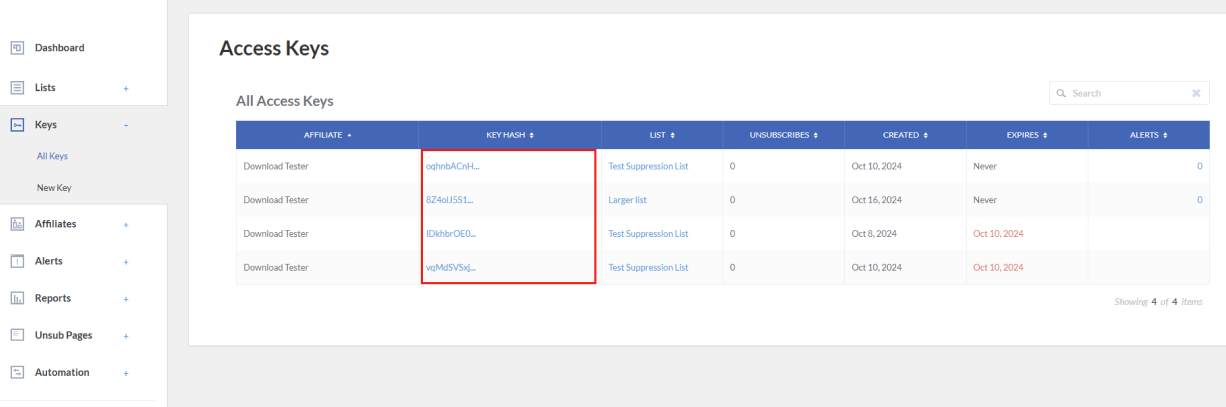
From navigation panel of your UnsubCentral account, click on Keys>All Keys. You'll see a list of all your keys and their Key Hashes; copy the one you need:
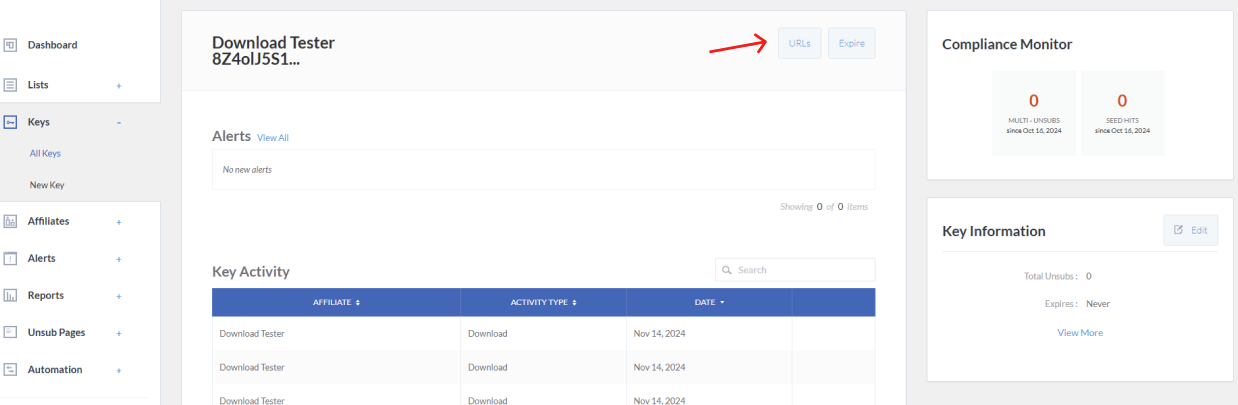
Now click on the Key Hash of the Key you're using and click ‘URLs’:
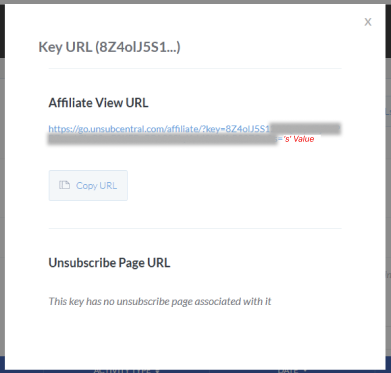
A popup will show with a URL, the last part after the ‘=’ will be your ‘s’ Value, so copy this:
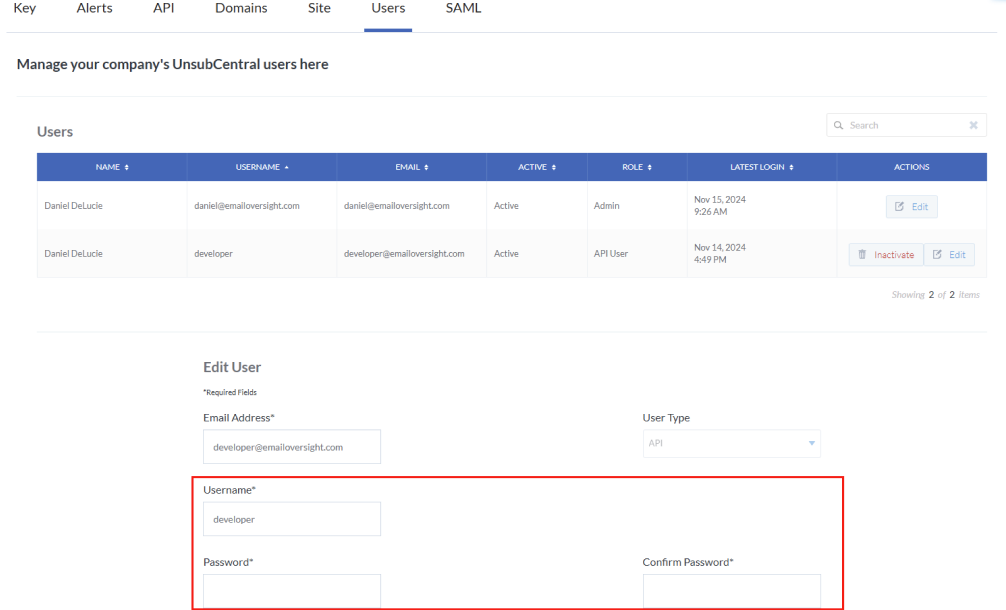
And finally, click on your UnsubCentral username at the top right and click Settings, then Users. This is where you'll set up your API Username and Password:
Now you're ready to set up your UnsubCentral Auto-Suppression List in EmailElement. Simply paste everything into their respective fields:
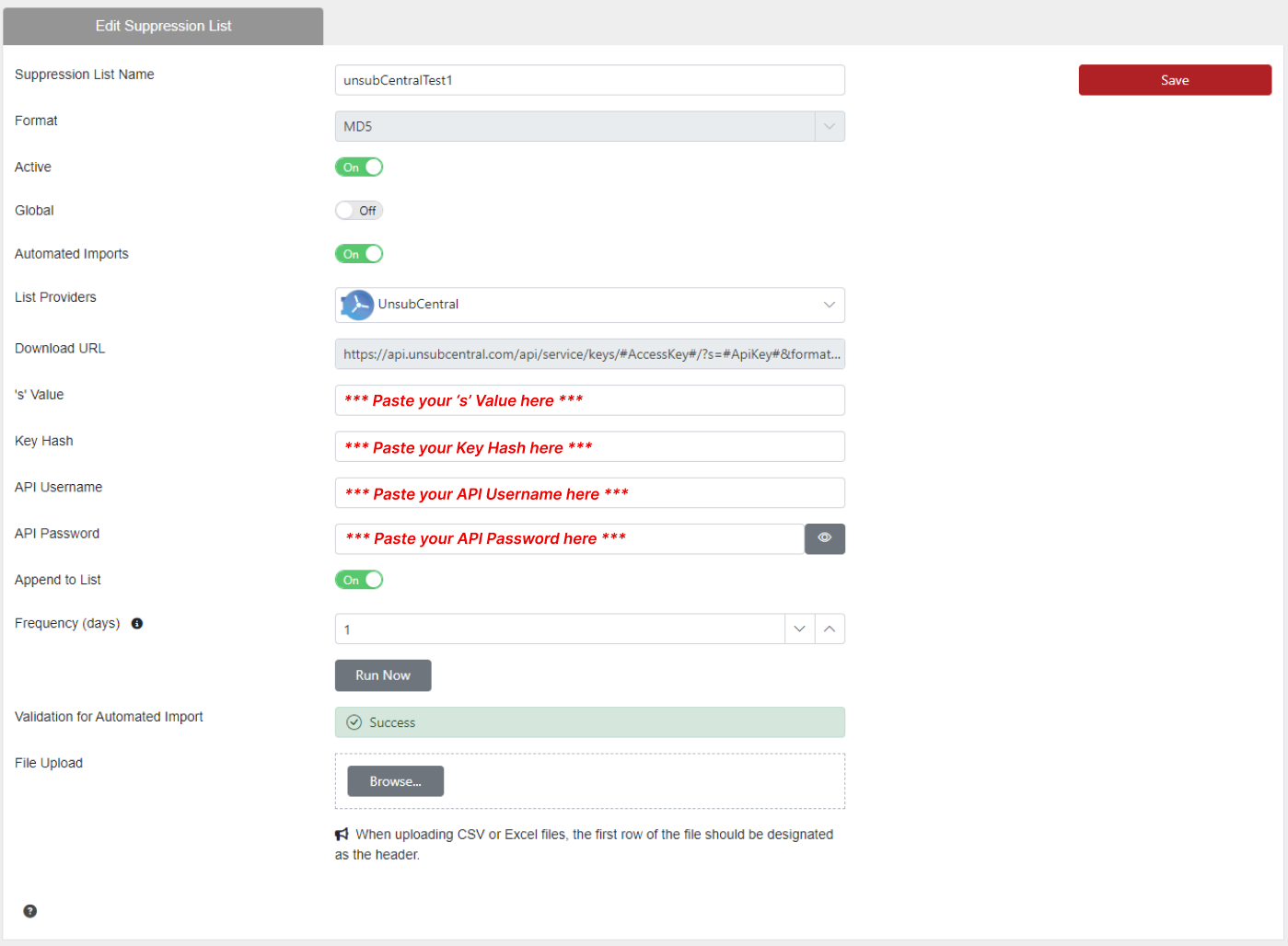
Set Up the Import in EmailElement
- Go to Suppression Lists and create or open a list. Use the format UnsubCentral sends you, Email or MD5.
- Turn on Automated Imports.
- Select UnsubCentral from the List Provider dropdown.
- Enter the Key Hash, the 's' Value, the API Username and the API Password. The Download URL fills in for you.
- Set the Frequency. Daily keeps the list current with opt-out requests.
- Click Save, then Run Now to pull the first file.
Checking It Worked
- The upload history on the suppression list shows each run and how many records it processed.
- If a run fails, check all four fields for stray spaces and that the UnsubCentral account is still active.
- Each import appends to the list, so the count grows over time. A lapsed UnsubCentral subscription stops the downloads.