

Gmail Integration Setup Guide
Prerequisites
- Gmail or Google Workspace account
- Verified sender domain in EmailElement
Integration Types
Gmail supports two integration types in EmailElement:
- API (recommended) — uses OAuth2 authentication. No API key or password needed. You authorize through Google's consent screen.
- SMTP — uses Gmail's SMTP relay. Requires SMTP host, port, and app password.
Step-by-Step: API Integration (OAuth2)
Step 1: Open Send Integrations
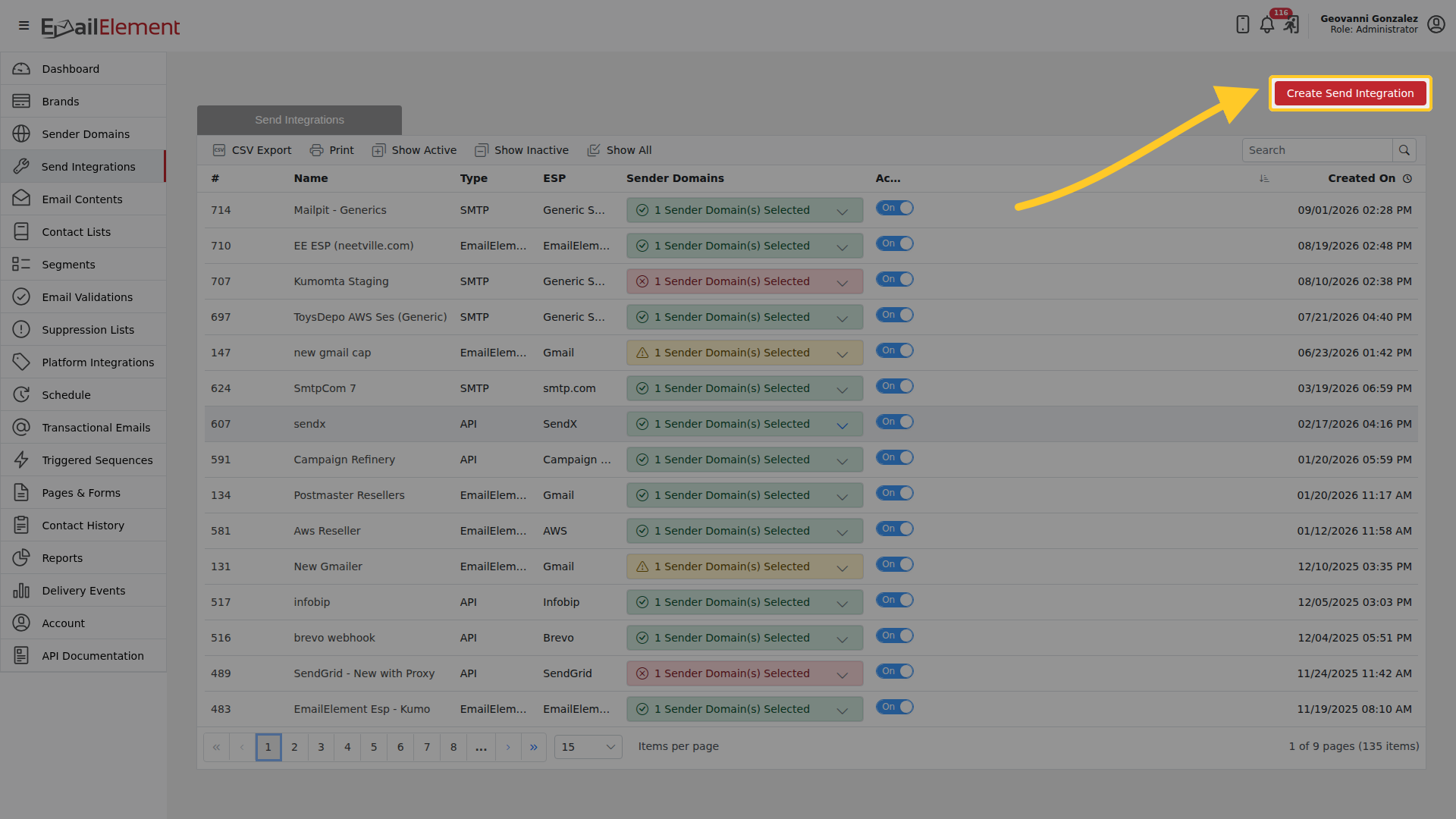
The grid lists what you already have. Create Send Integration starts a new one.
Step 2: Choose Gmail
Set Type of Integration to API, then pick Gmail from the provider grid.
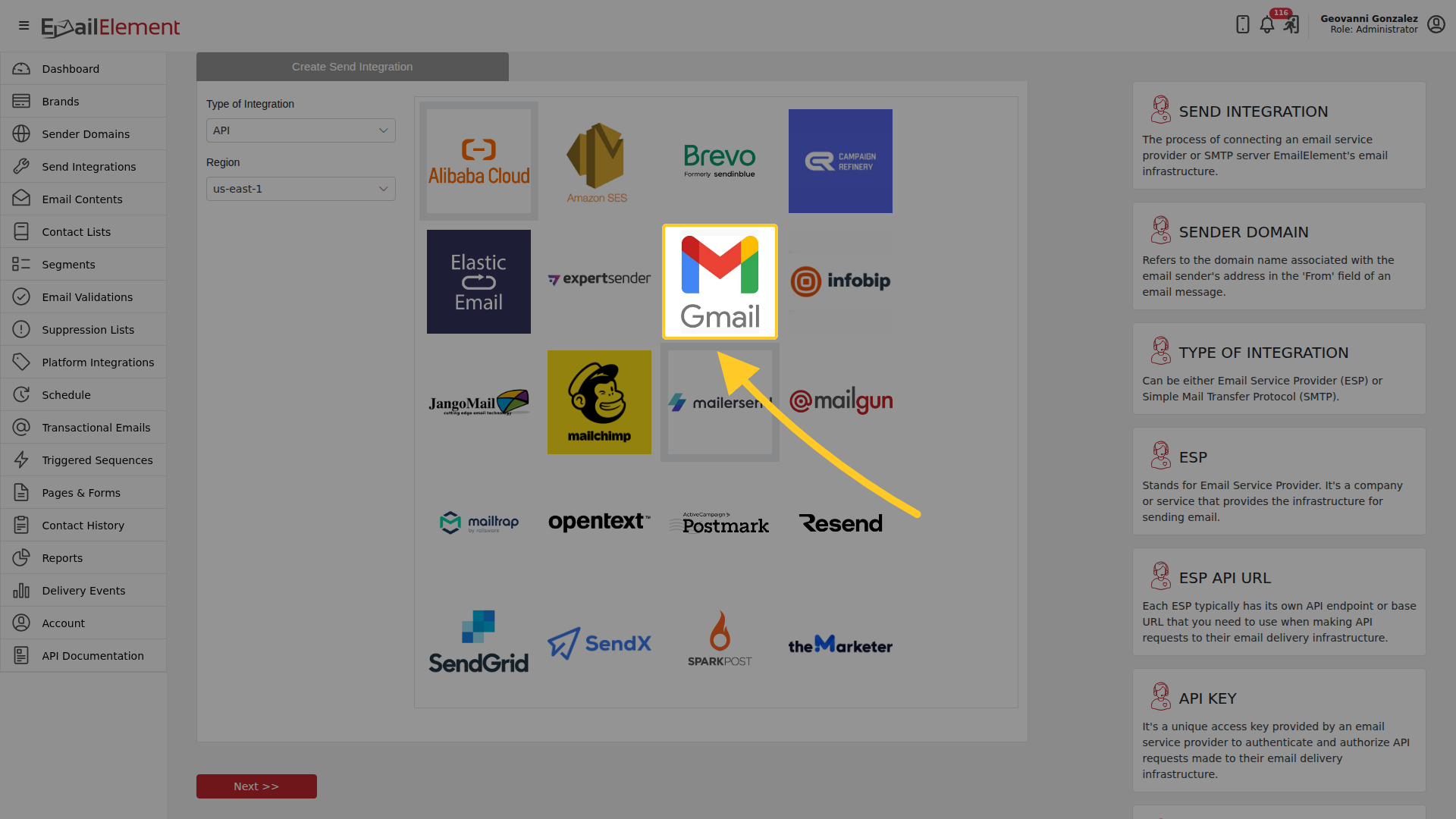
Next >> moves on.
Step 3: Fill in the integration
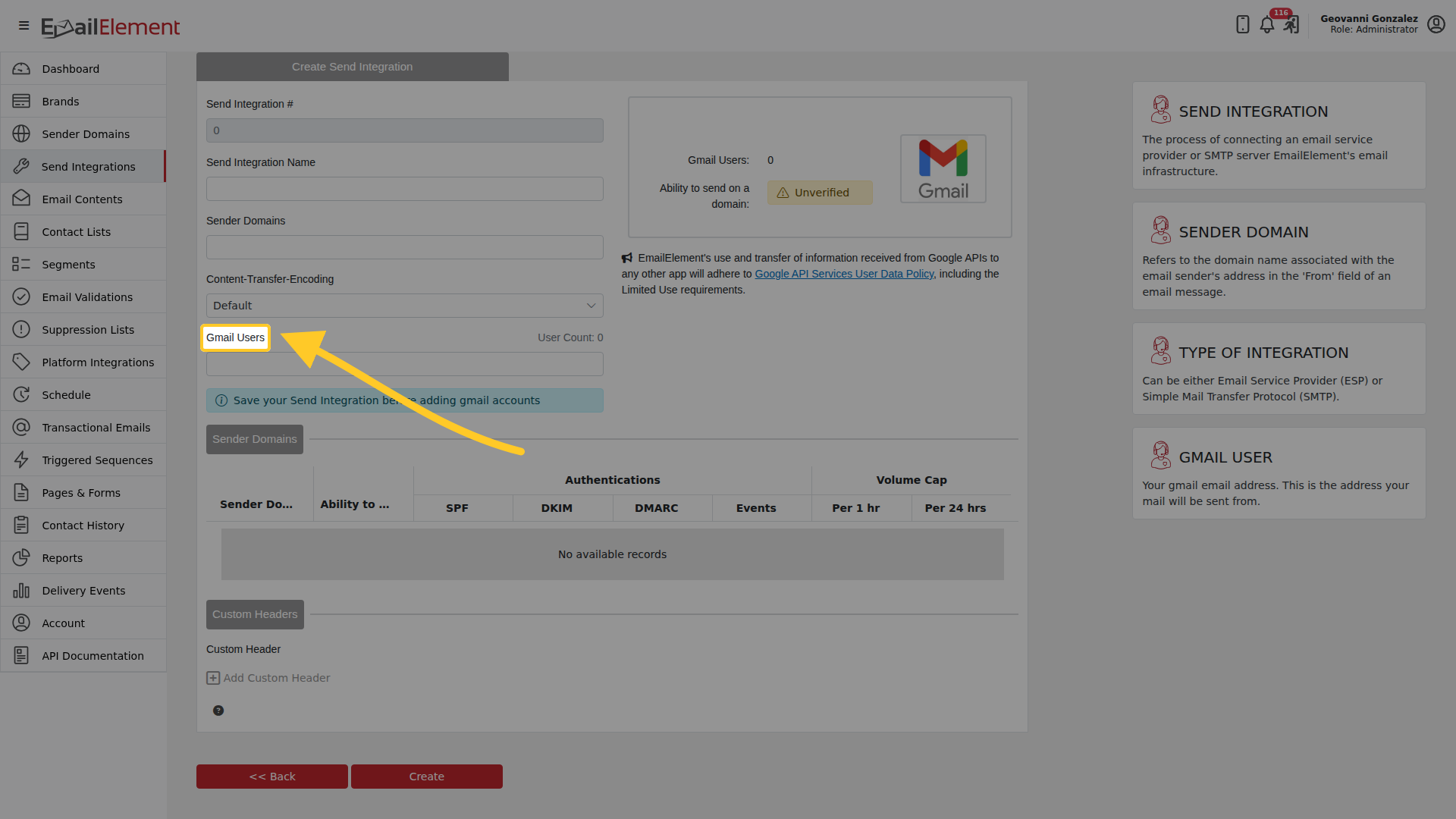
| Field | Notes |
|---|---|
| Send Integration Name | How it appears in your lists |
| Sender Domains | One or more verified domains |
| Content-Transfer-Encoding | Leave as it comes unless you have a reason |
| Gmail Users | The authorized Gmail accounts this integration sends as |
| Custom Header | Optional, added with Add Custom Header |
There is no API key field. Gmail authenticates through Google instead.
Create saves it.
Step 4: Authorize your Gmail account
- On the integration page, click Authorize Gmail
- A Google sign-in window opens
- Select your Gmail or Google Workspace account
- Review the permissions and click Allow
- The window closes automatically on success
- The integration now shows the authorized Gmail address
Step 5: Test it
Click Run Test on the integration and confirm at least one domain shows success.
Gmail Account Rules
- Each Gmail account can only be active in one Send Integration at a time. Authorizing one that is already in use shows an error with a link to the integration holding it.
- To re-authorize after seeing "Your gmail account has already been granted access to EmailElement": go to https://myaccount.google.com/connections, remove EmailElement's access, then return to the Send Integration and authorize again.
Related pages
- Send Integrations — the rest of the providers
- Sender Domains — verifying the domain Gmail sends for