

Inboxroad
To set up an Inboxroad send integration, there is a manual step required.
Webhook Setup
After saving your Inboxroad send integration, you will need to setup your webhook…
- Login to your Inboxroad account, and go to Settings>Webhooks.
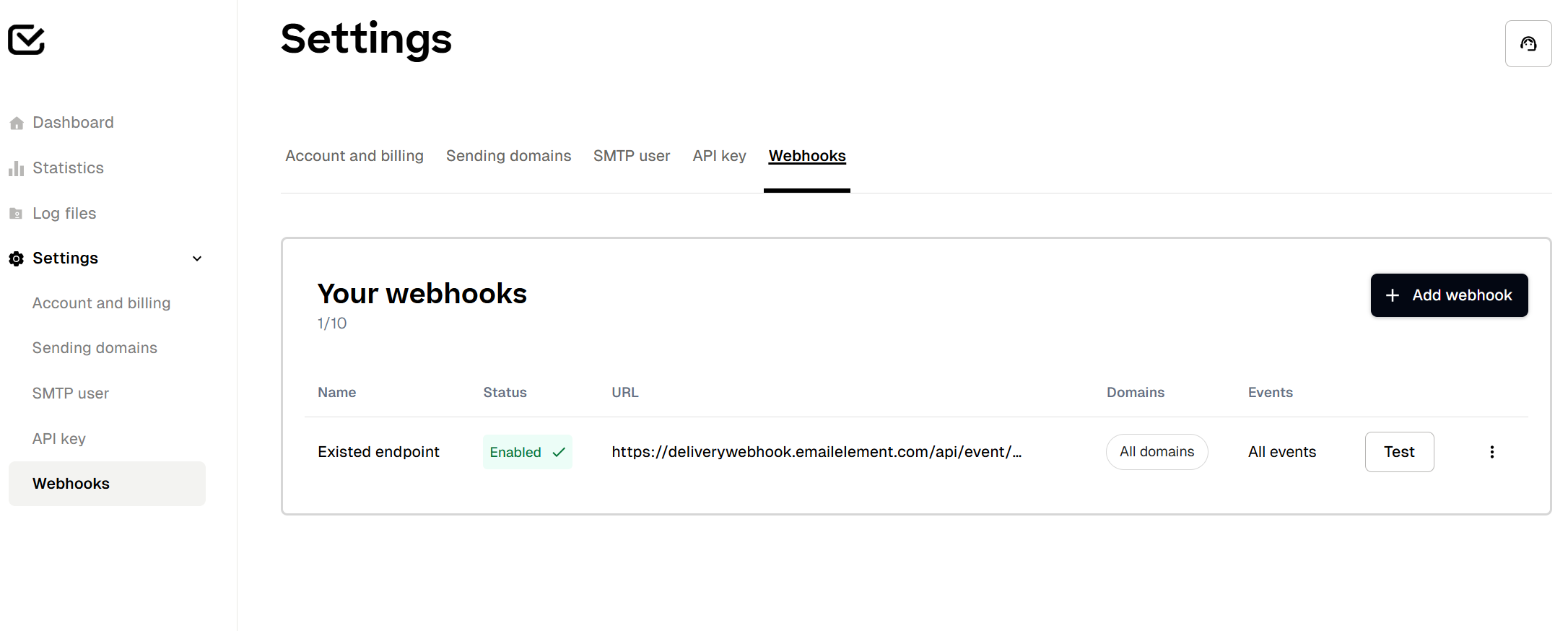
- Click “Add Webhook”
- Give your webhook any name and make sure all events are enabled, then enter the URL: https://deliverywebhook.emailelement.com/api/event/inboxroad
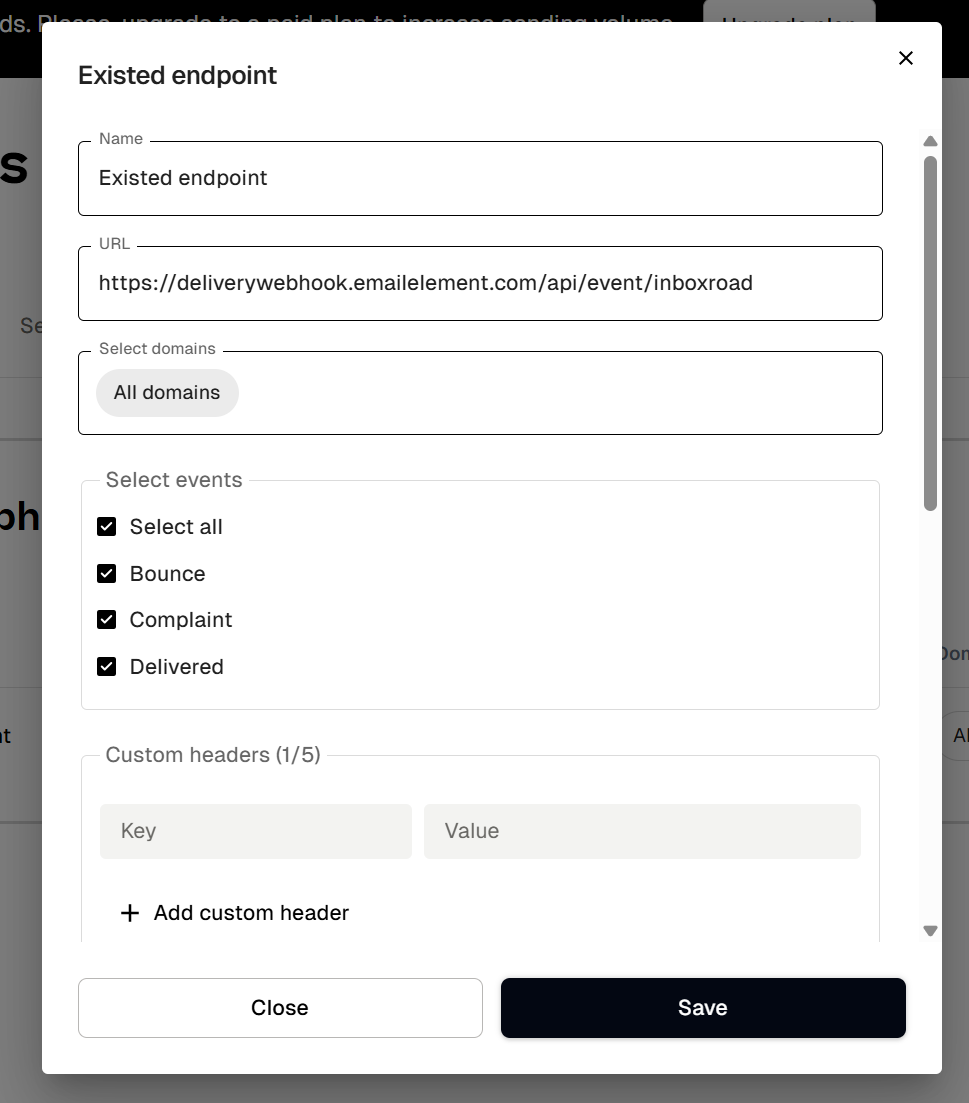
- Save your webhook and you're all set!