
Sender Domain Advanced Options
Most of a sender domain is set when you create it. The rest sits behind Advanced, below the DNS records, collapsed until you open it.
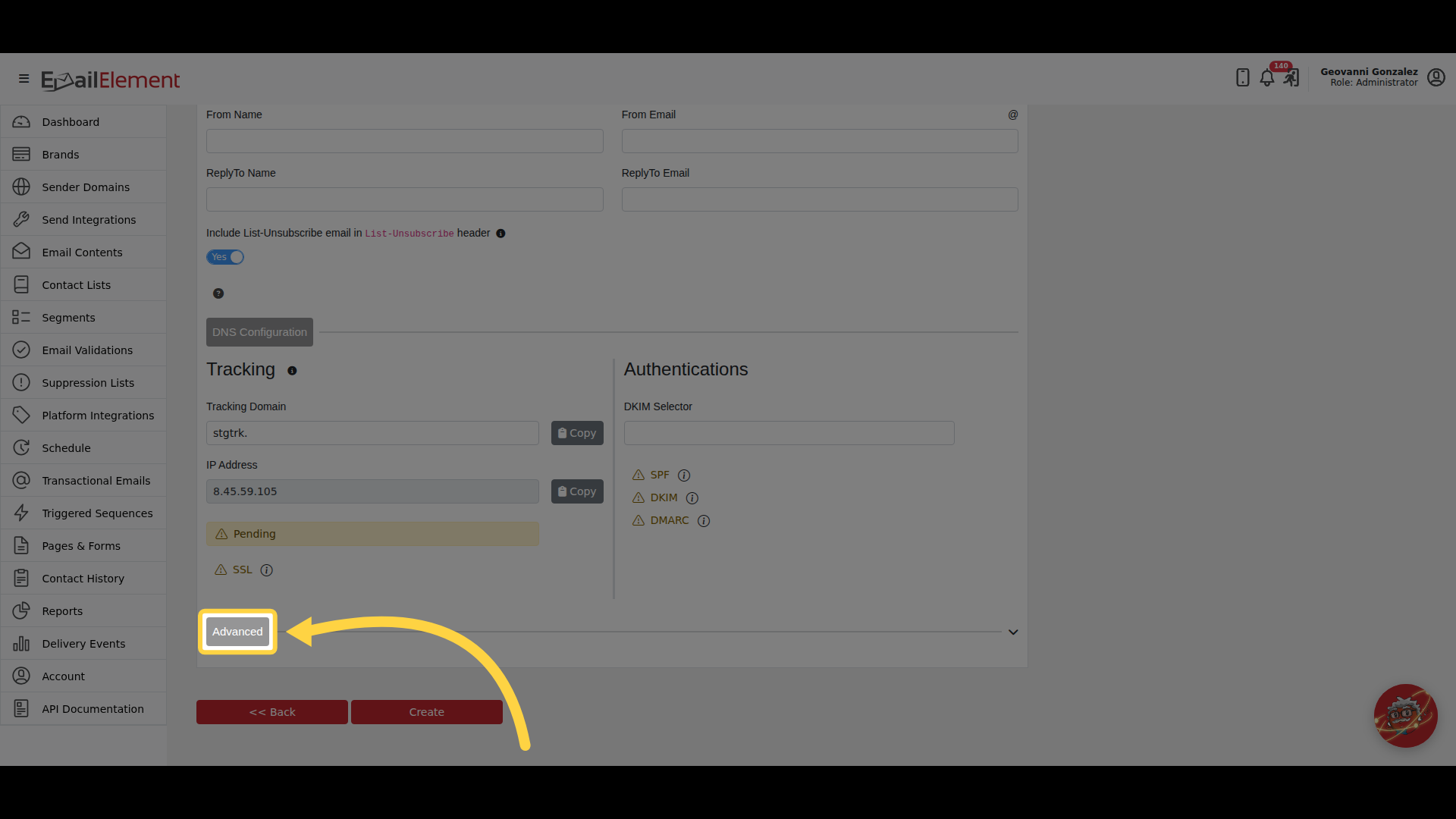
Opening it shows every block on one panel. It opens by itself when a field inside it fails validation, so you are never left hunting for the problem.
The blocks below are what a domain sending through Other shows, which is every one of them. Gmail has no Webhook and no Bounce Processing, because Google reports those itself. EmailElement has neither of those and no Yahoo Feedback Loop either. All three keep Reply-To and Recipient Name. Which one a domain is was chosen when it was created and cannot be changed.
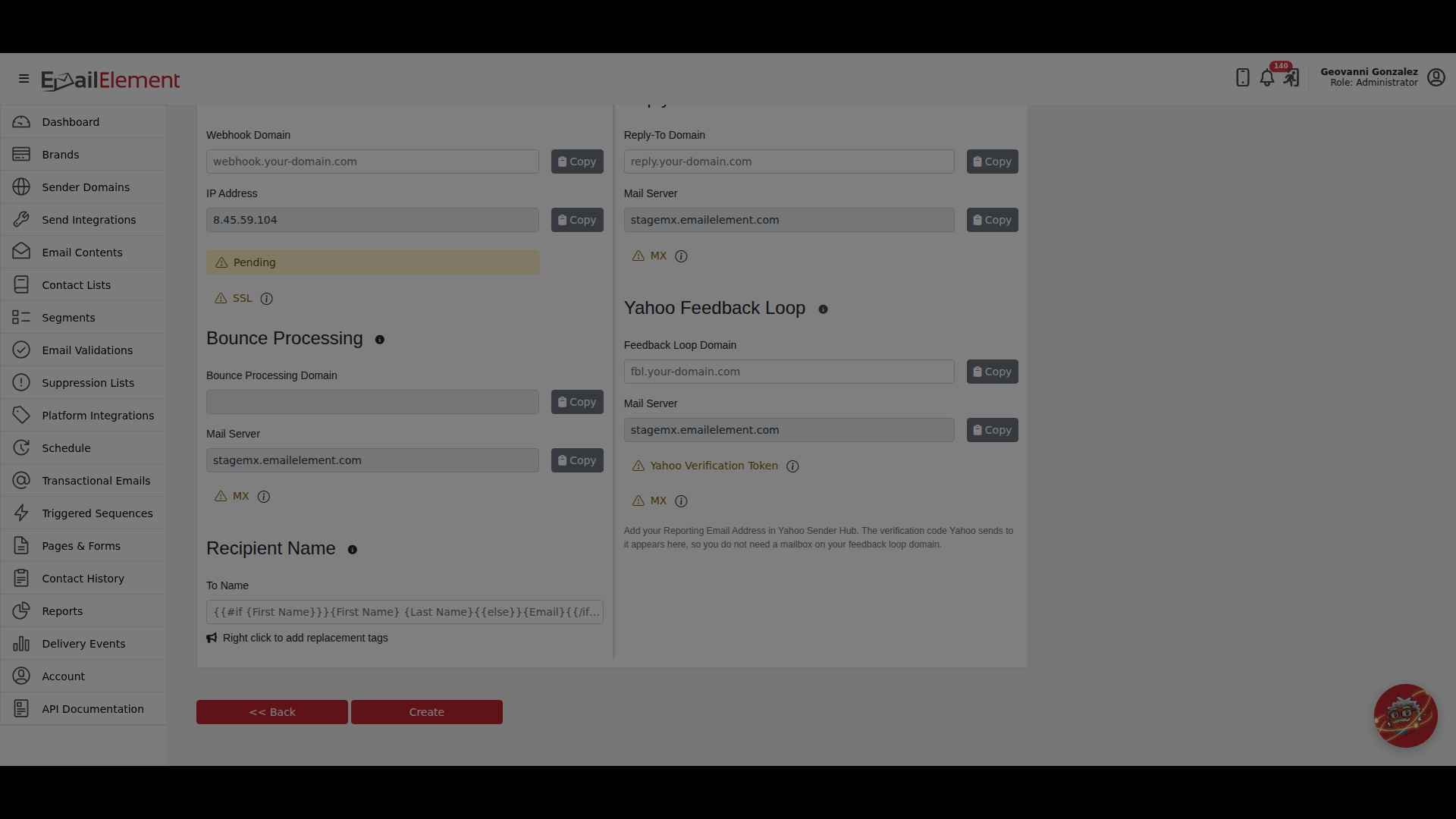
Webhook
Where delivery events for this domain are sent as they happen. Webhook Domain is the subdomain
you publish, for example webhook.your-domain.com, and it needs an A record pointing at the IP
Address shown under it. Two checks report themselves underneath: the record itself, which reads
Pending until it resolves, and SSL for the certificate on it.
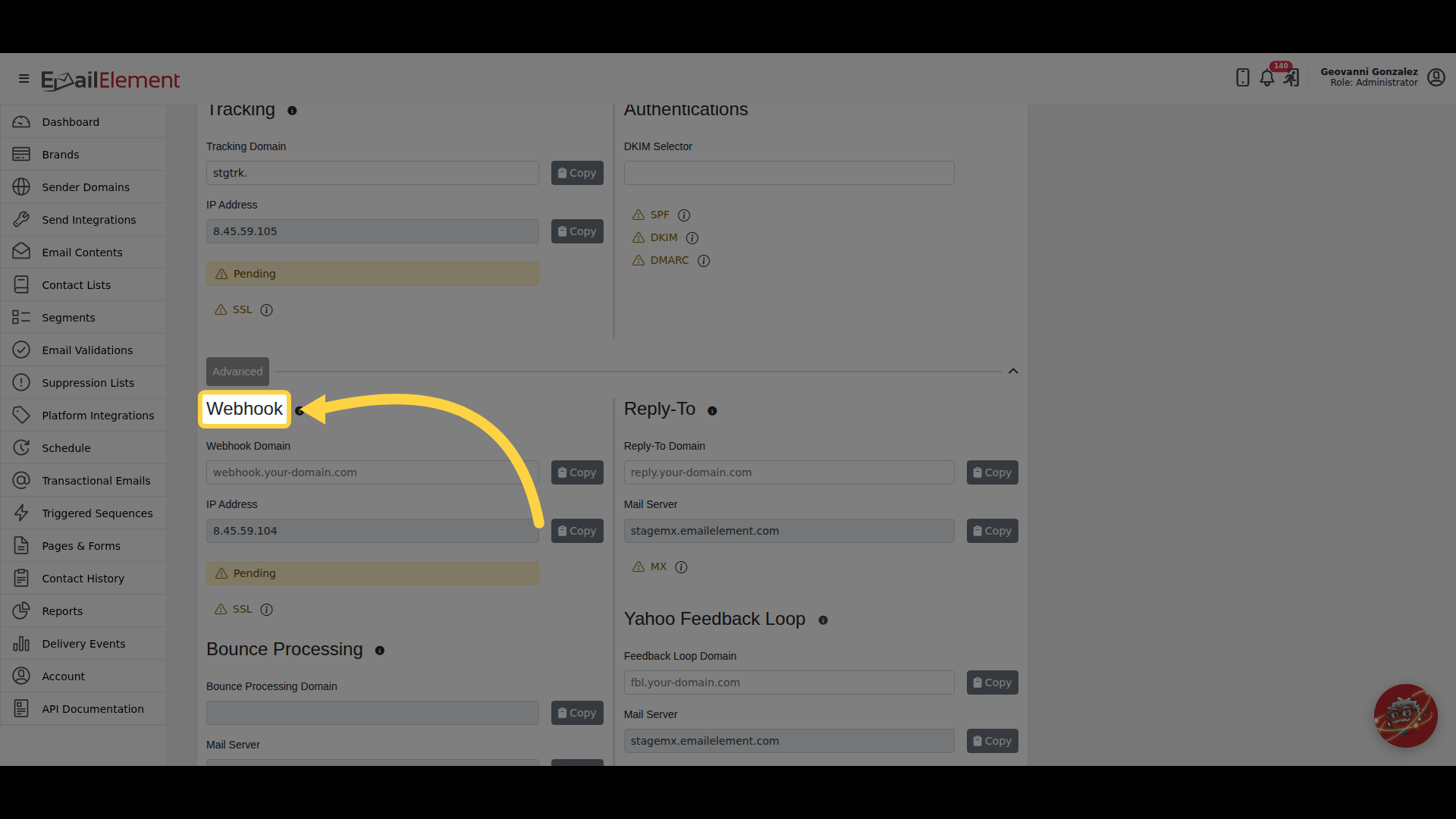
Reply-To
Where replies come back to. Reply-To Domain is the subdomain you publish, and it needs an MX record pointing at the Mail Server shown beside it. The MX check reports when that is in place. This is the alternative to filling in a ReplyTo Email on the domain itself: with it set up, EmailElement receives the replies.
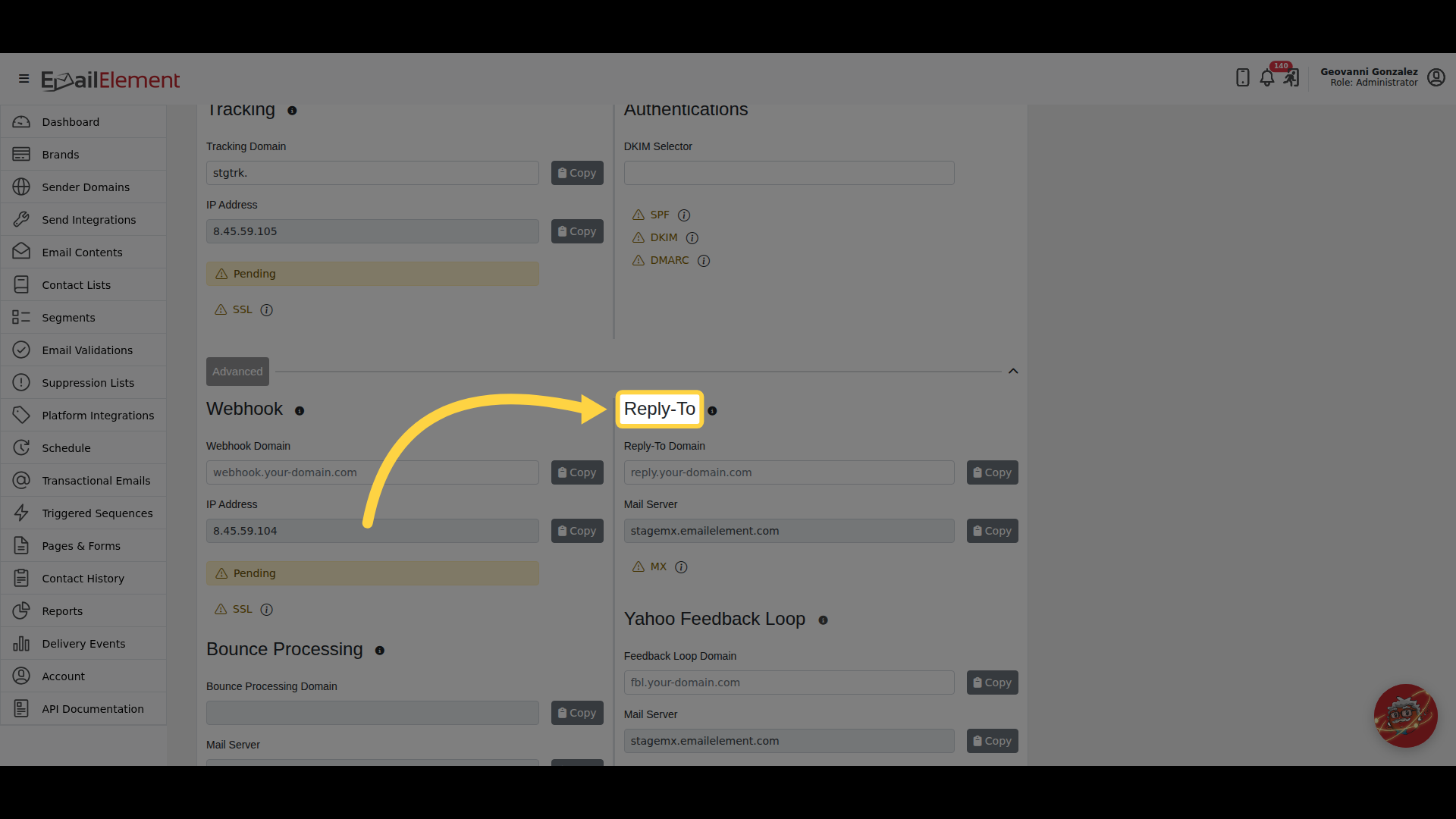
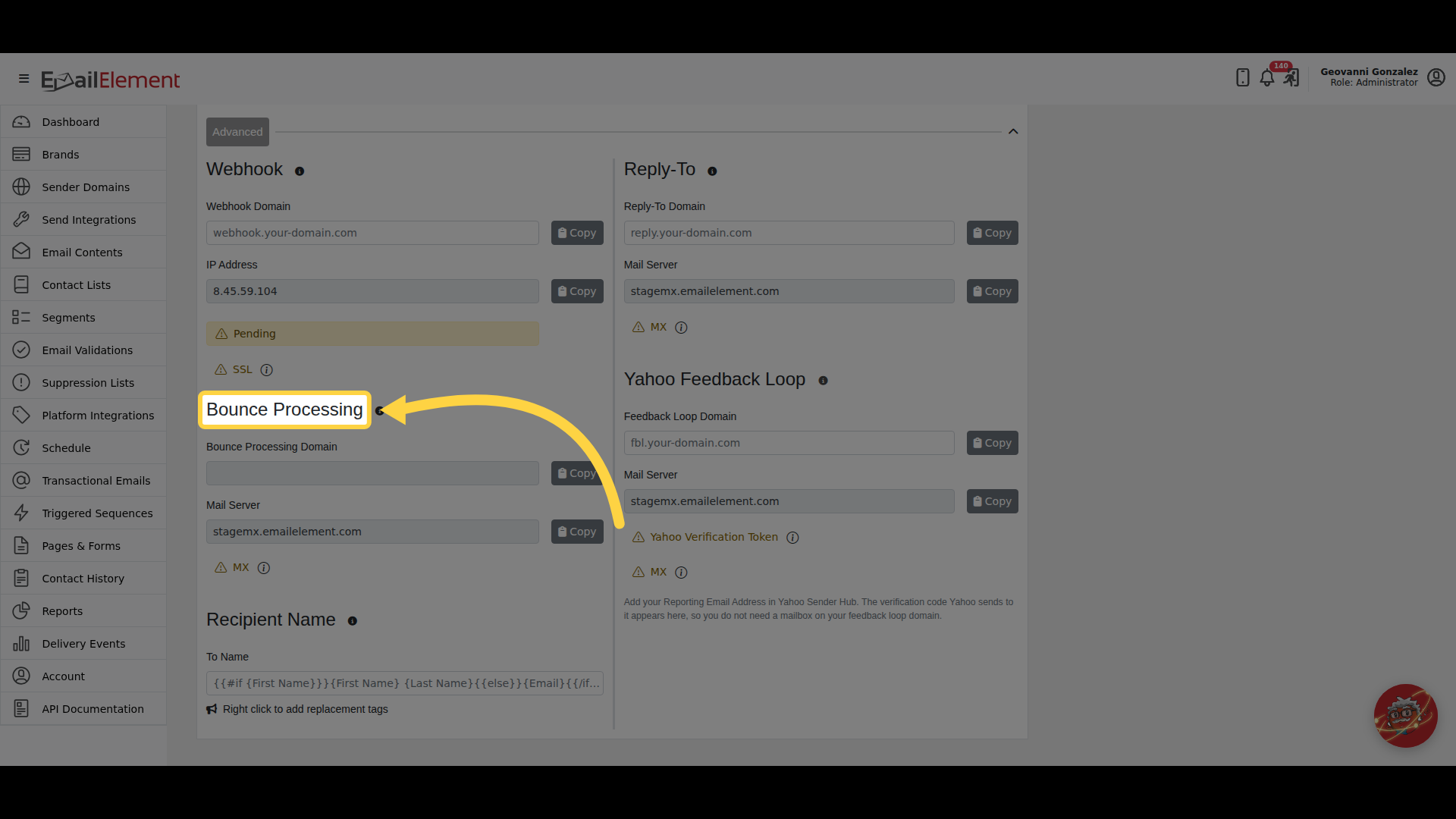
Bounce Processing
Where bounces are handled. Bounce Processing Domain is the subdomain you publish, with its own Mail Server and its own MX check. Set it up and bounces come back to EmailElement to be processed, rather than to a mailbox nobody reads.
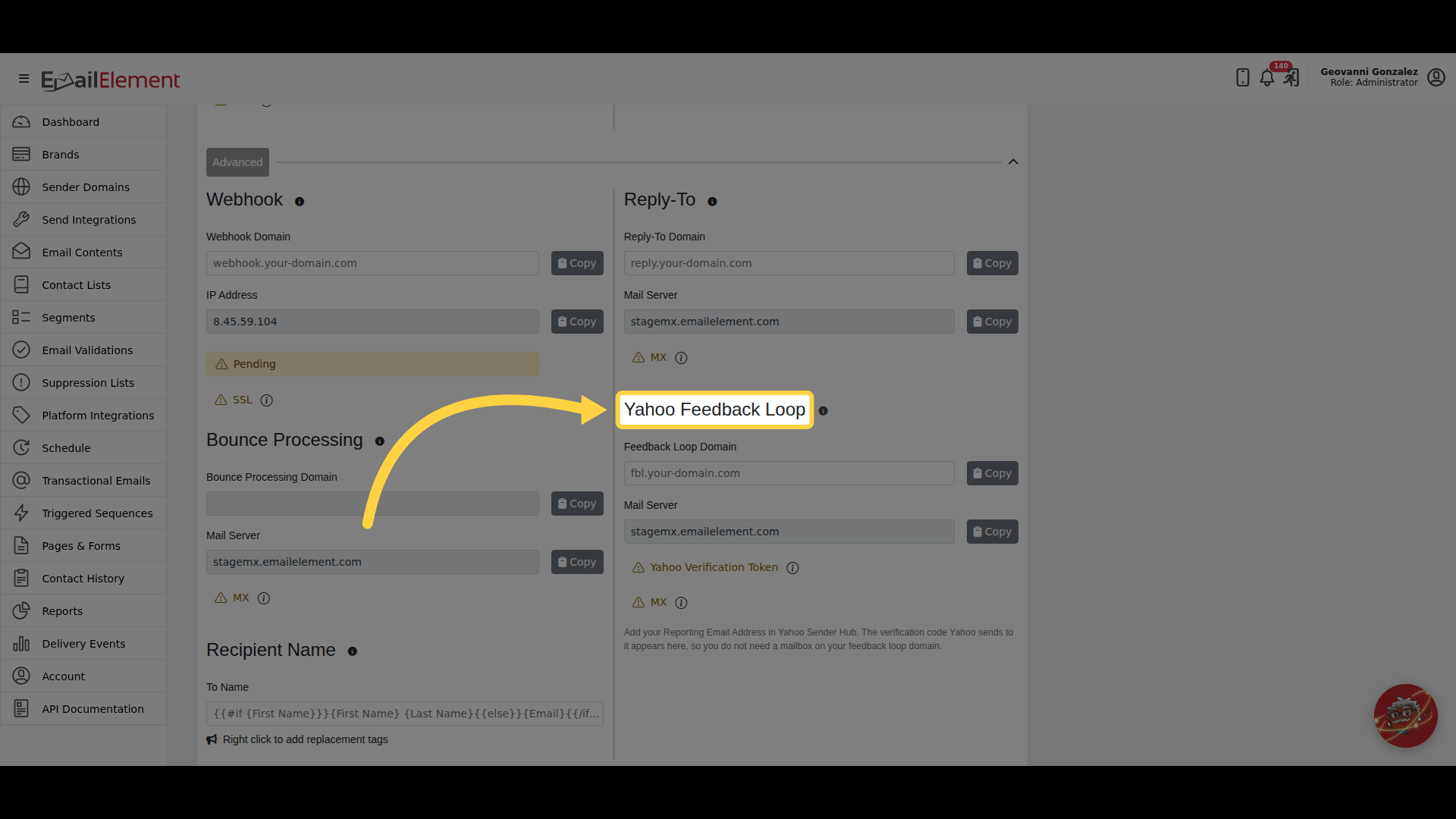
Yahoo Feedback Loop
Where Yahoo sends spam complaints about this domain. Feedback Loop Domain is a subdomain you own and use for nothing else, with an MX record pointing at the Mail Server shown beside it. You do not need a mailbox on it, because EmailElement receives the mail.
Two checks report here: MX, and Yahoo Verification Token for the record Yahoo Sender Hub issues. Set the reporting address in Sender Hub to an address at this domain and the verification code Yahoo sends appears on the page. It has a page of its own: Yahoo Feedback Loop.
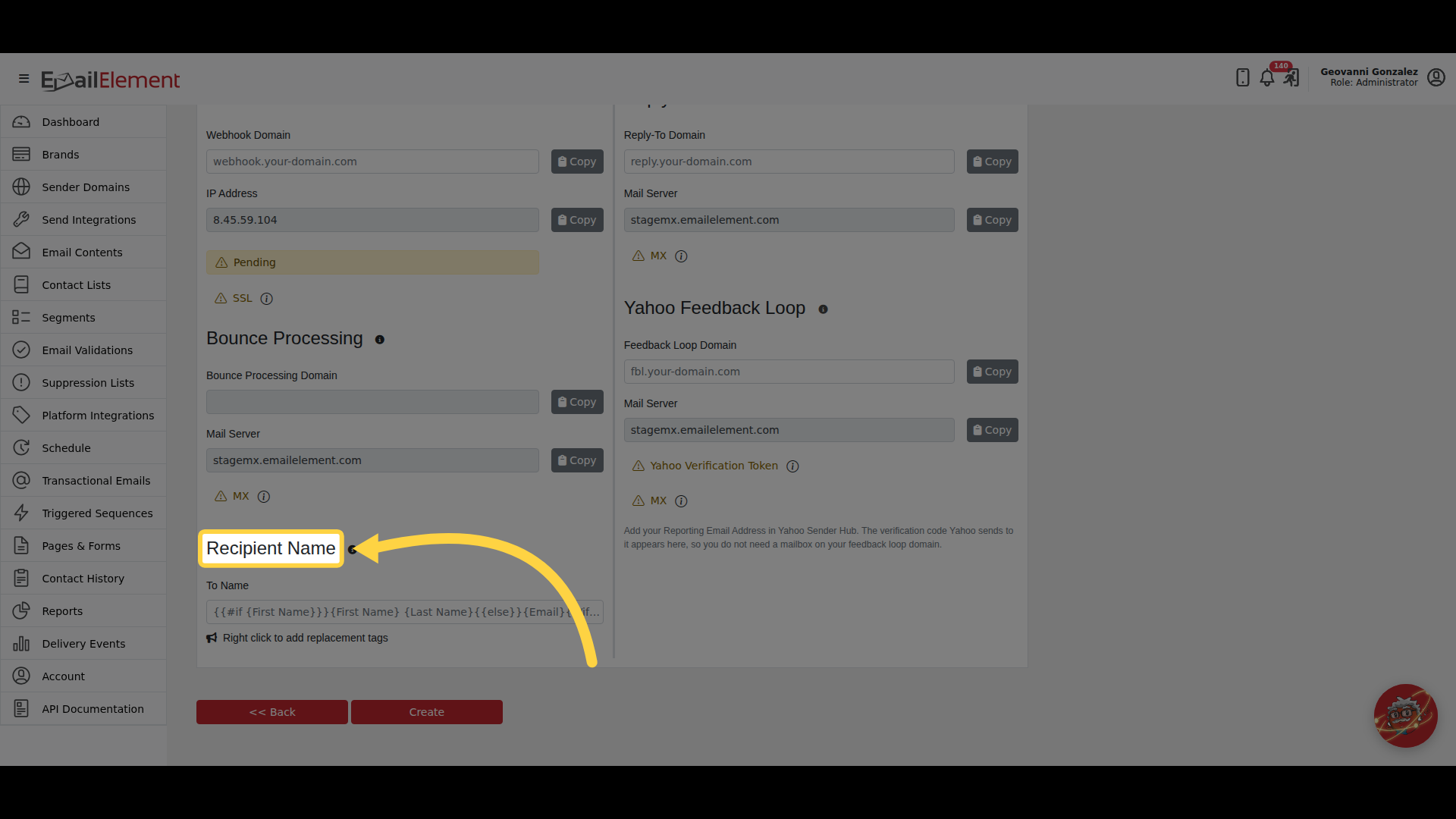
Recipient Name
To Name is the name on the To header of every message sent from this domain. It takes
replacement tags, and right-clicking the field offers them, so the default
{{#if {First Name}}}{First Name} {Last Name}{{else}}{Email}{{/if}} addresses people by
name and falls back to their address when there is no name to use.
Related pages
- Sender Domains — creating a domain and choosing how it sends
- Sender Domain Walkthrough — every step with screenshots
- Yahoo Feedback Loop — the feedback loop in full
- Authentication — SPF, DKIM and DMARC