
Platform Integrations Walkthrough
Prerequisites
- An active account on one of the supported platforms: Everflow, Tune, or Cake
- API credentials from that platform (API Key, Affiliate URL, Affiliate ID)
- At least one Email Content created in EmailElement
Step 1: Create a Platform Integration
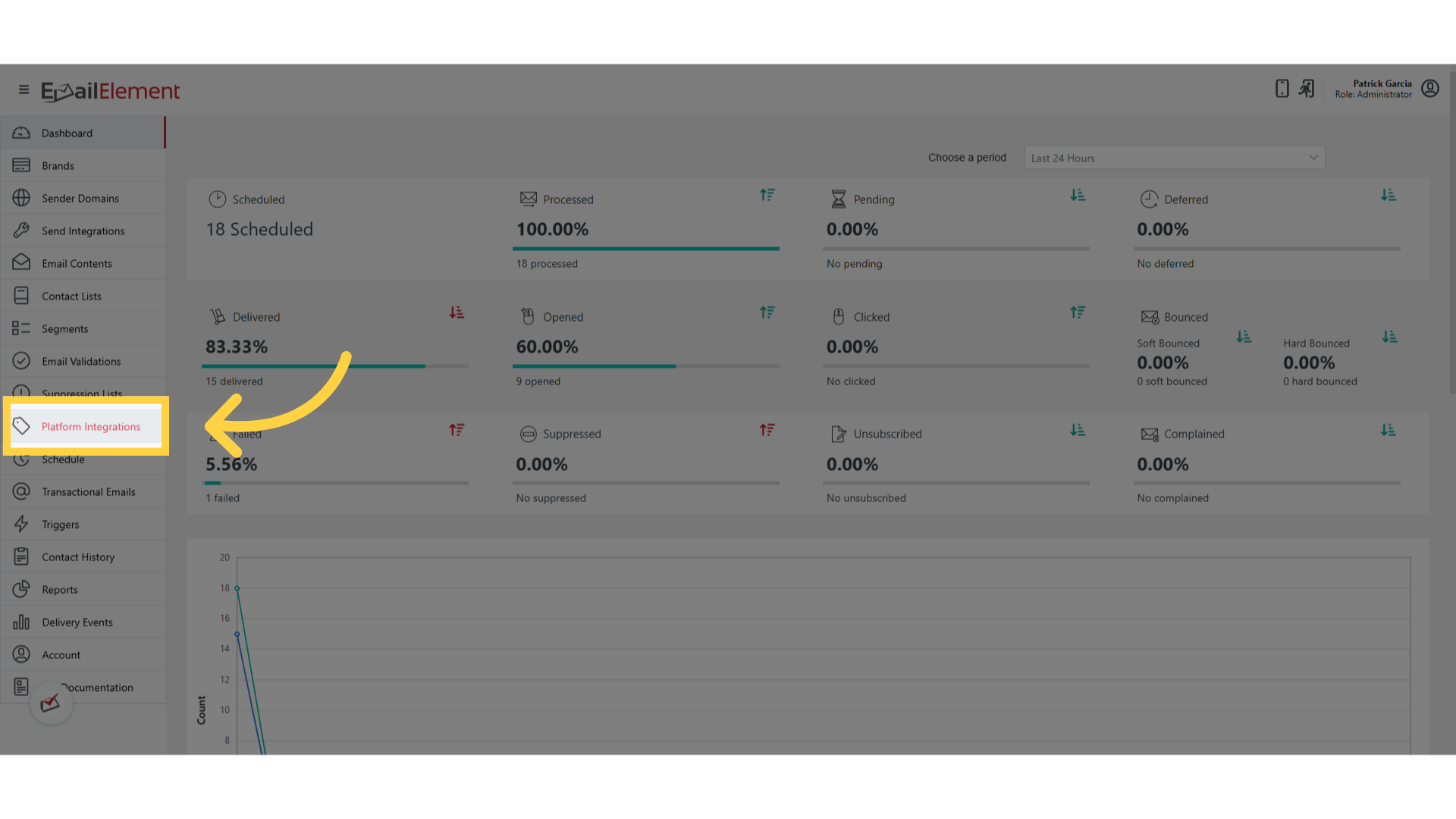
Navigate to Platform Integrations from the sidebar
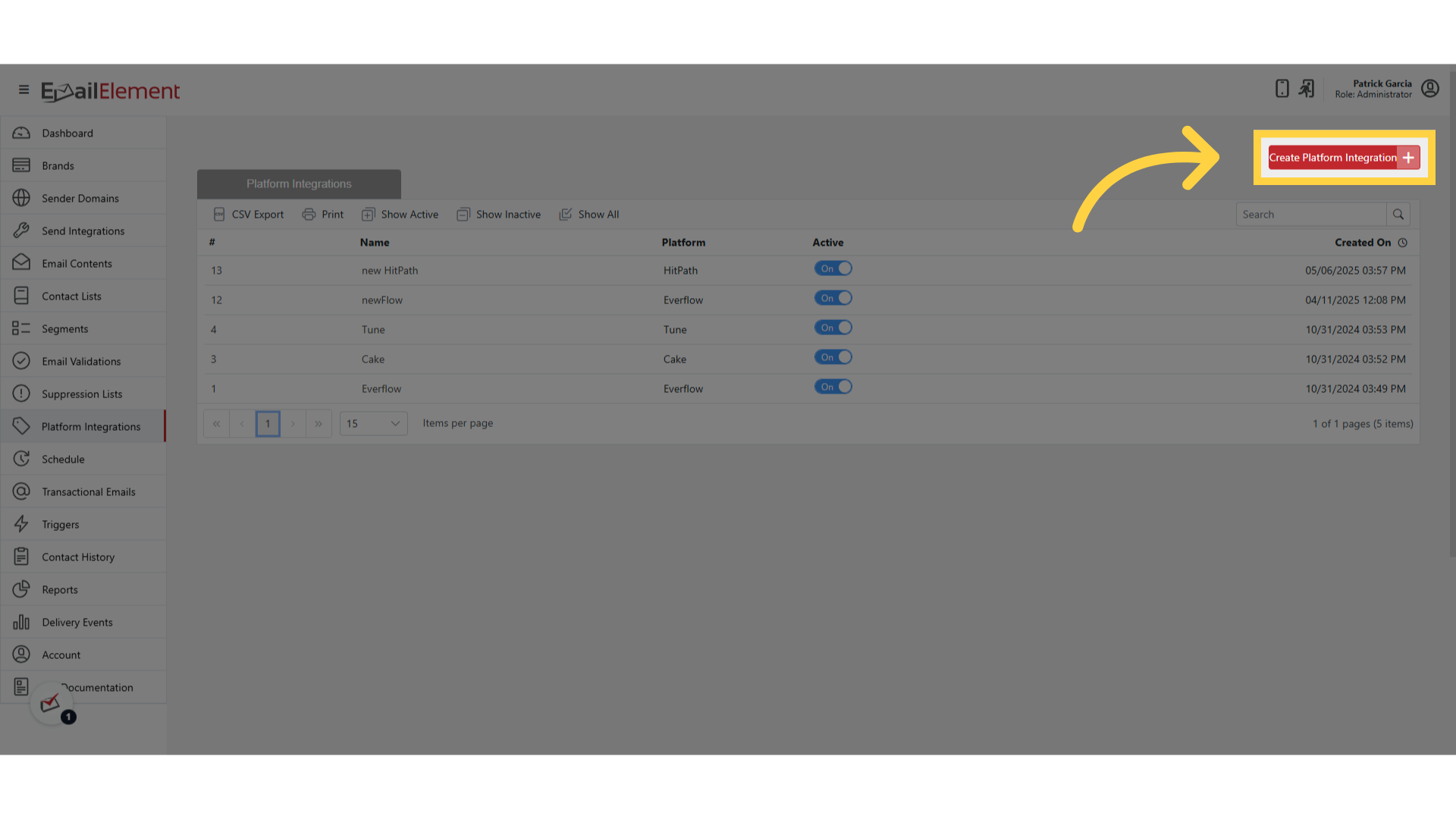
Click Create Platform Integration
Select the platform type:
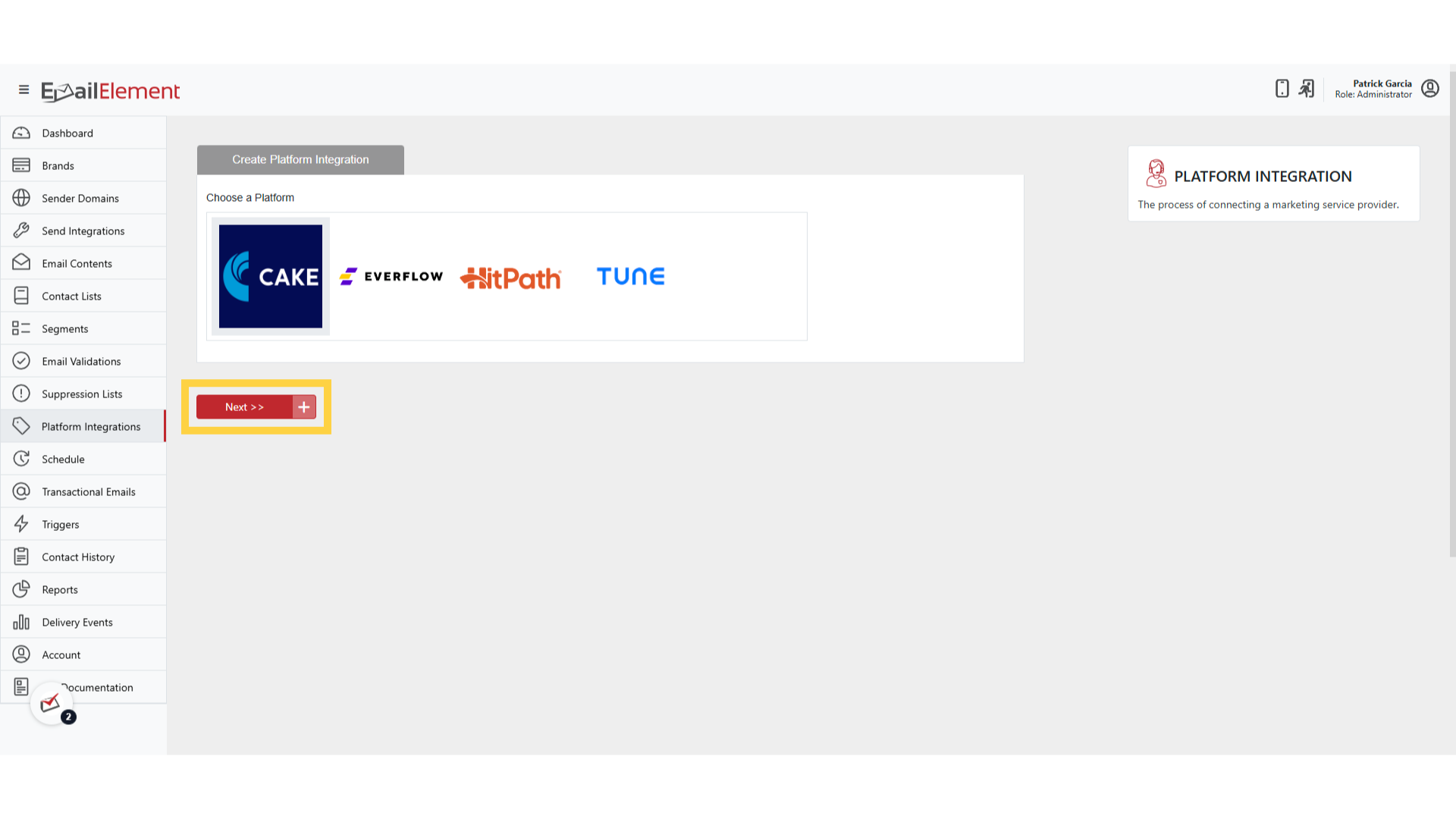
- Everflow
- Tune
- Cake
Enter the required fields:
Integration Name — descriptive name (e.g., "Everflow Production")
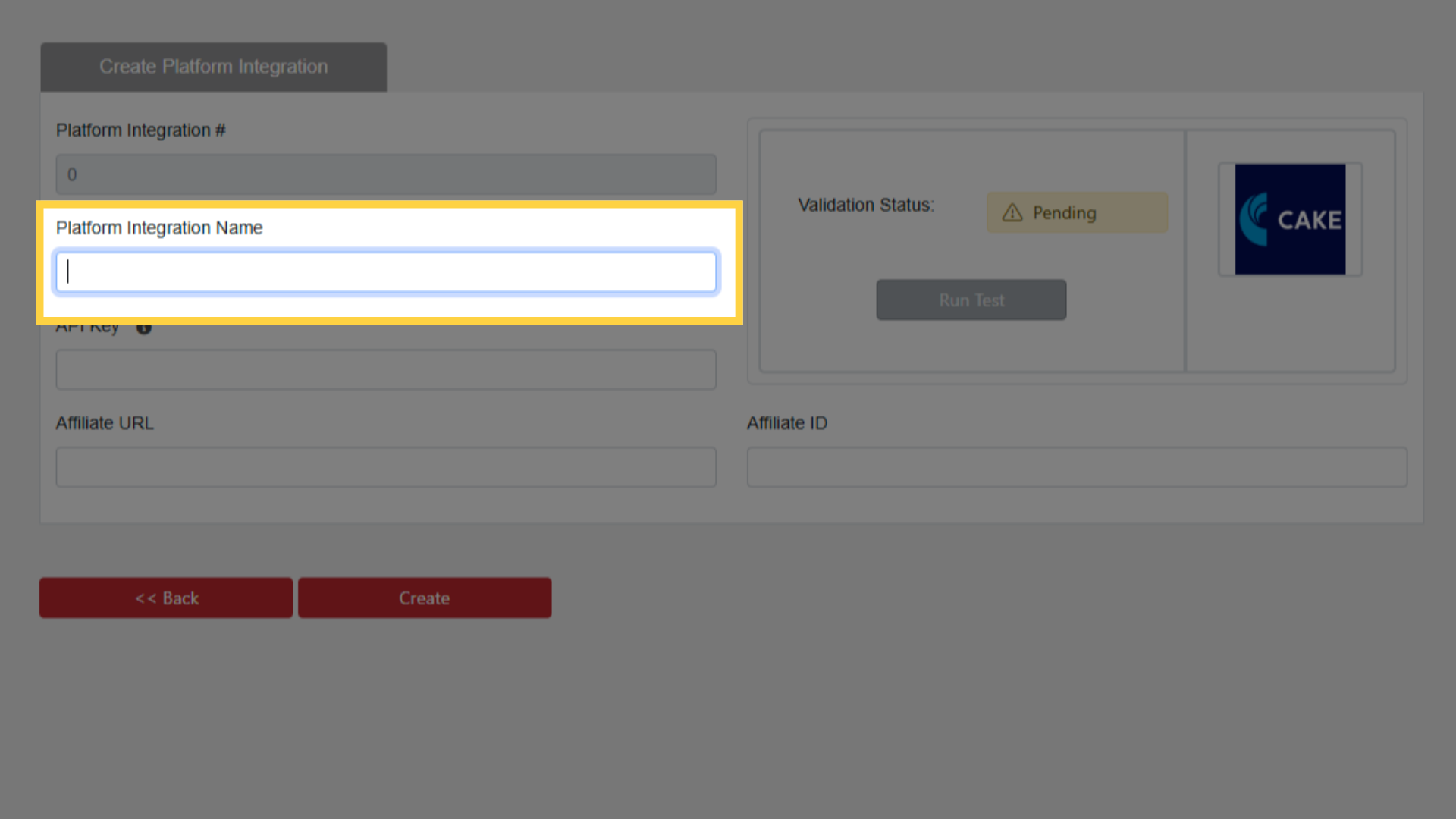
API Key — from your platform account
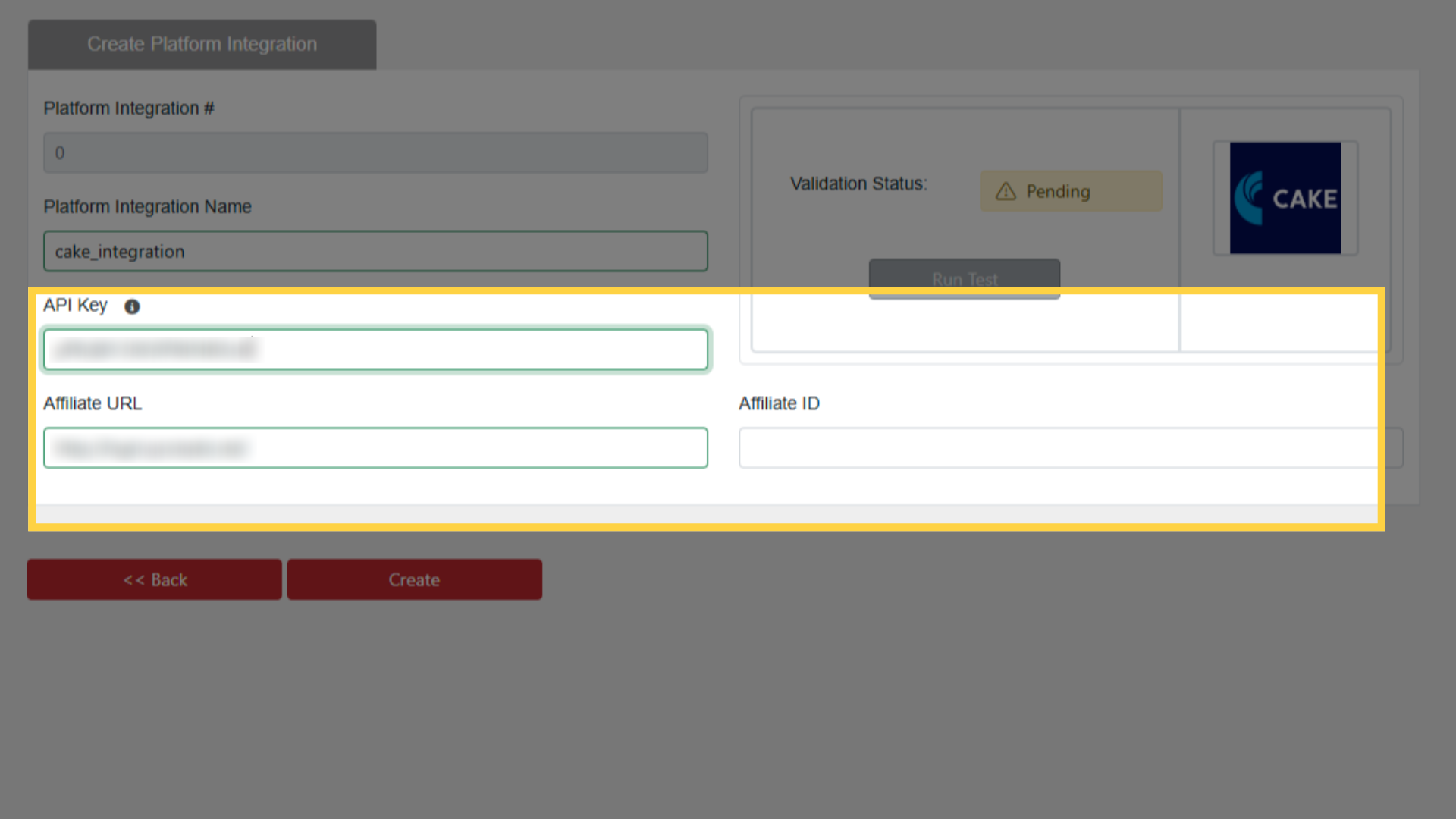
Affiliate URL — your platform's affiliate tracking domain
Affiliate ID — your affiliate identifier in the platform
Click Create
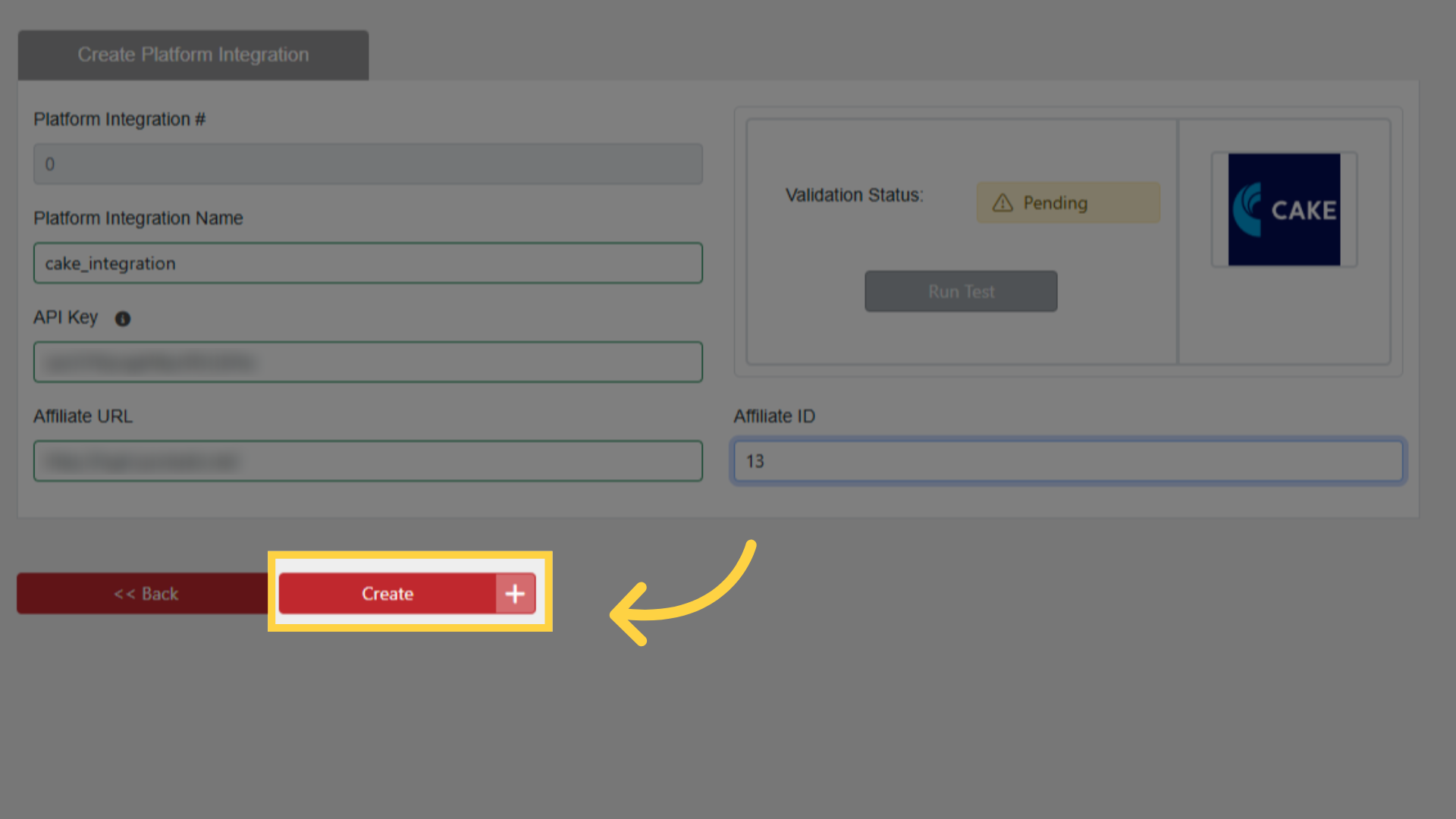
Step 2: Test the Integration
After creation, click Run Test on the integration
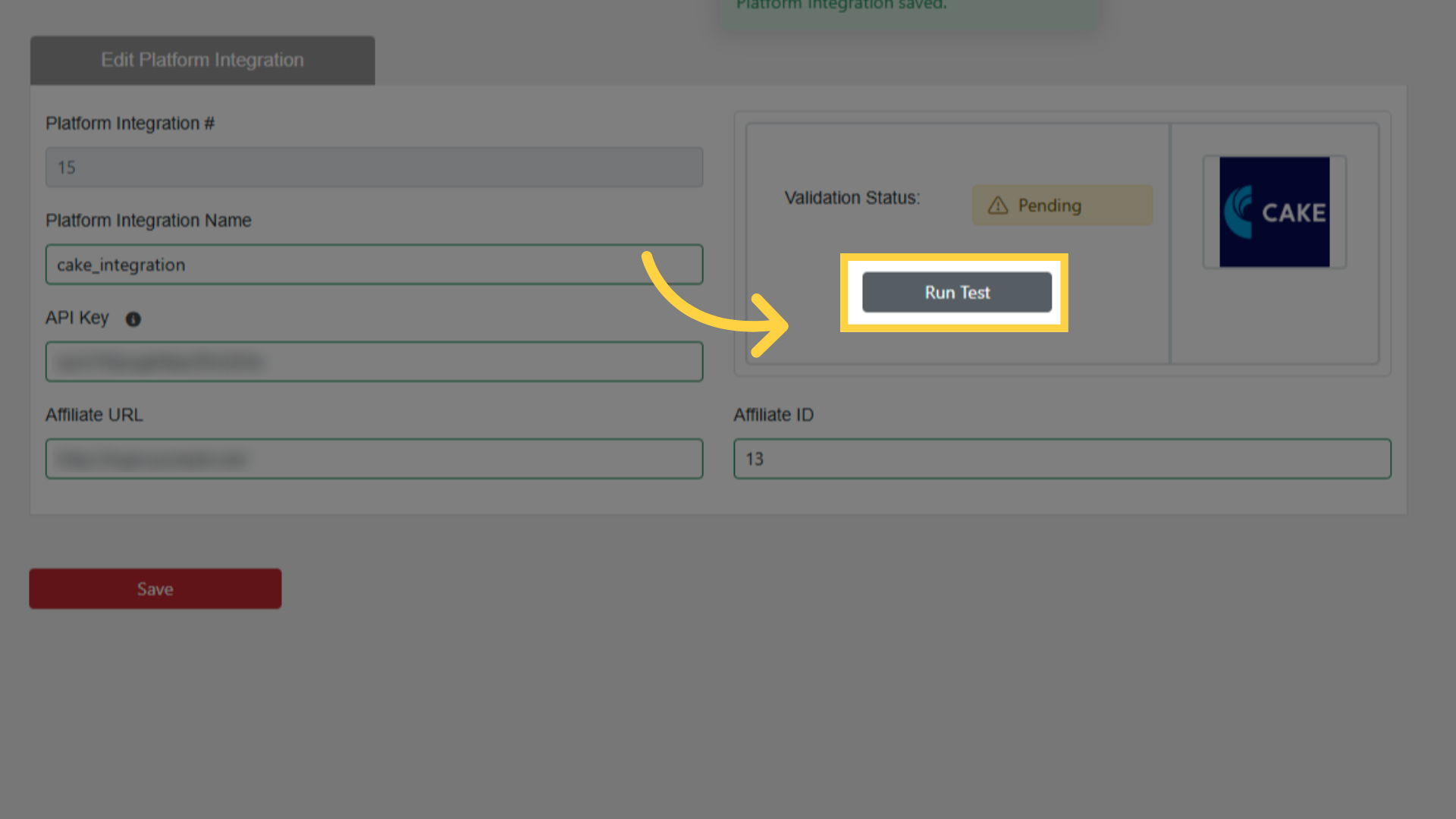
A successful test confirms that EmailElement can communicate with the platform API
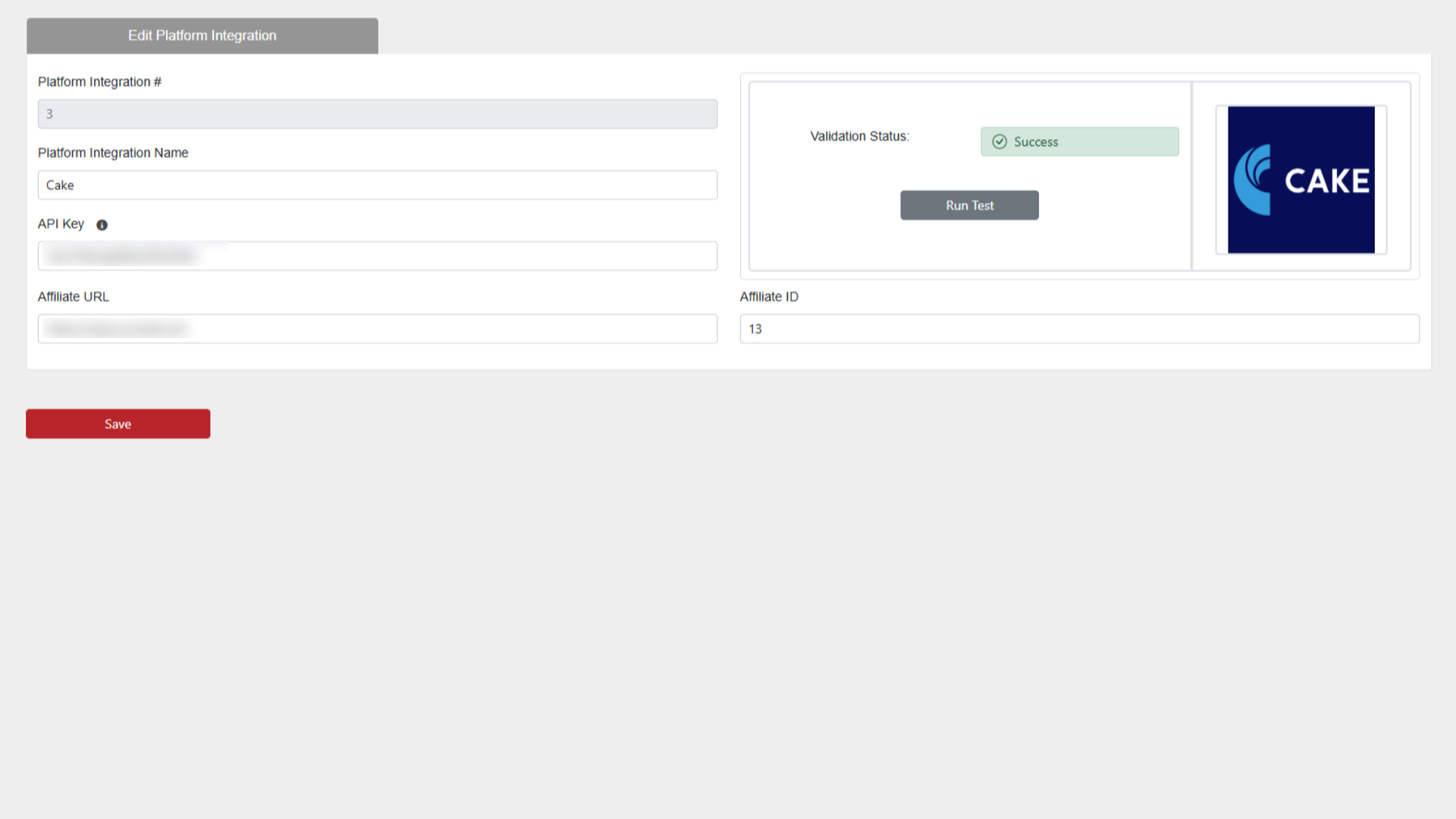
If the test fails:
- Verify the API Key is correct and active
- Confirm the Affiliate URL is accessible
- Check that the Affiliate ID matches your account
Step 3: Add SubID Tracking to Email Content
Navigate to Email Content and open the content you want to track
Edit the template (Custom HTML or Drag and Drop editor)
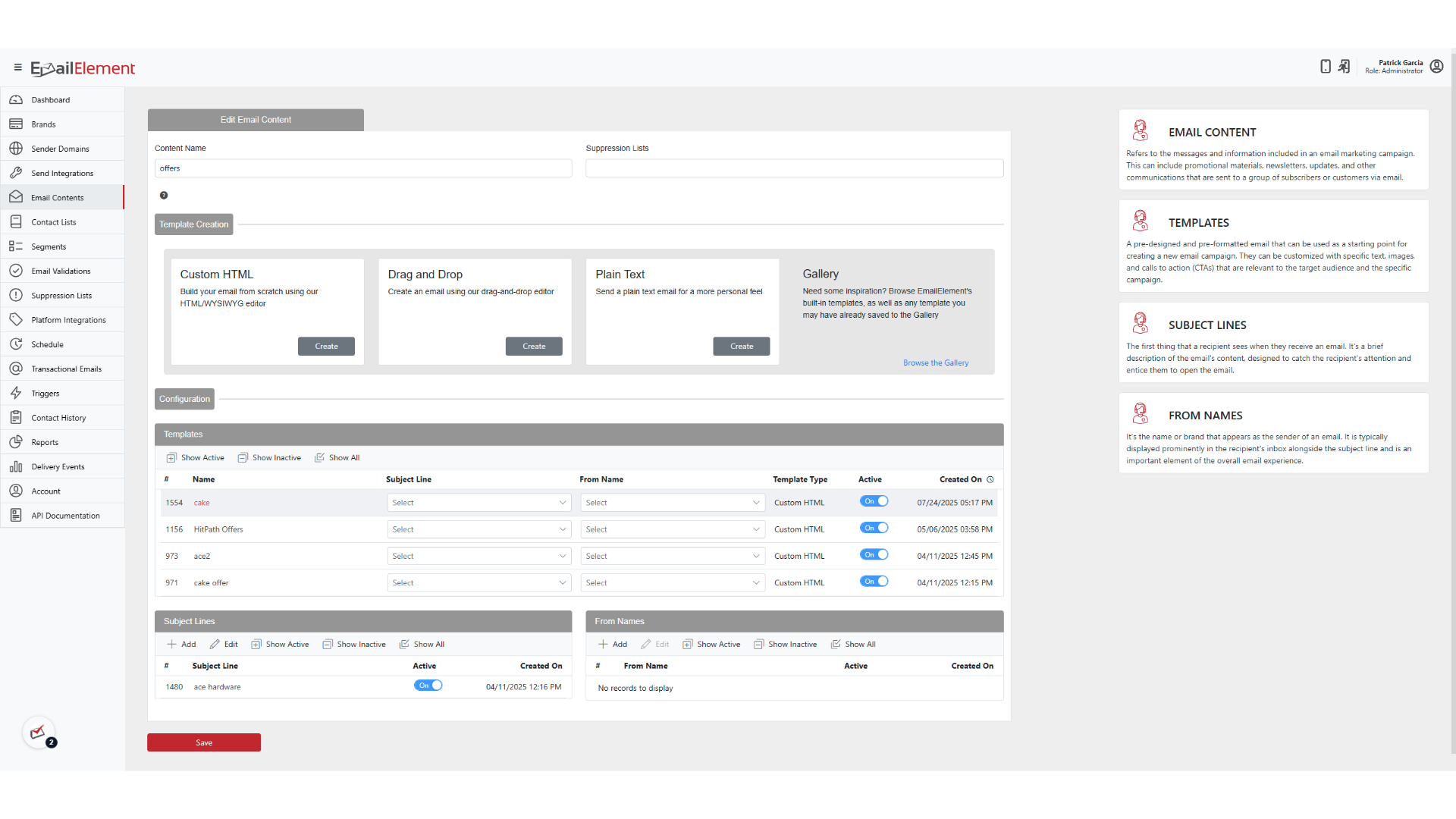
Select or create a link to your offer URL

Append the SubID replacement tag to the URL
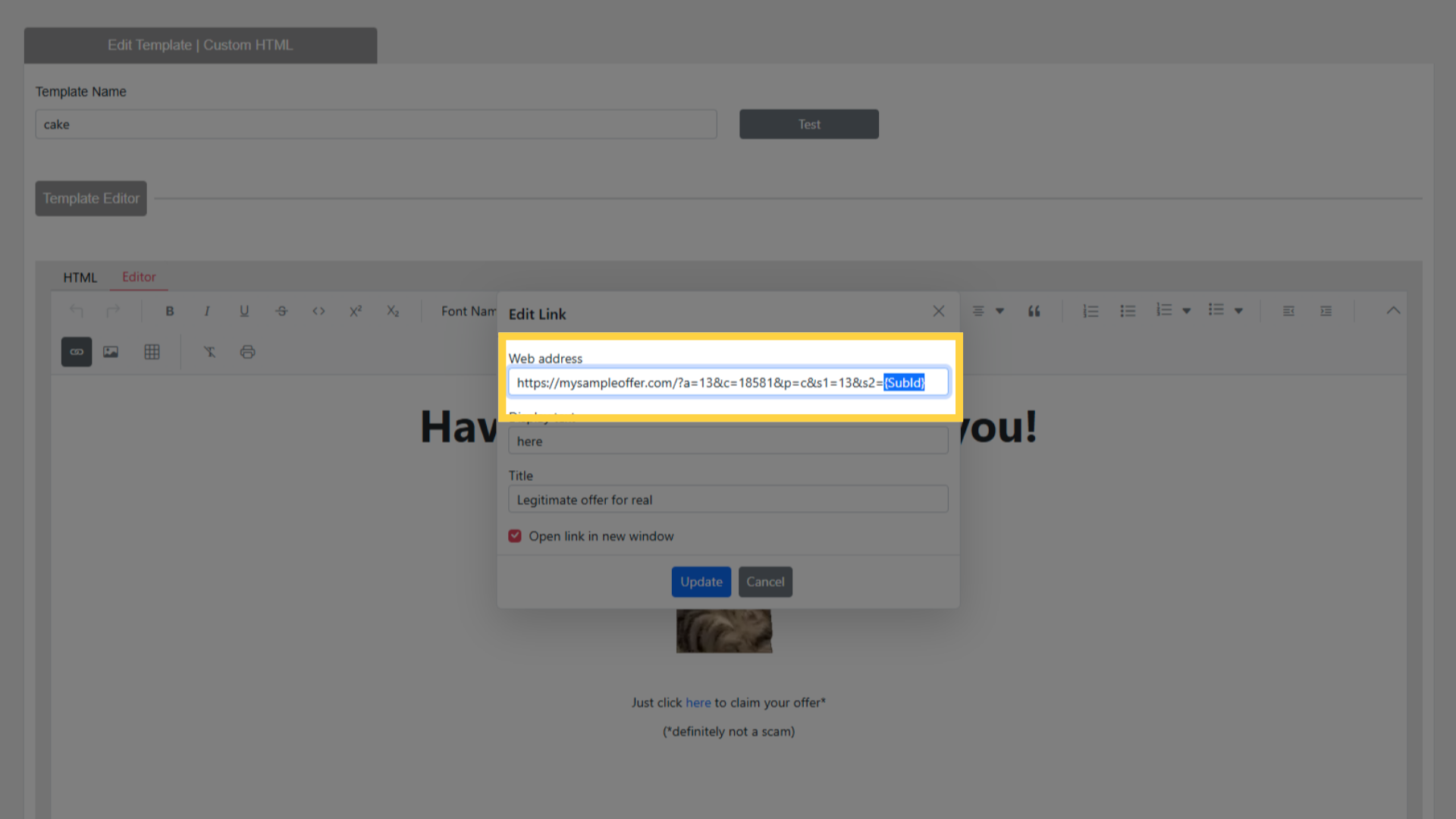
- The tag is dynamically replaced with a unique SubID for each recipient
- Example:
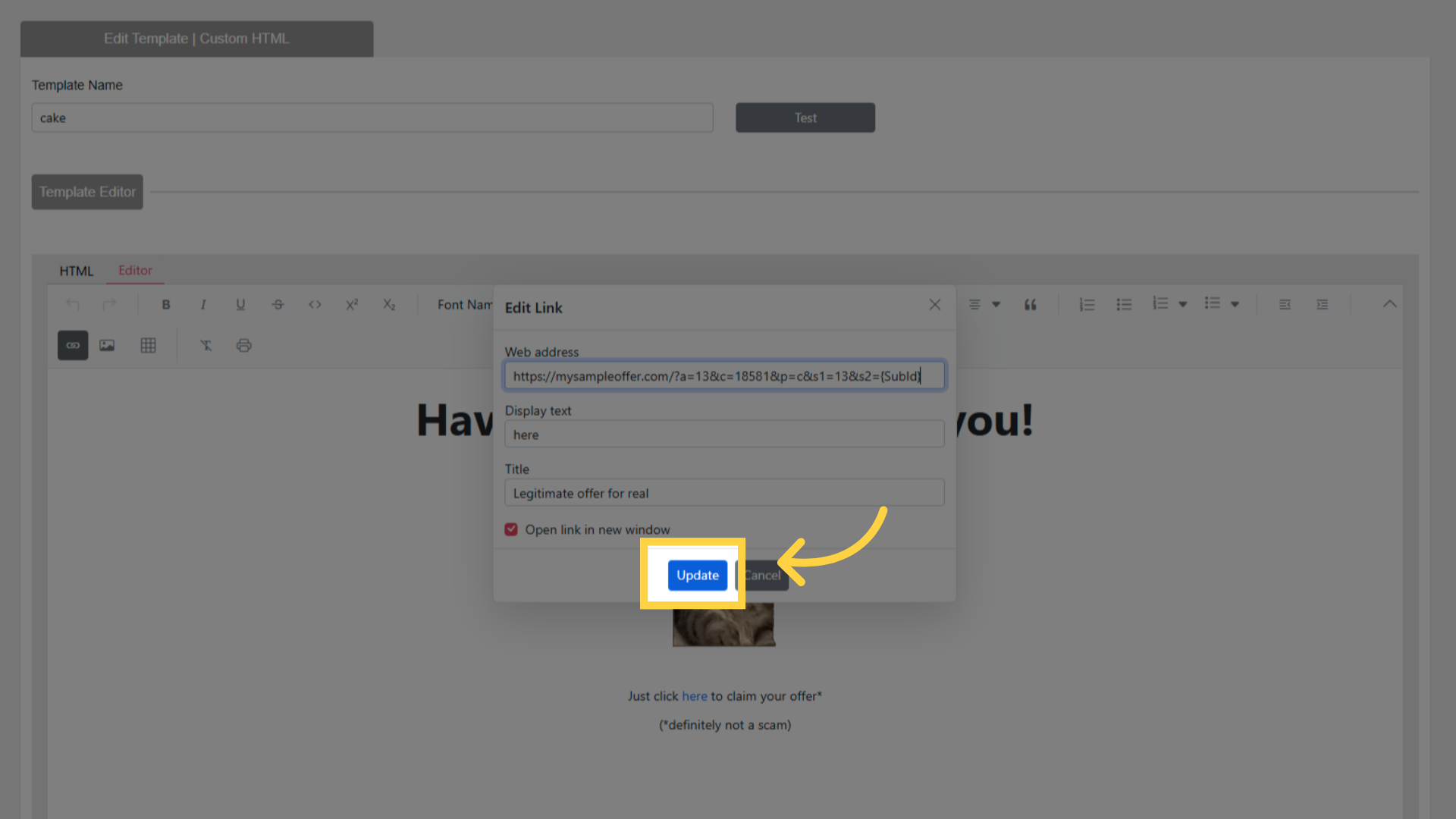
https://offer.example.com/landing?sub_id={SubId}
Save the Email Content
Step 4: Send and Track Conversions
- Schedule or trigger an email using the content with SubID tracking
- When a recipient clicks the tracked link:
- A unique SubID is generated and passed to the platform
- The platform records the click with that SubID
- When a conversion occurs:
- The platform sends conversion data back to EmailElement via the integration
- The conversion is associated with the contact via the SubID
Step 5: View Conversion Data
Contact History: search for a contact to see their conversion events alongside delivery and engagement data
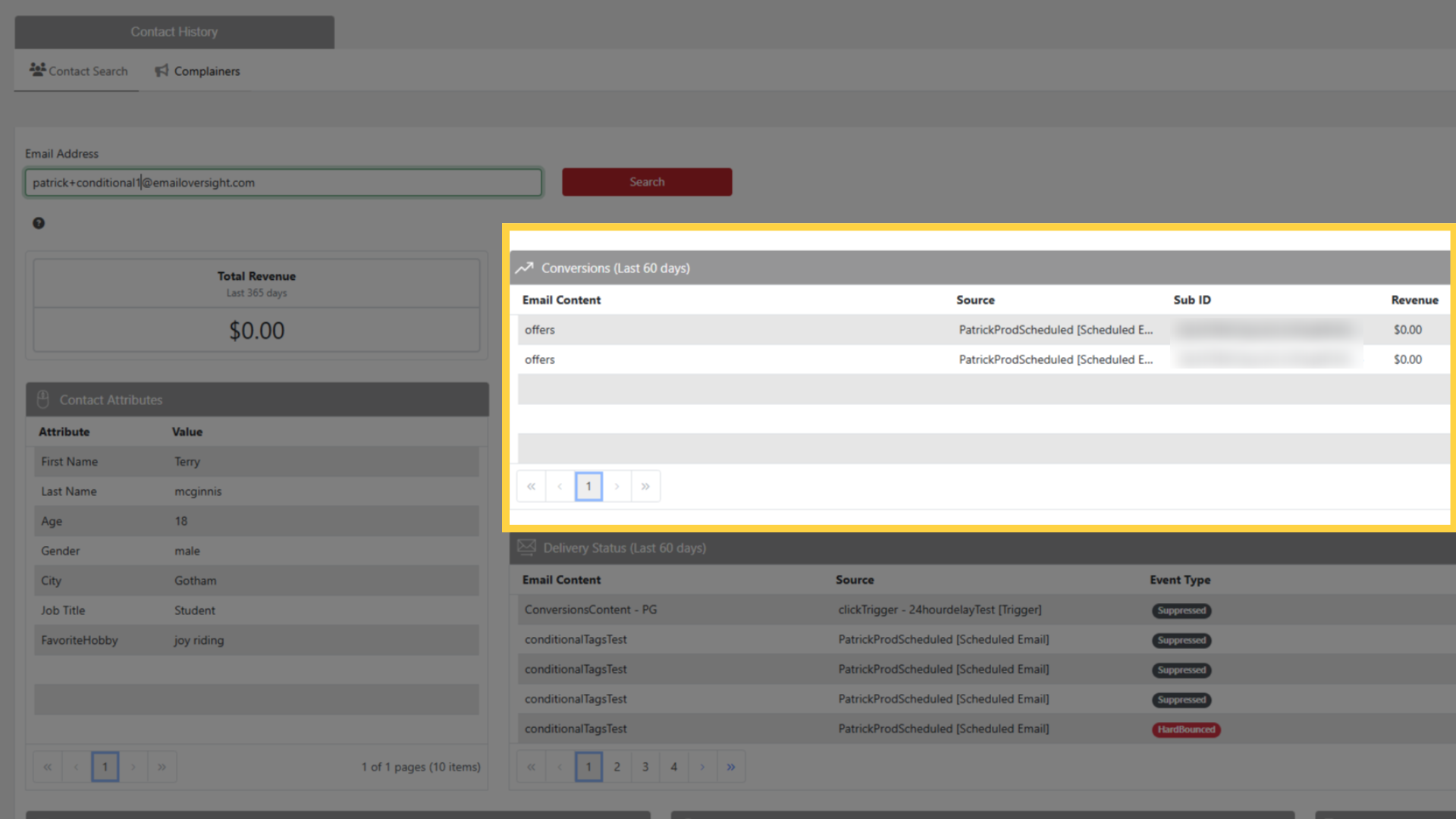
Reports: view aggregate conversion data across campaigns
Use conversion data to optimize targeting and segment high-value contacts