

Postmark
To set up a Postmark Send Integration, the following are required:
- A paid account with Postmark so webhooks are enabled
- A server set up on Postmark
- An API key with correct permissions to set up webhook and headers. (See images below)
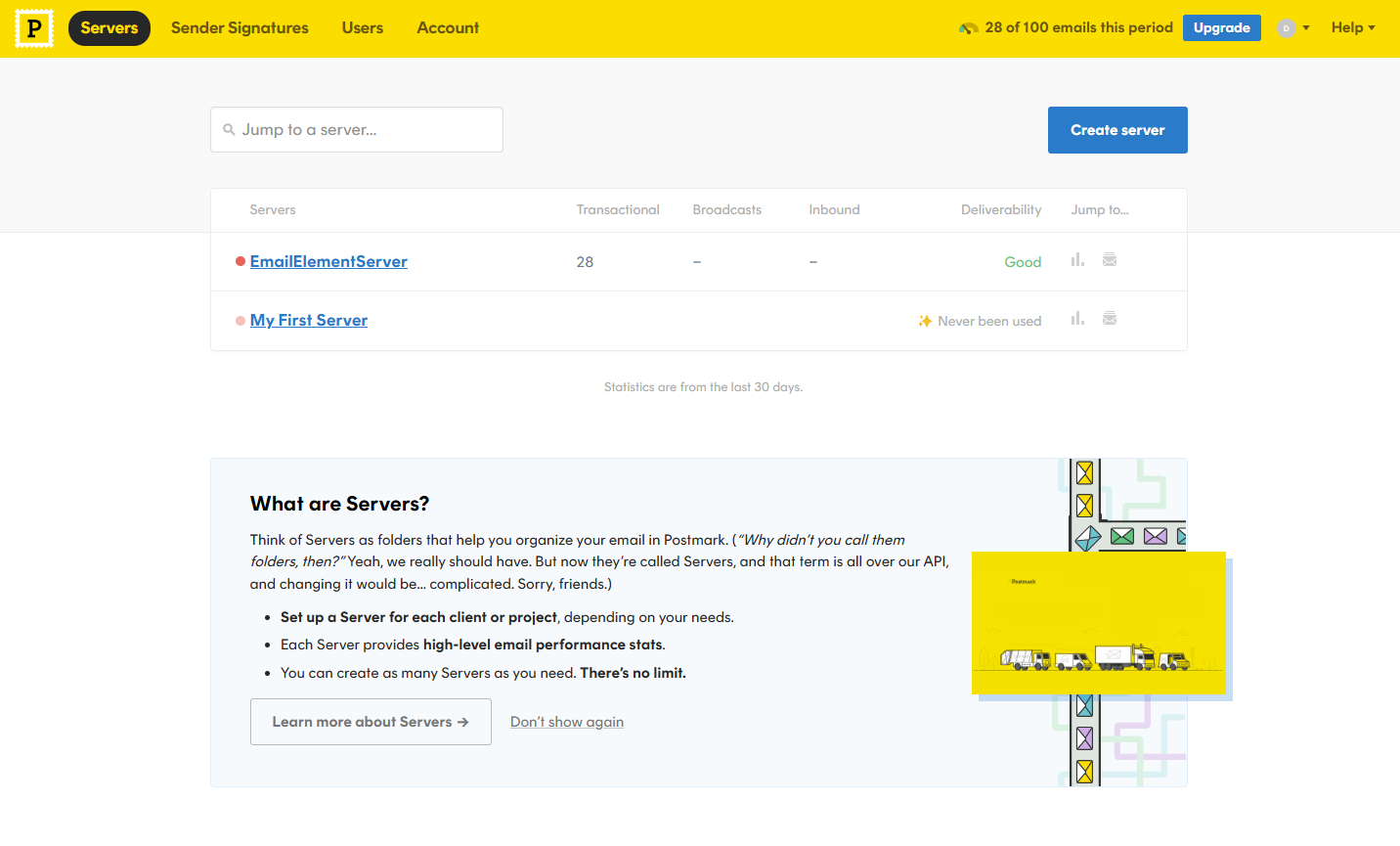
From the Postmark home page, select the Servers tab, then select your Server from the list
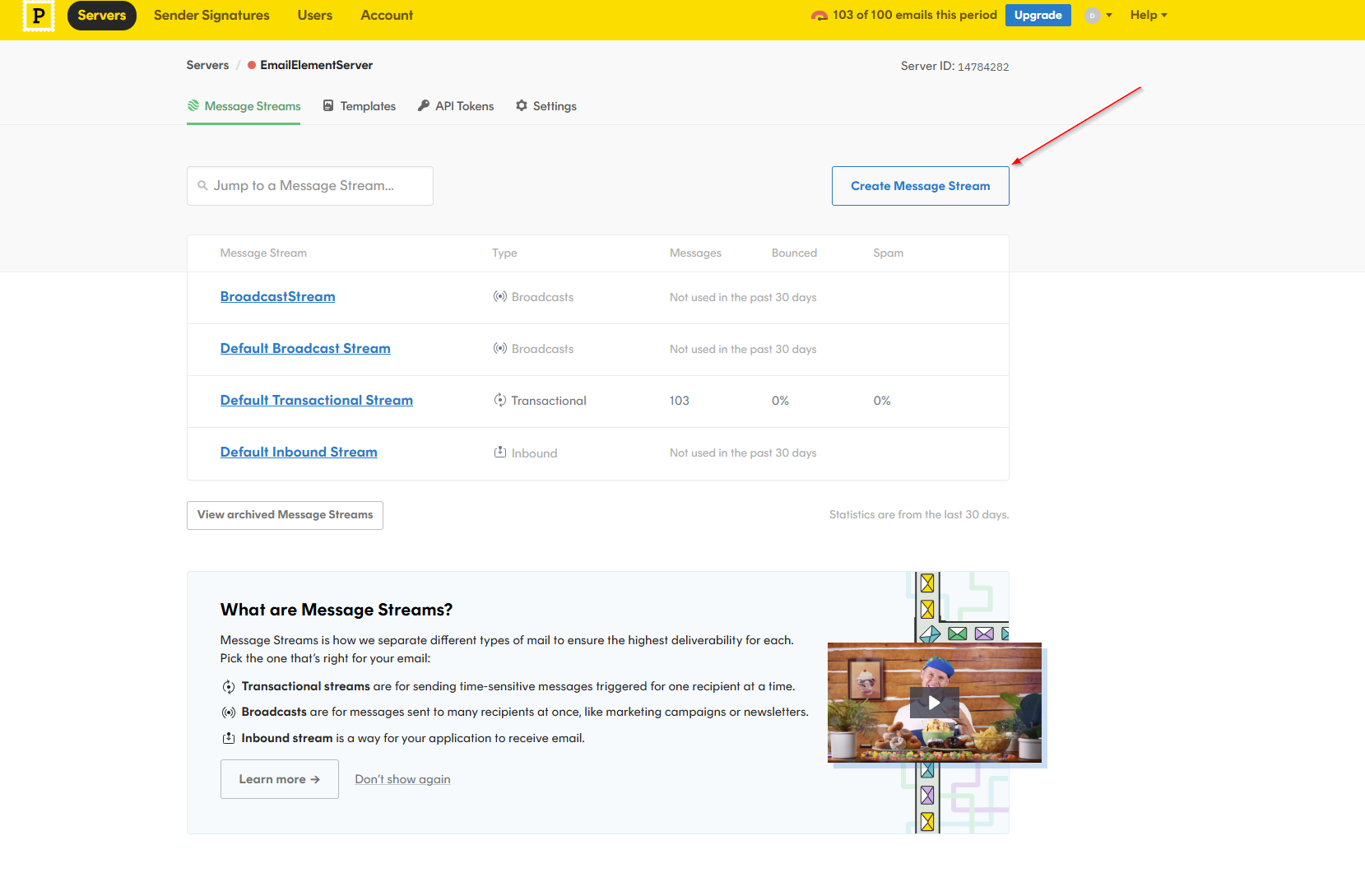
Create Broadcast Message Stream
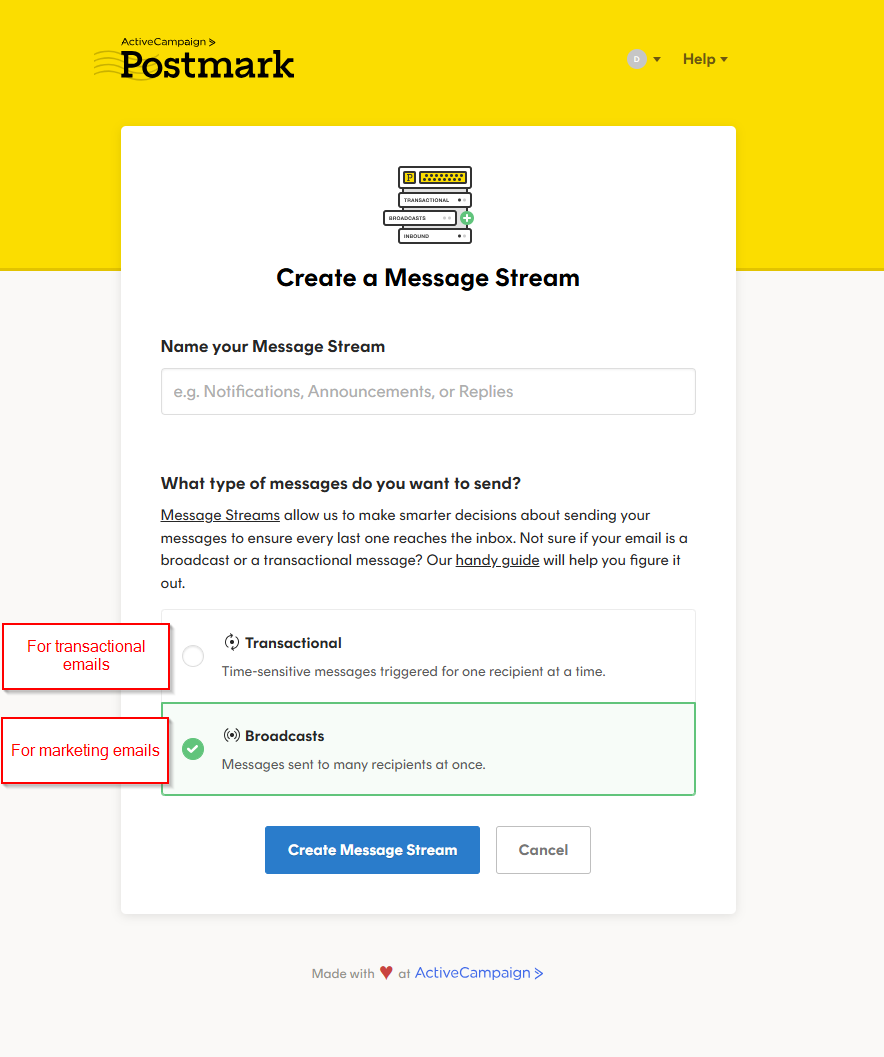
Select Message Stream Type
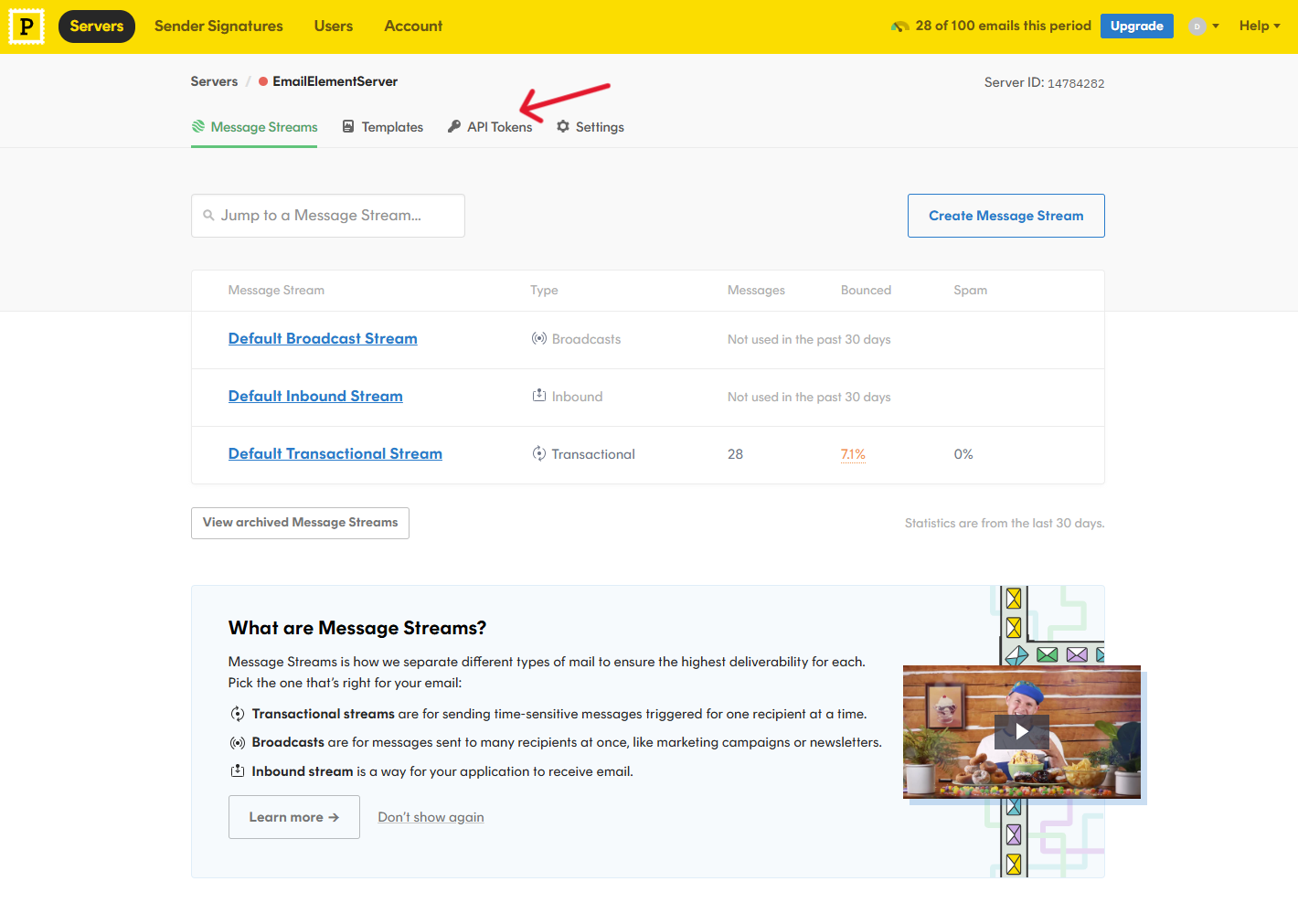
Select API Tokens
Click the “Generate another token” button
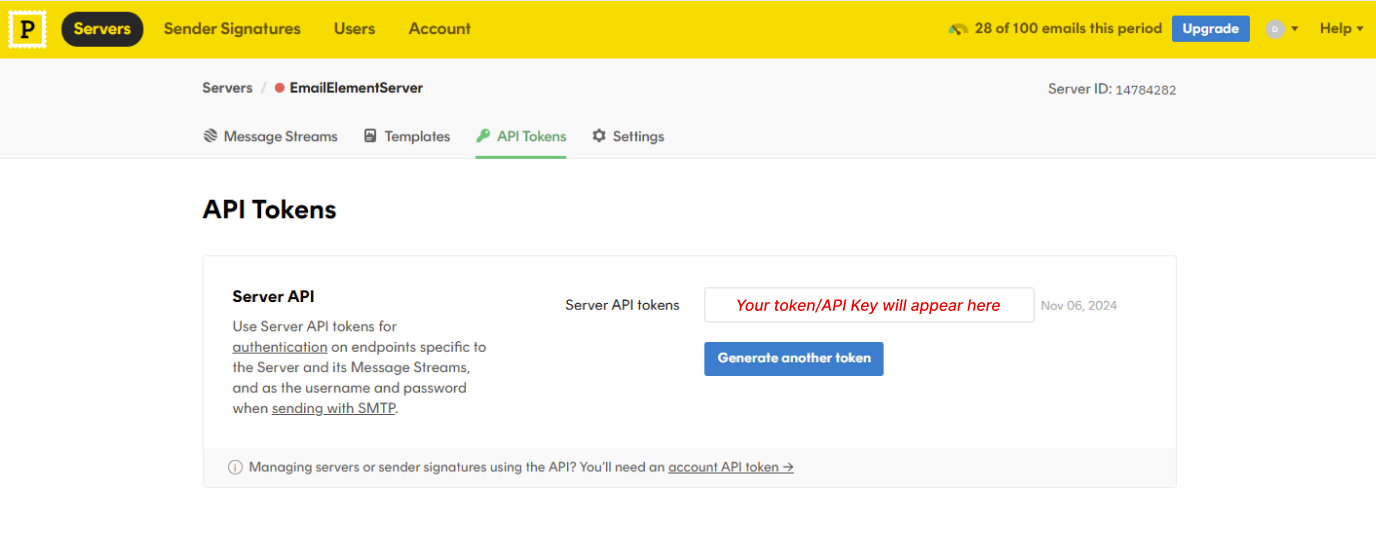
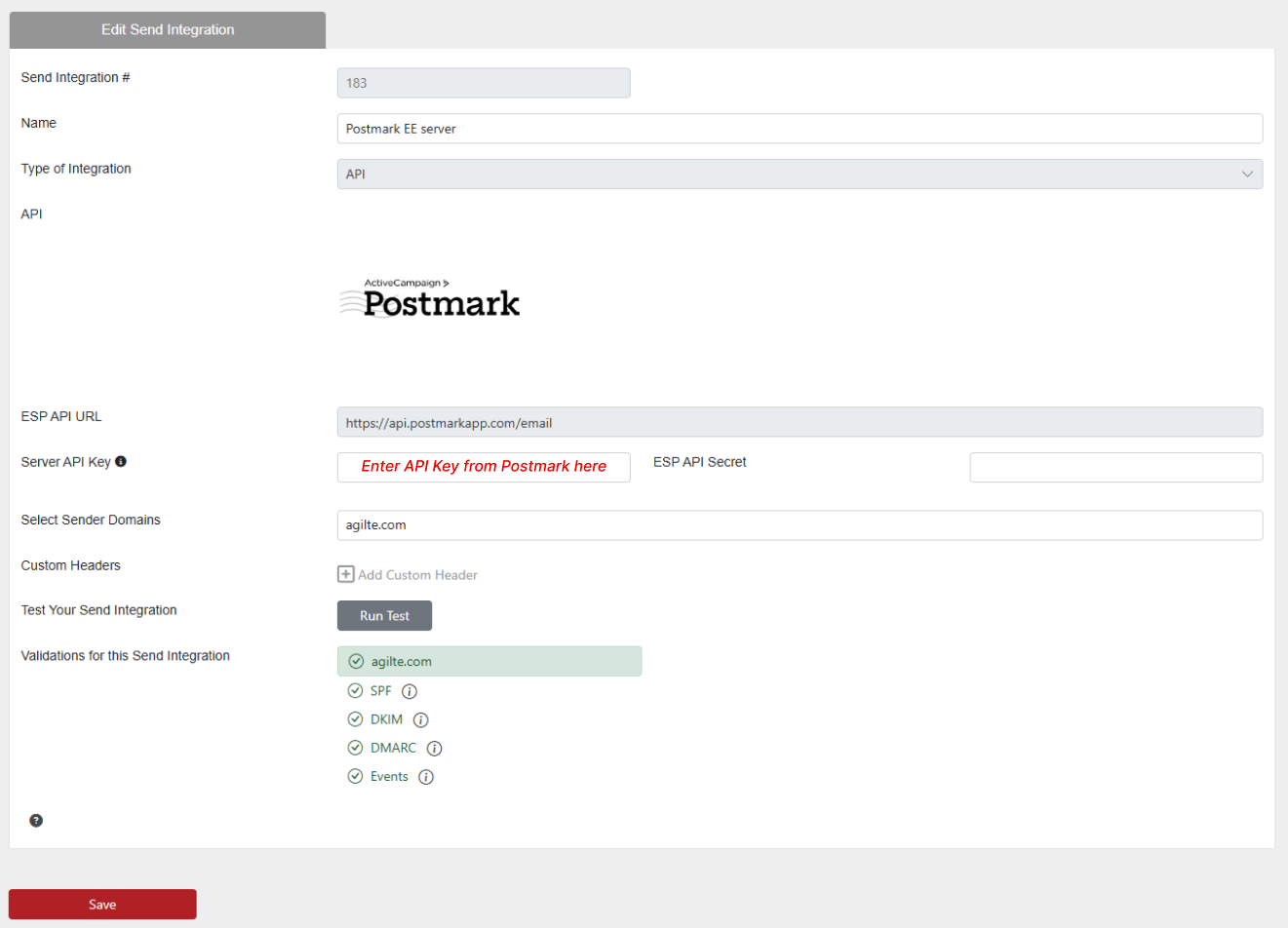
Back in EmailElement, enter your token here in the “Server API Key” field when setting up your Sender Intergration:
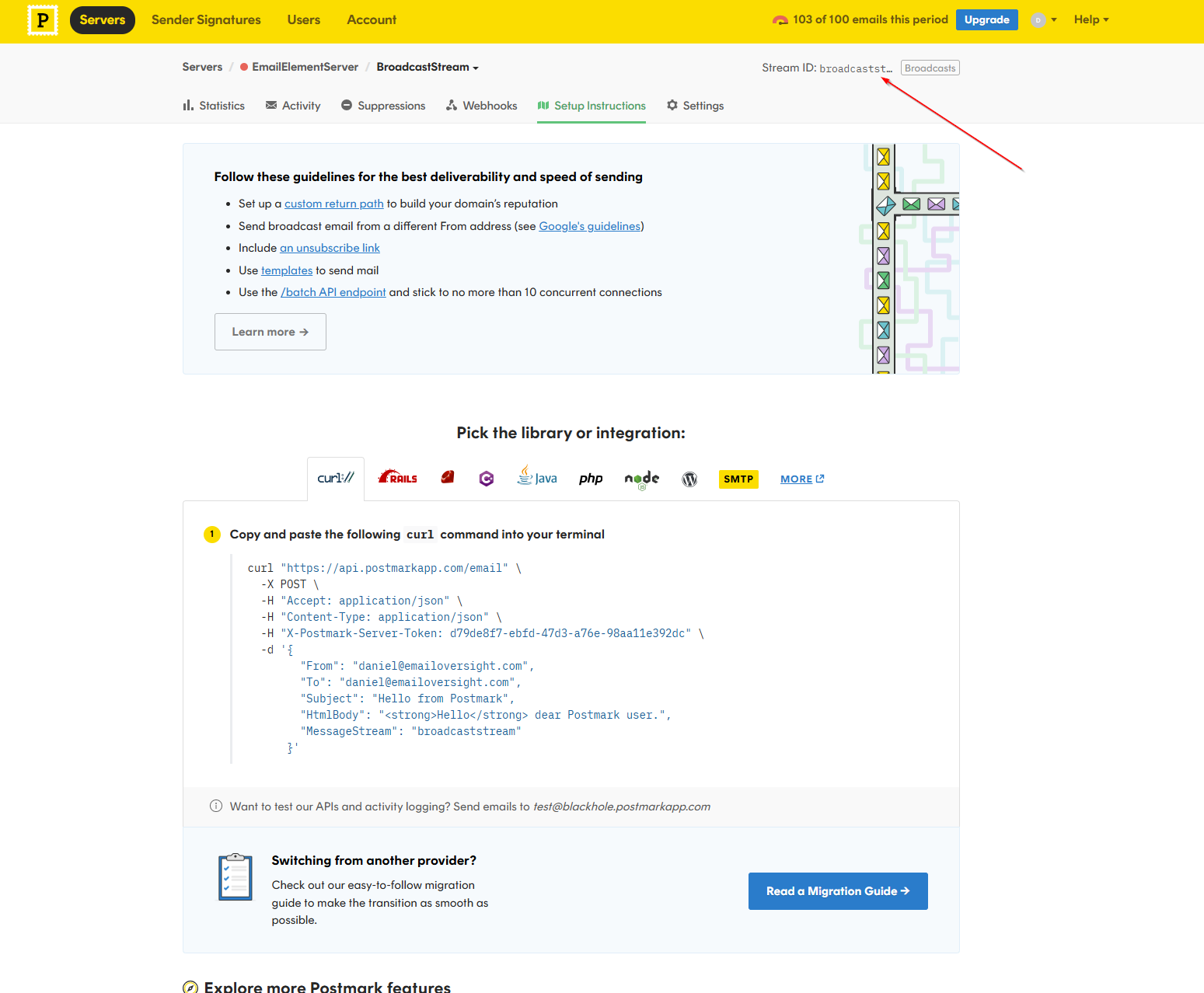
Copy the Message Stream ID
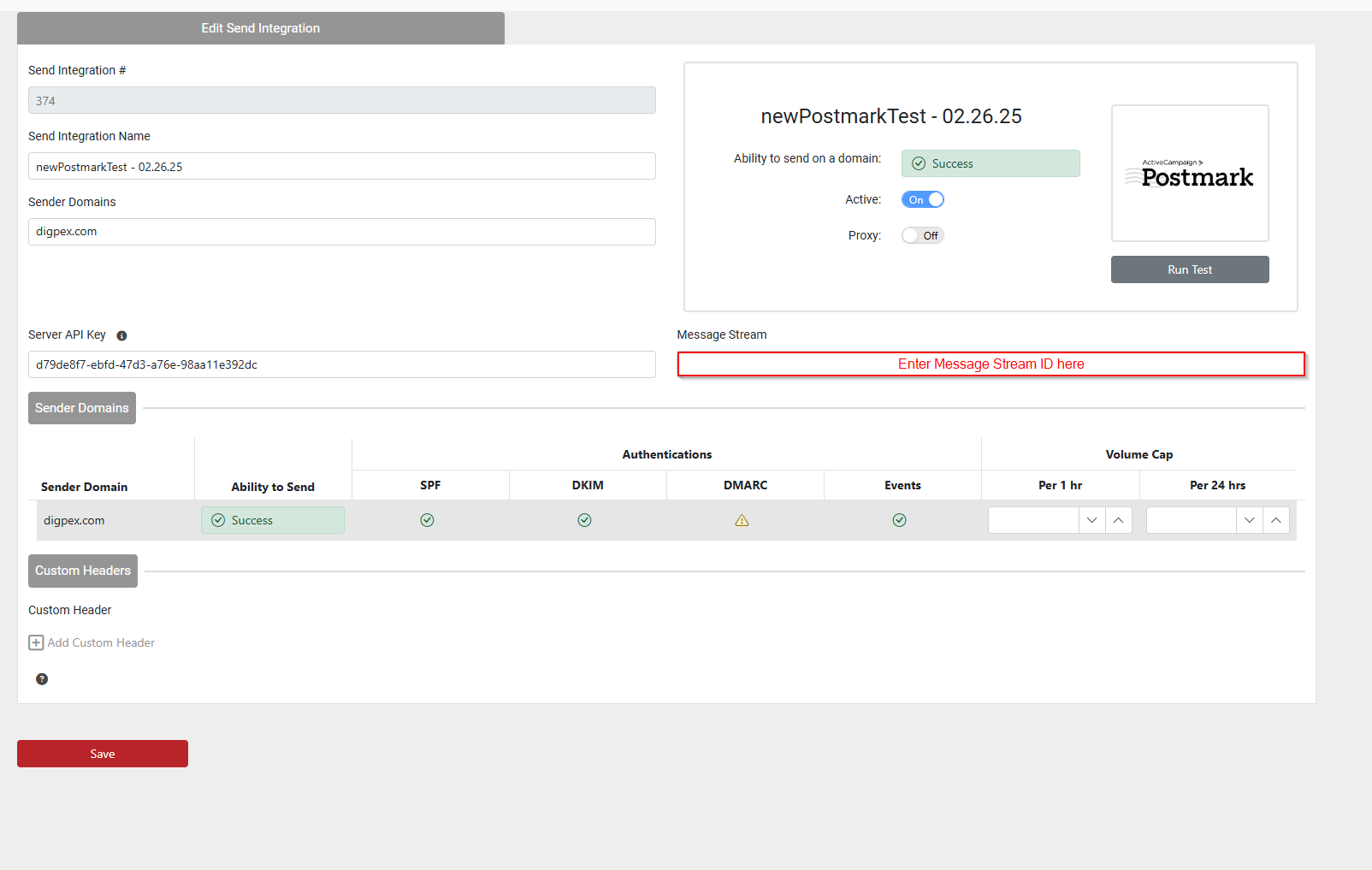
Back in EmailElement, enter your Message Stream ID here in the “Message Stream” field when setting up your Sender Intergration:
Notes
- Webhooks need a paid Postmark account, and the domain verified on their side.
- Postmark uses Message Streams. Use the stream that matches what you are sending, marketing or transactional.