

SendGrid
To set up a SendGrid Send Integration you will need:
- An active SendGrid account. The free tier is enough to test with.
- A sender domain verified in EmailElement, and the same domain verified in SendGrid.
- A SendGrid API key with Mail Send and Event Notifications permissions, created below.
Create the API Key
Log in to SendGrid and go to Settings > API Keys.
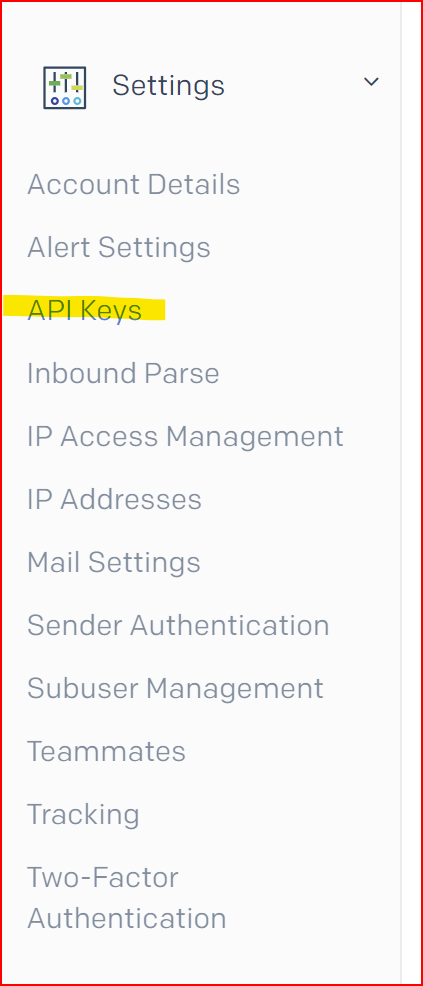
Click Create API Key and give it a name you will recognise later, such as "EmailElement Integration".
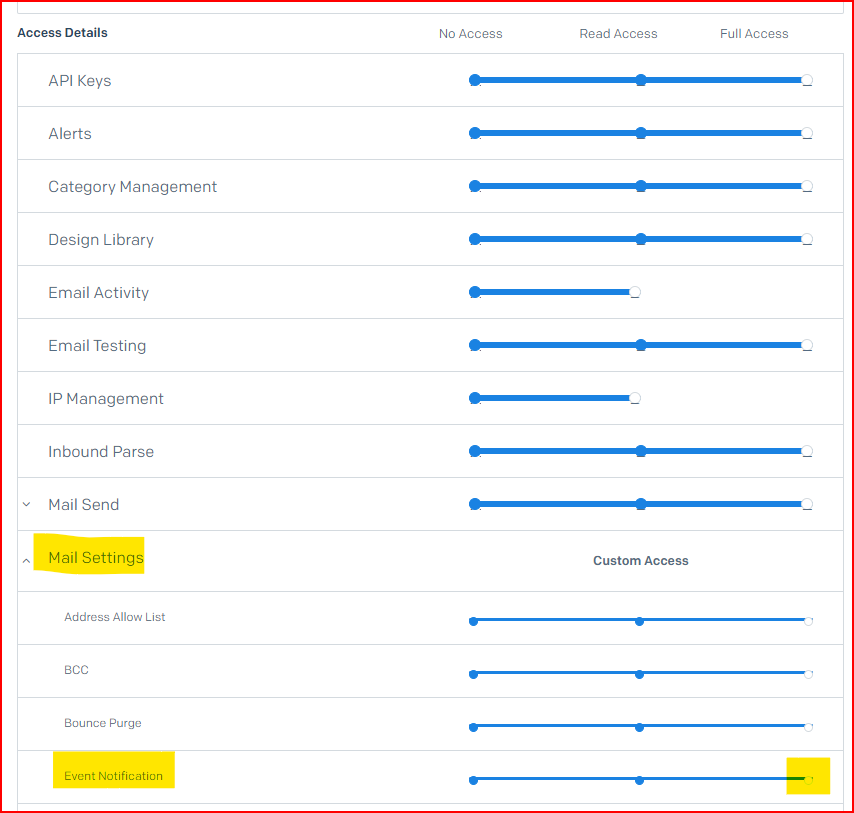
Select Restricted Access. Full Access also works, but restricted keys are safer.
Under Mail Send, grant Full Access.
Under Mail Settings > Event Notifications, grant Full Access. Without this EmailElement never hears what happened to your email, so opens, clicks and bounces stay empty.
Click Create & View and copy the key straight away. SendGrid shows it once.
Set Up SendGrid in EmailElement
- Go to Send Integrations and click Create Send Integration.
- Choose API as the integration type, pick SendGrid, and click Next.
- Give the integration a name.
- Select one or more sender domains. A green tick means the domain is validated.
- Paste the API key.
- Add Custom Headers if you use them, then click Create.
Test the Integration
- Click Run Test on the new integration.
- The result is shown per domain under Sender Domains.
- At least one domain has to pass before the integration will send.
Volume Caps and Multiple Domains
- Each domain can carry a Volume Cap, in emails per hour or per 24 hours. When you schedule a send, the recommended End Time is worked out from the caps and the total volume.
- One integration can hold several sender domains, which lets you send under more than one identity through the same SendGrid account. When scheduling, you pick the Send Integration and Sender Domain pair.
- Assign Email Domain Groups routes recipients at a given provider, Google or Yahoo for example, to a chosen Send Integration.
- Assign Weights splits sending across integrations by percentage. The weights have to total 100%.
Troubleshooting
| Issue | Solution |
|---|---|
| Authentication failed | Check the API key is correct and has Mail Send permission. Generate a new key if you are unsure. |
| Domain not verified | The domain has to be verified in EmailElement and in SendGrid. Check its SPF and DKIM records. |
| Rate limit exceeded | You have hit your SendGrid plan's daily sending limit. |
| Run Test fails for one domain | That domain is not verified in SendGrid. Check its DNS records. |
| No opens, clicks or bounces recorded | The API key is missing the Event Notifications permission. Create a new key with it and update the integration. |